Battery-Monitor BLS
REV 1A – APR 2019 - Software Version 1A page 7
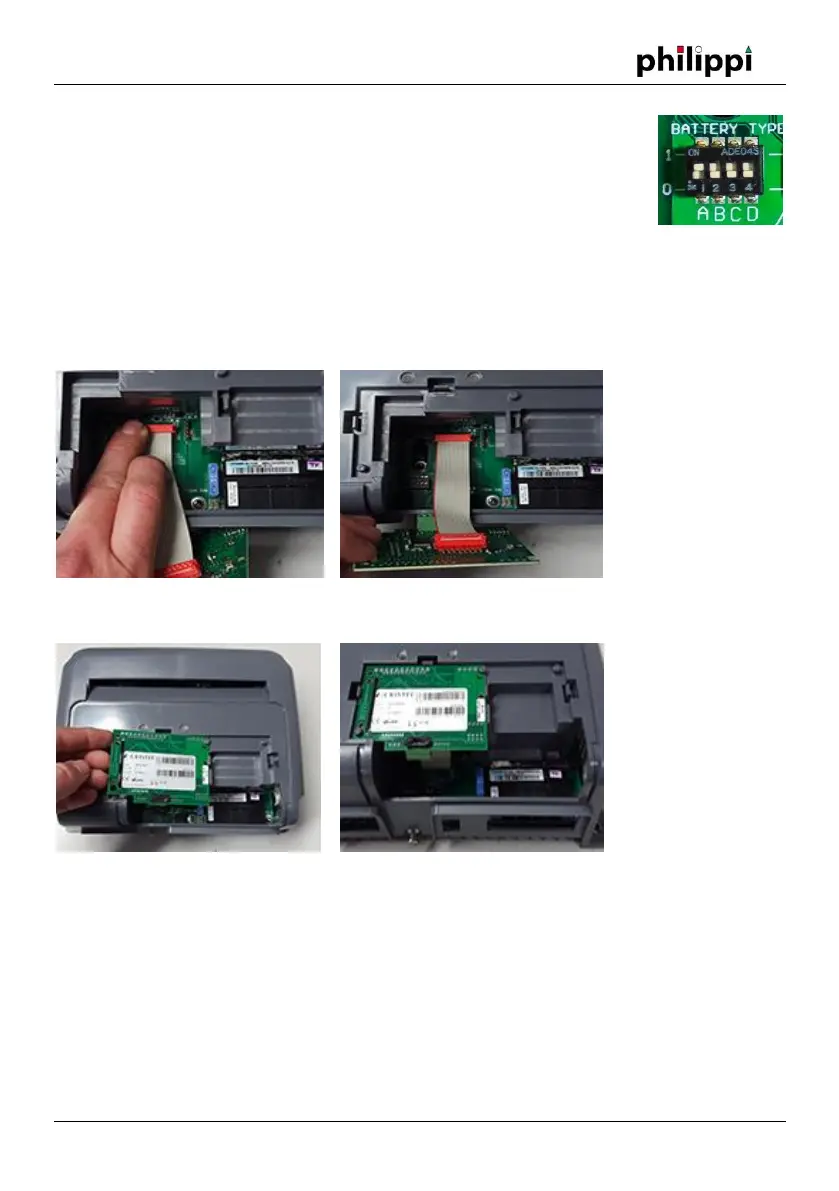
After removing the front cover, the setting of the DIP switches must be adjusted
for operation with the CAE-LIN interface.
The ACE chargers are equipped with DIP switches to individually adapt the
charging characteristic to the batteries. Only if the DIP switches of the charger
are set to ABCD = "1111", the charging characteristic can be set from the monitor
BLS. Then it is also possible to set a user-defined characteristic. Otherwise, the characteristic set via
the DIP switch applies.
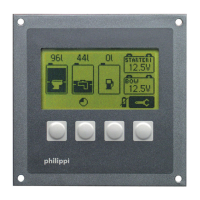
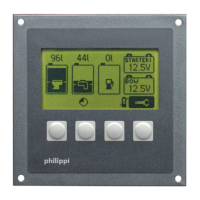
For electrical connection of the interface board, the 16-pin connector of the ribbon cable must be
plugged into the matching red connector on the main board of the ACE charger.
The interface board is held in place by three plastic clips on the case.
Wiring LIN line to monitor BLS / Shunt SHE
The communication port "LIN" of the interface ACE-LIN is connected to the connection "LIN" of the
shunt SHE 300 and the monitor BLS via a 1-wire connection cable. This can be decided according to
the local installation conditions. The order of the devices on the "LIN" line does not matter. Since
the "LIN" connection on the interface ACE-LIN is duplicated, it is advisable to connect a LIN cable
from the monitor to the charger and the other from the charger to the shunt. The ideal conductor
cross-section for the "LIN" cable is 1mm².


 To Next Page