EasyManua.ls Logo

philippi TCM4 - User Manual

philippi TCM4
12 pages
Print Icon
To Next Page IconTo Next Page
Loading...
k
TANKMONITOR TCM4
INSTRUCTION MANUAL
philippi elektrische systeme gmbh www.philippi-online.de
Neckaraue 19 info@philippi-online.de
D-71686 Remseck am Neckar Telefon: +49 (0)7146/8744-0, Fax -22
V2.3 - August 2011
INDEX
1. INTRODUCTION..........................................................................................................................................2
2. SAFETY INSTRUCTIONS ........................................................................................................................... 3
3. INSTALLATION.............................................................................................................................................4
4. OPERATION................................................................................................................................................. 5
5. HANDLING / SETUP.....................................................................................................................................6
6. TROUBLESHOOTING................................................................................................................................12
7. MAINTENANCE..........................................................................................................................................12
8. TECHNICAL DATA......................................................................................................................................12
9. CE-CONFORMITY...................................................................................................................................... 12
Question and Answer IconNeed help?

Do you have a question about the philippi TCM4 and is the answer not in the manual?

Summary

Introduction and Package Contents

Purpose of the Tankmonitor

Defines the intended use and application of the TCM-series tank monitors for low voltage systems.

Package Contents

Lists the items included in the Tankmonitor TCM 4 package: the unit, plug-in clamp, and manual.

Optional Accessories

Details optional accessories like flow sensors and tank sensors, including their order numbers.

Warranty, Liability, and Quality

Warranty Information

Outlines the two-year limited warranty terms, coverage, exclusions, and claim process.

Exclusion of Liability

States philippi electrical systems' disclaimer of responsibility for damages due to incorrect installation or use.

Quality Management Process

Describes the quality control processes, testing, and serial number tracking at the Remseck am Neckar facility.

Safety References

Installation and Connection

Mounting and Sensor Wiring

Details mounting dimensions, sensor connection terminals (TG1-TG4), and wiring for passive/active sensors.

Power Supply and Lighting

Explains power supply connection requirements, including cable size and fusing, and manual light activation.

Device Operation

Display and Measurement

Describes automatic display of tank levels, measurement intervals, and display formats (liters, percent).

Alarm Thresholds and Indicators

Explains how to set and interpret alarm thresholds for tank levels and alarm acknowledgment.

Powersave Mode

Details the Powersave mode for reduced consumption with ultrasonic sensors, noting alarm deactivation.

Handling and Setup Menu

Button Functions

Outlines the functions of the four buttons, including long presses for specific operations like filling simulation.

Setup Menu Navigation

Explains the key functions within the SETUP menu for adjustments: arrow, plus, minus, and return.

Global Setup Options

Display Settings

Configures how tank levels are displayed: in liters, percentage, or numerically.

Tank Configuration

Sets the number of tanks displayed and configures individual tank parameters like type and compensation.

Language and Contrast

Allows selection of the SETUP menu language and adjustment of display contrast.

Powersave Mode Activation

Enables or disables the Powersave mode (1=on, 0=off) for reduced power consumption.

Individual Tank Settings

Tank Capacity Adjustment

Allows setting the tank's total capacity in liters for accurate level display.

Tank Type and Sensor Matching

Selects tank symbols and sensor types (resistance, ultrasonic, flow) for correct measurement.

Free Resistance Range Adjustment

Enables manual input of resistance values for 0%, 50%, 100% levels for non-standard sensors.

Tank Depth and Distance Ring

Adjusts tank depth and distance ring values for ultrasonic sensors (UTV40/UTV80).

Flow Sensor (DFS) Configuration

Details operation for tank type 40 (DFS) and simulates filling via button presses.

Alarm Level and Duration Setup

Configures alarm thresholds for empty/full conditions and sets the duration of the alarm signal.

Powersave Mode Operation

Explains the PS indicator and notes that alarms are deactivated in Powersave mode.
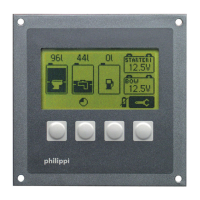
Tank Geometry and Compensation

Troubleshooting

Maintenance

Technical Data

CE Conformity

philippi TCM4 Specifications

General IconGeneral
Brandphilippi
ModelTCM4
CategoryMonitor
LanguageEnglish

Related product manuals