k
TANKMONITOR TCM4
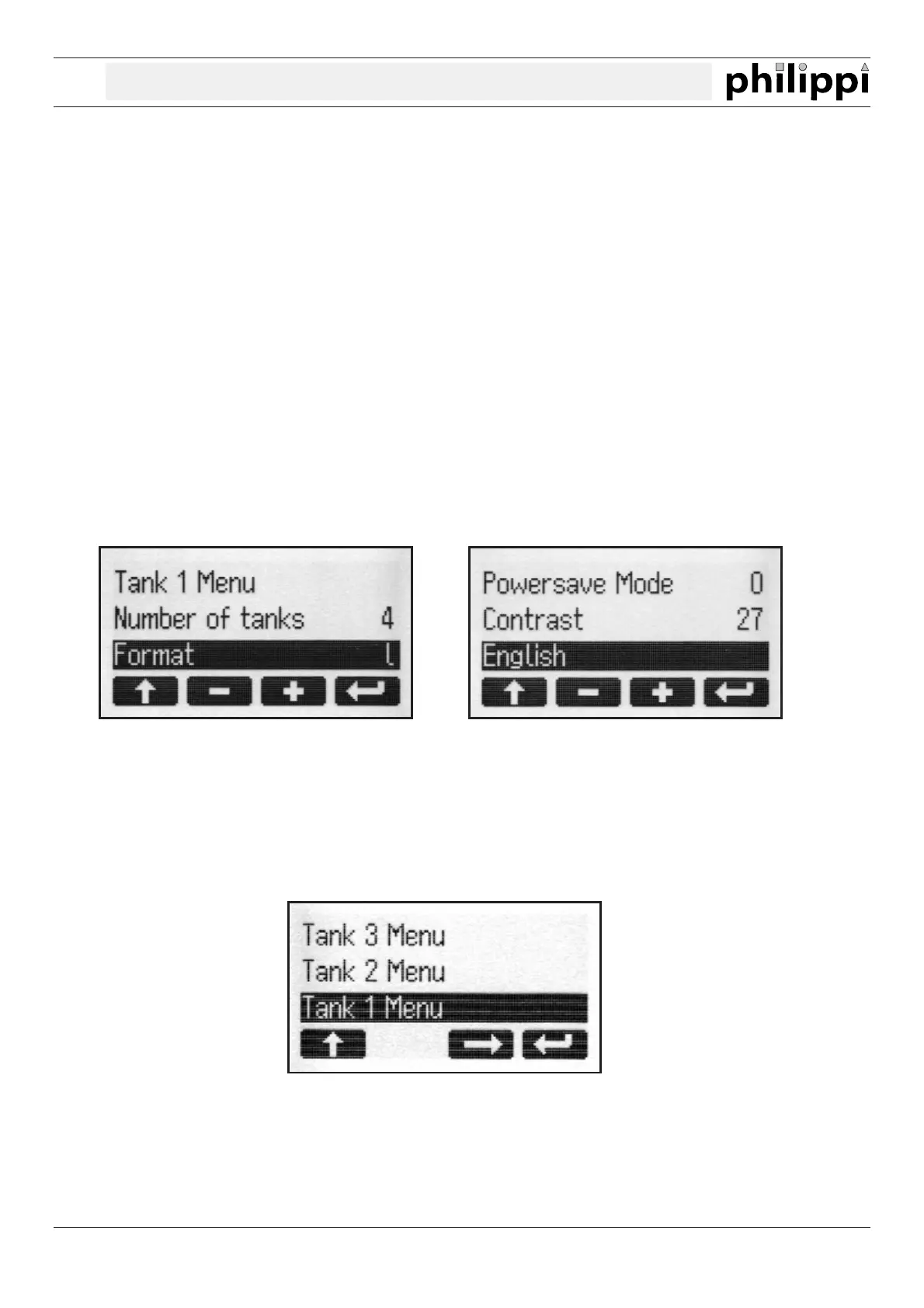
GLOBAL SETUP
1. Display a) Display of the remaining tank capacity in litres (l)
b) Display of the remaining tank capacity in percentage (%)
c) No numerical display of the remaining tank capacity
2.
Amount of tanks
Amount of the displayed tanks (1 - 4 tanks)
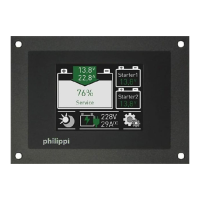
3.Tank X Menu individual adjustment of each tank:
Capacity in litres, tanktype, Compensation-value, alarm - threshold and
alarm - duration
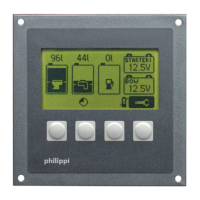
4. Language Language for the SETUP-menu. Available are following languages:
German / English / French / Italian / Spanish
5. Contrast Display contrast attitude + = dimmer, - = brighter
6. Powersave Mode 1 = on, 0 = off
The inverted line can be changed.
ADJUSTMENTS OF THE TANK DISPLAY:
You get into the choosen tank menu by pressing the button 3 (arrow to the right):
in the tank menu you can adjust the tank type (e.g. water, fuel, waste and the type of the sensor), the
capacity, the compensation-value (adjustment of the tank-geometry), the alarm-threshold and duration.
Also you have the possibility to preset the ohm-values for 0%, 50% and 100% if your sensor has another range
of resistance than 5 - 180 or 240 - 33 ohm (tank type 25 -29).
V2.3 - August 2011 Page 7


 To Next Page