Product Manual
© Philips Ledalite 2011Page 16
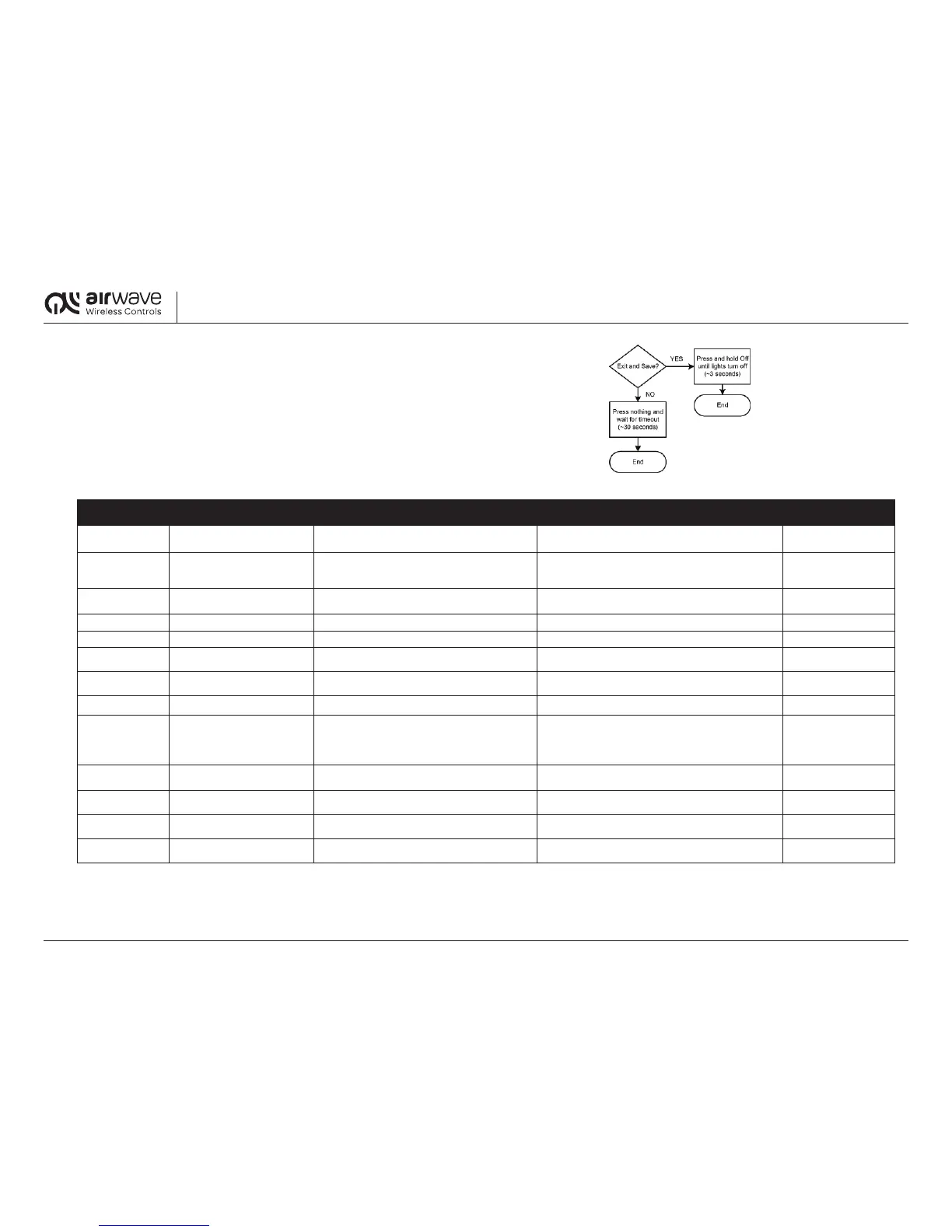
19.3 Steps to Exit Configuration Mode/Menu
There are two options for exiting configuration mode:
•ToSavethesettingsandExit:
PressandholdtheSwitchOFFforapproximately3secondsuntiltheTransceiverlightxture/circuitturnsOFF.
•ToExitwithoutsavingsettings:
WithoutpressingtheSwitch,waitapproximately30secondsuntiltheTransceivertimes-out’and
thelightxture/circuitturnsOFF.
Table A – Configuration Menu (also see Appendix A for simplified configuration mode settings).
BLINK CODE SETTING DESCRIPTION FACTORY DEFAULT
CONFIGURATION DETAIL
REFERENCE GUIDE
0(noblink)
BallastType(dimming/non-
dimming)
Dimming ballast
ON:Dimmingballast
OFF:Non-dimmingballast
RefertoSection20.0
1 Timeout
15minutesforWirelessOccupancymode;
InnitelyONfornon-occupancymode;(30seconds
non-adjustableforwiredoccupancysensors)
SeefollowingTimeoutSettingsTable RefertoSection20.1
2 PhotosensorSetPoint
92 lux for dimming ballast closed loop;
450luxfornon-dimmingballastthresholdSwitch
SeefollowingPhotosensorSetPointinstructions RefertoSection20.2
3 WalkTest N/A SeefollowingWalkTestinstructions RefertoSection20.3
4 LinkMode N/A SeefollowingLinkModeinstructions RefertoSection20.4
5 Repeater(ON/OFF) OFF
ON/fullbright:Enabled
OFF/min.dim:Disabled
RefertoSection20.5
6
OccupancyONMode(Auto-ON/
Manual-ON)
AutoOn
ON/fullbright:AutoOn
OFF/min.dim:ManualOn
RefertoSection20.6
7 Clear N/A SeefollowingClearModeinstructions RefertoSection20.7
8 OccupancyTransmit(ON/OFF) OFF
ON/fullbright:Enabled
OFF/min.dim:Disabled
SeefollowingOccupancyTransmitinstructionsforlinking
remote Transceivers for occupancy
RefertoSection20.8
9
Demand Response
(ON/OFF)
ON
ON/fullbright:Enabled
OFF/min.dim:Disabled
RefertoSection20.9
10 DemandResponse–Moderate
Dimmingballast:75%powerdraw
Non-dimmingballast:Nochange
SeefollowingDemandResponseInstructions RefertoSection20.9
11
DemandResponse–High Dimmingballast:50%powerdraw
Non-dimmingballast:OFF
SeefollowingDemandResponseInstructions RefertoSection20.9
12
DemandResponse–Special Dimmingballast:25%powerdraw
Non-dimmingballast:OFF
SeefollowingDemandResponseInstructions RefertoSection20.9


 To Next Page
 Loading...