Pedestal
Front View • Rear View • Installing your Base
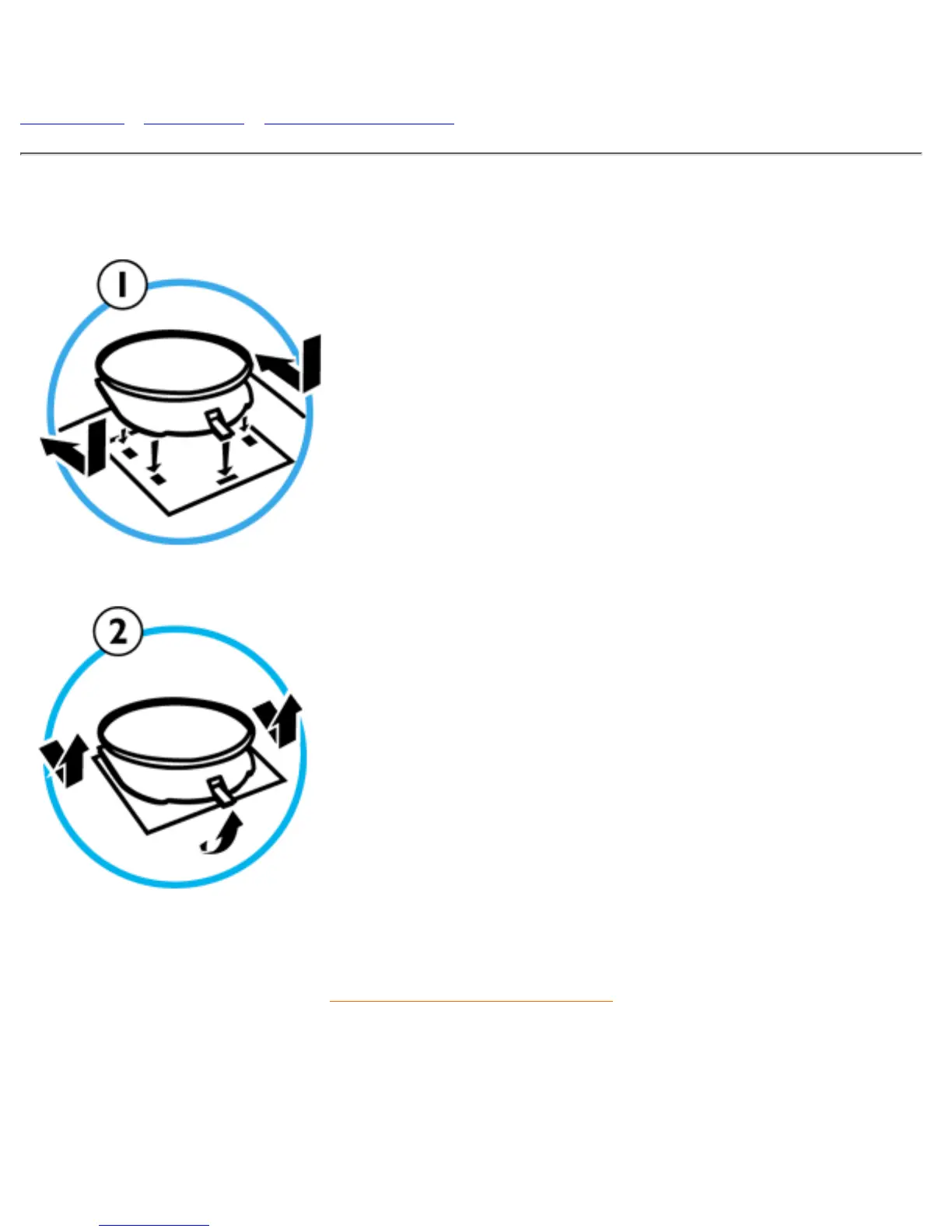
Installing your Pedestal
1. To INSTALL
Slide the pedestal, aligning with the holes on the
side.
●
Then click the back hook into the corresponding
hole on the bottom plate of your monitor.
●
2. To UN-INSTALL
Lift the back hook from the hole on the bottom
plate of your monitor.
●
Slide out the pedestal the opposite direction (from
when you installed it).
●
RETURN TO TOP OF THE PAGE
file:///D|/EDFU/LF3/lf3manual/english/INSTALL_1/mm_pede/mm_inst.htm [2003/3/27 ?? 10:40:46]


 To Next Page