Front Controls
Power • Hotkeys • Digital Controls • Adjustment
Front Controls
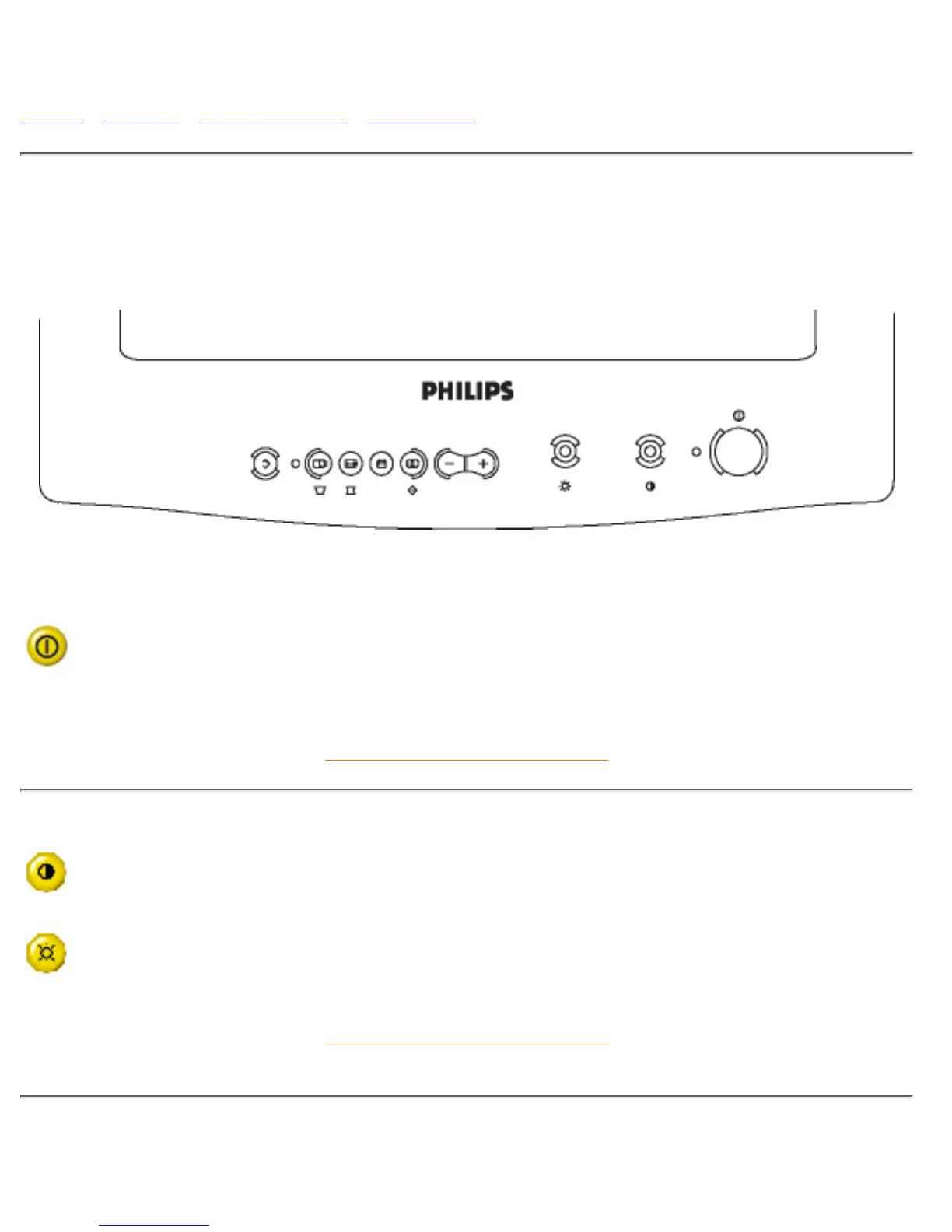
For an optimized adjustment of the picture following controls are available at the front.
Power
Power
Press this knob, the green LED lights and the power is ON.1.
Press this knob again, the green LED disappears and the power is OFF.2.
RETURN TO TOP OF THE PAGE
Hotkeys
Contrast
Rotate to adjust the picture contrast level.
Brightness
Rotate to adjust the overall screen brightness as a compensation for ambient light.
RETURN TO TOP OF THE PAGE
Digital Controls
file:///D|/EDFU/LF3/lf3manual/english/Install_1/FRONT/Front.htm (1 of 3) [2003/3/27 ?? 10:40:35]


 To Next Page