* Resolution 1280 x 1024, standard size, contrast max., brightness 50%, 9300°, full white pattern.
* These information are subject to change without notice.
RETURN TO TOP OF THE PAGE
Pin Assignment
The 15-pin D-sub connector (male) of the signal cable (IBM systems):
Pin
No.
Assignment
Pin
No.
Assignment
1 Red video input 9 No pin
2 Green video input 10 Logic ground
3 Blue video input 11
Identical output - connected
to pin 10
4
Identical output - connected
to pin 10
12 Serial data line (SDA)
5 Ground 13 H. Sync
6 Red video ground 14 V. Sync
7 Green video ground 15 Data clock line (SCL)
8 Blue video ground
RETURN TO TOP OF THE PAGE
Views
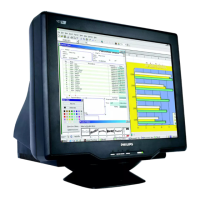
Follow the links to see various views of the monitor and its components.
Front View
file:///D|/EDFU/crt_17/edoc/english/107P/PRODUCT/PRODUCT.HTM (8 of 9) [6/25/2003 10:03:56 AM]



 To Next Page