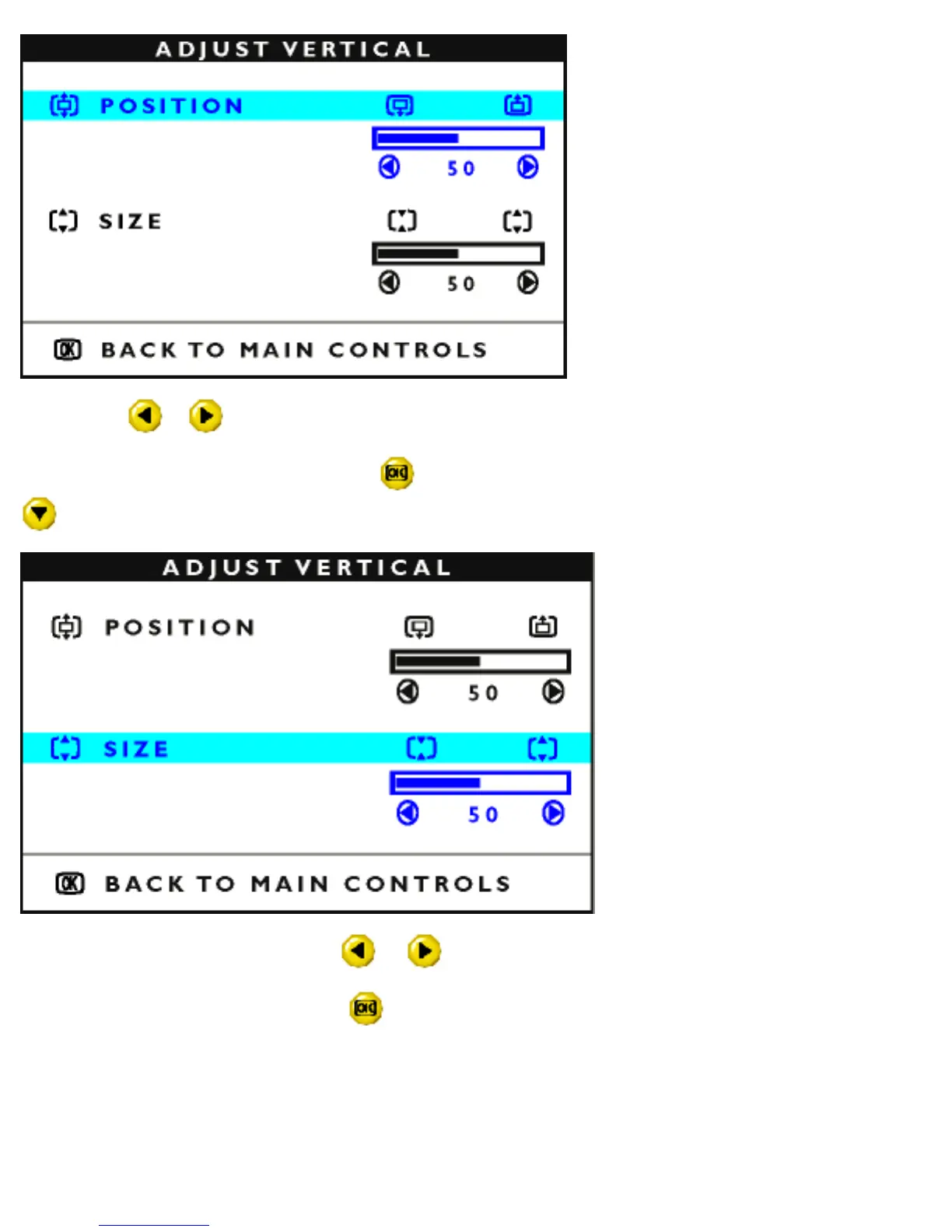
4) Press the or button to move the image up or down.
5) When the position is adjusted, press the
button to return to MAIN CONTROLS window, or press the
to highlight SIZE.
6) To adjust the vertical size, press the or button.
7) When the size is adjusted, press the
button to return to MAIN CONTROLS window. CLOSE MAIN
CONTROLS will be highlighted.
file:///D|/EDFU/crt_17/edoc/english/OSD/osd_cont.htm (8 of 25) [6/25/2003 10:10:05 AM]



 To Next Page