5
USE/CARE OF REMOTE CONTROL
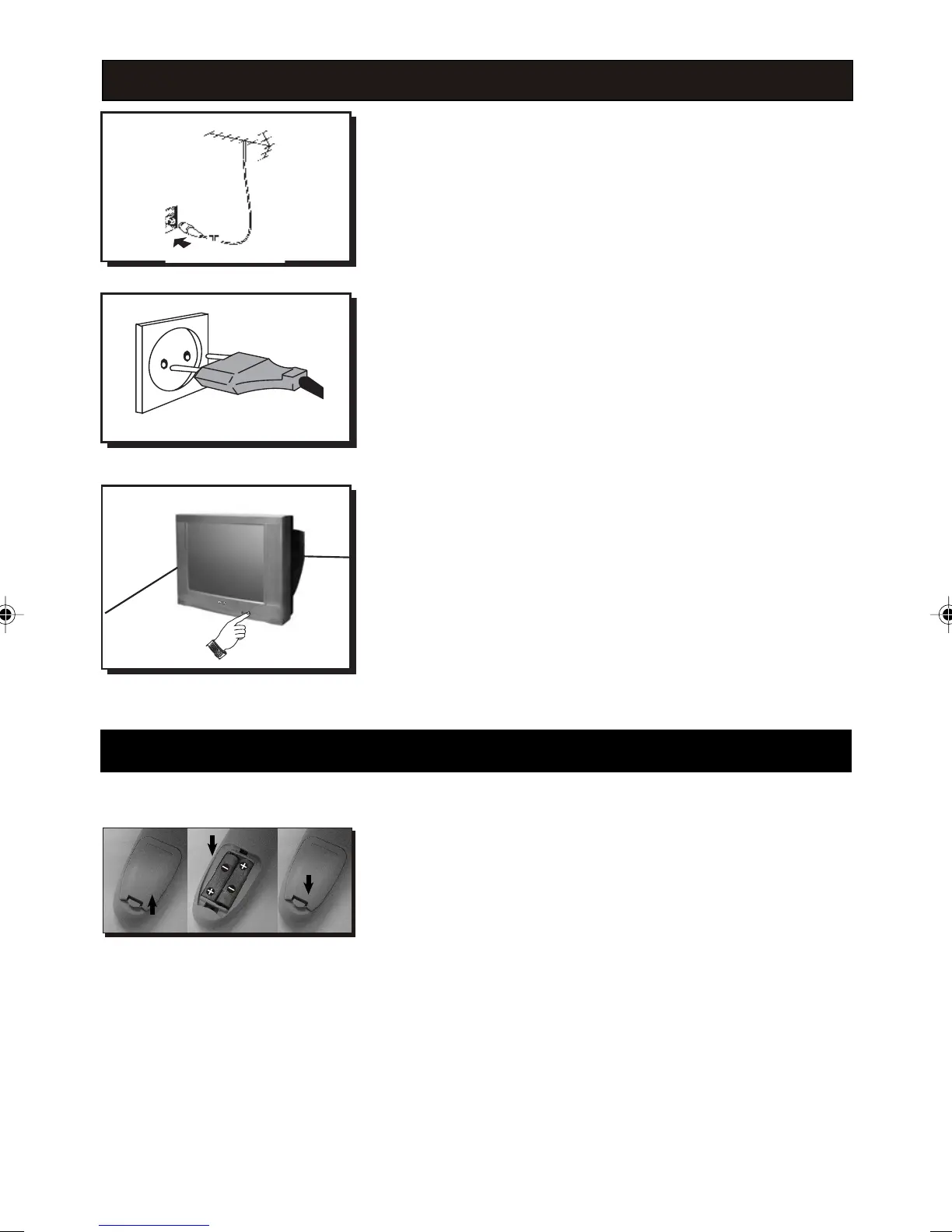
Antenna Connection
• Connect the aerial plug to the antenna socket
T
on the backcover.
• Insert the mains plug into the wall socket.
Mains Connection
• For correct mains voltage, refer to type sticker at the
rear of the TV set.
• Consult your dealer if mains supply is different.
Note : This diagram is not representative of the
actual plug and socket.
Switch on the set
• Press the main power button to switch on/off the TV.
• If the set is on standby (indicator is red), press the
Power button on the remote control to switch on
set.
• Insert the correct type of batteries into the
compartment.
• Ensure the batteries are placed in the right direction.
˵Ã÷Êé(ºÏ¶©±¾)-1.p65 02-7-31, 14:185
HOOKING UP YOUR TV (BASIC CONNECTION)


 To Next Page