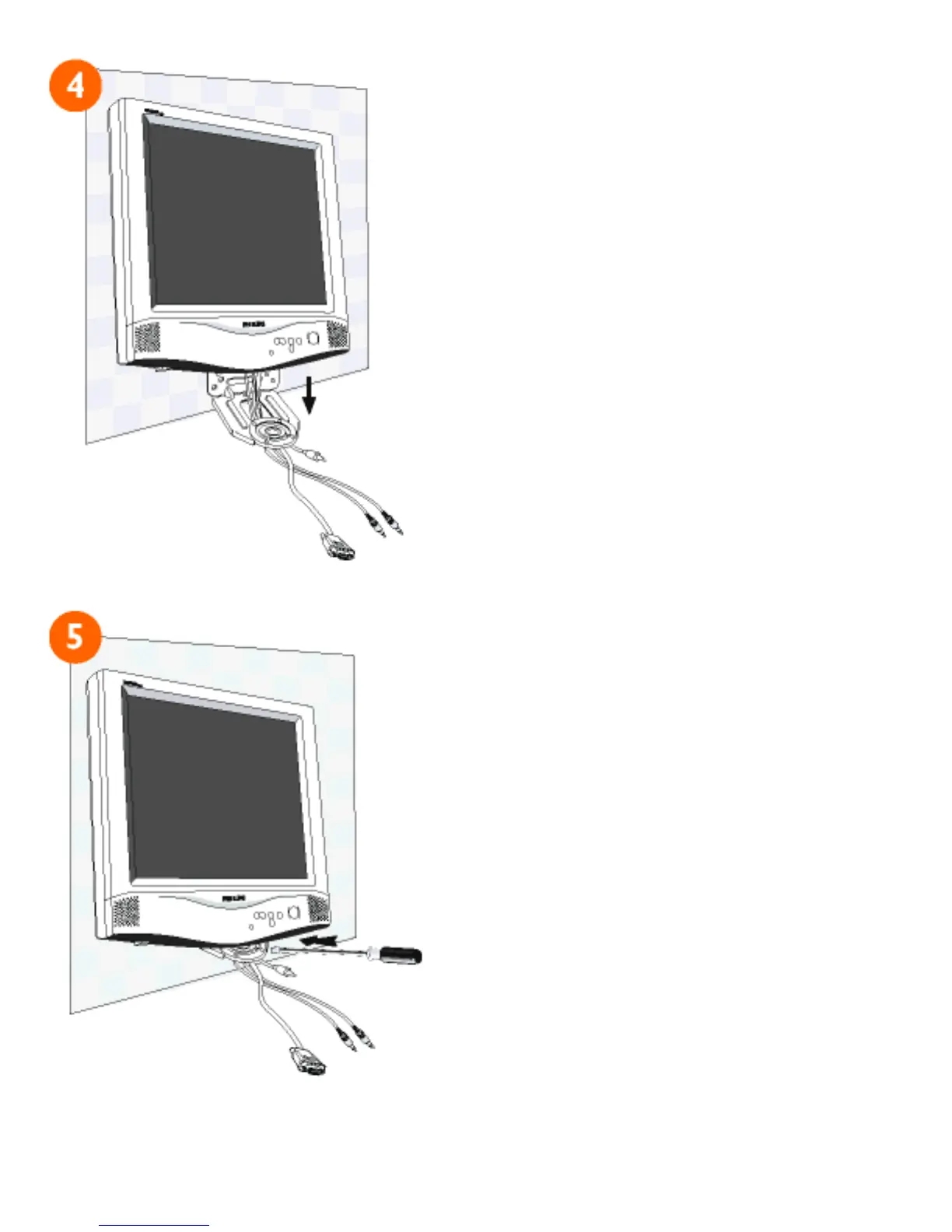
4) Thread all cables through
the hole at the bottom of the
bracket and use the clip
provided to hold them in place.
5) Slide the support pin at the
bottom of the monitor into the
matching hole on the bracket,
making sure that the pin is
aligned. Then use the original
base screw to securely fix the
monitor to the bracket.
file:///E|/manual/english/150P/install/m_kit/mkit_inst.htm (3 of 4) [12/13/1999 8:01:06 PM]



 To Next Page