VOLUME
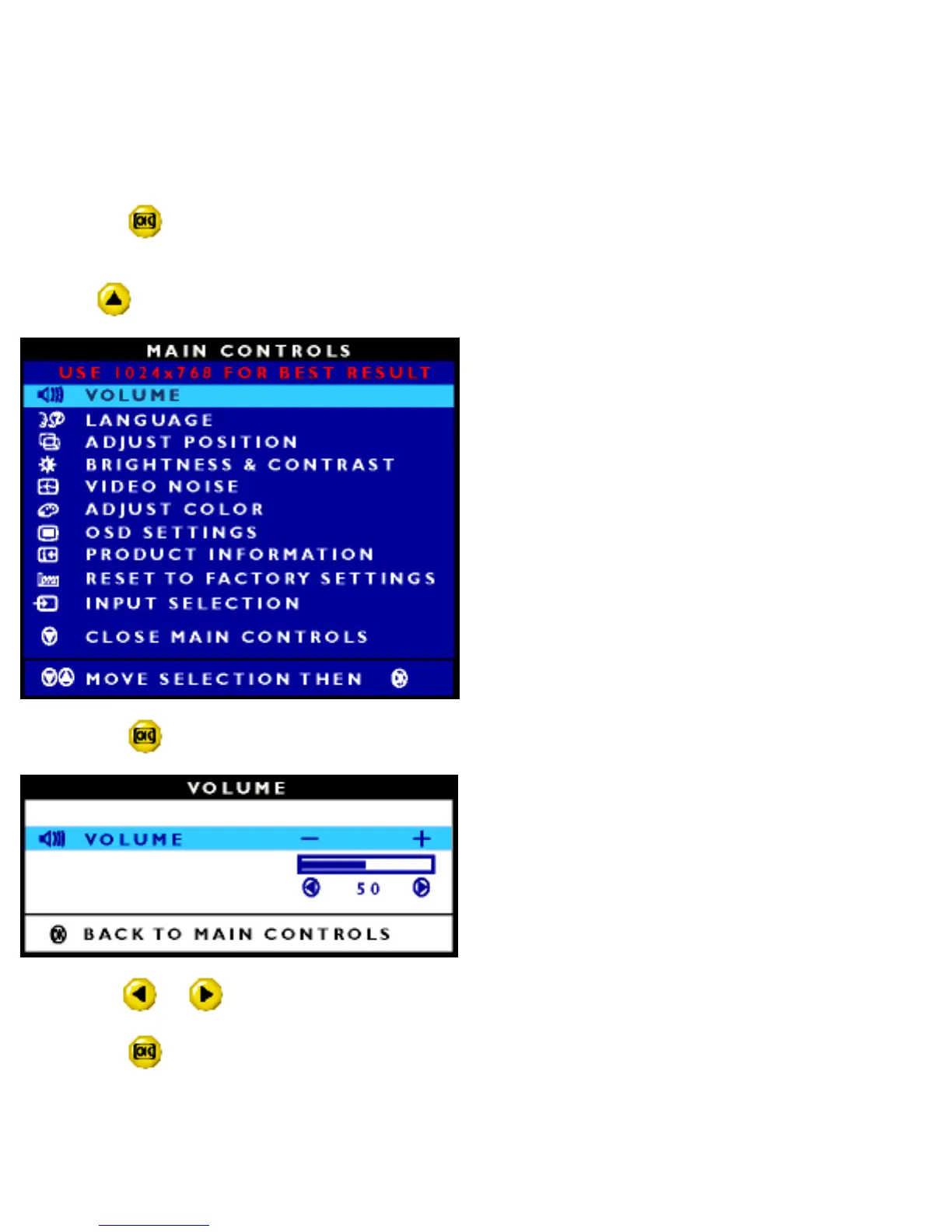
Volume is the level of sound coming from the speakers built into your monitor. You can control the volume
from the MAIN CONTROLS window. Simply follow the steps below.
1) Press the button on the monitor. The MAIN CONTROLS window appears. LANGUAGE is
highlighted.
2) Press
button until VOLUME is highlighted.
3) Press the button again. The VOLUME window appears.
4) Press the or button to decrease or increase the volume level.
5) Press the
button to confirm your selection and return to MAIN CONTROLS window. CLOSE MAIN
CONTROLS is highlighted.
file:///E|/manual/english/150P/osd/osd_cont.htm (2 of 20) [12/13/1999 8:01:22 PM]



 To Next Page