7
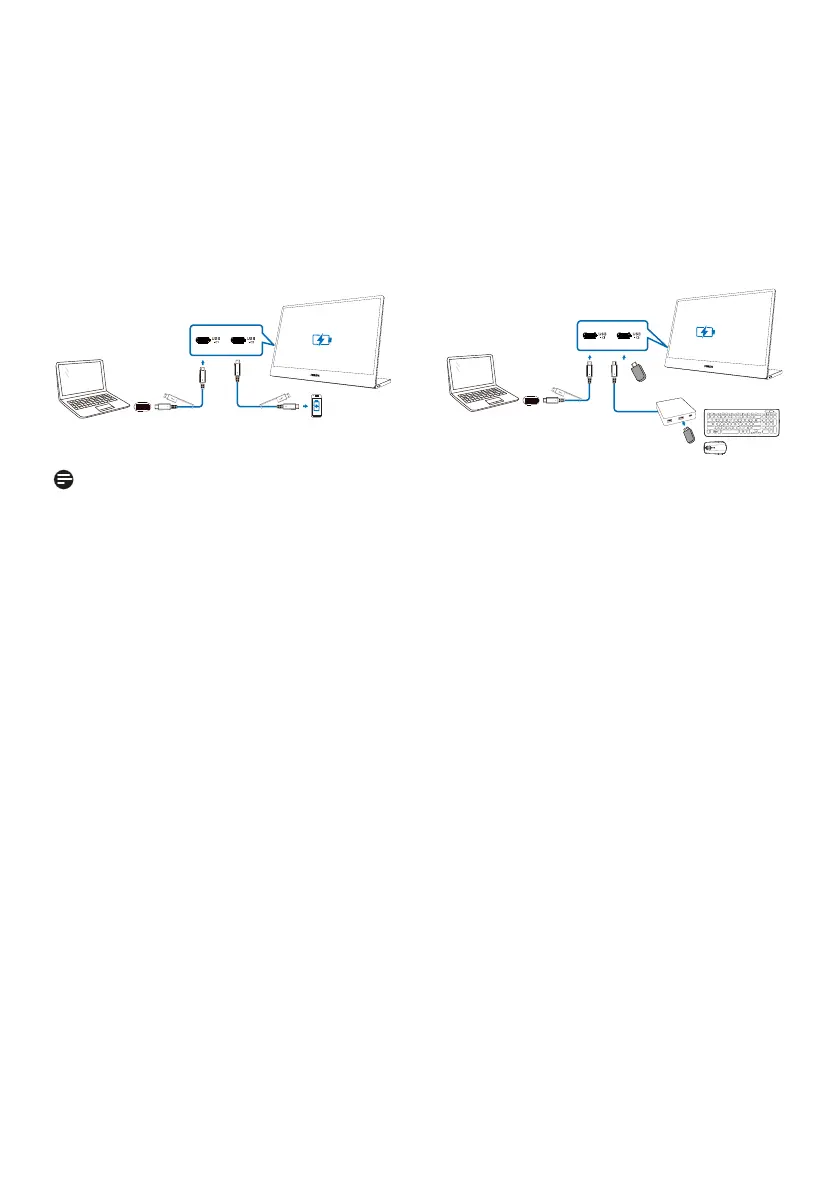
3. Power the monitor and devices from laptop
Connect one of the USB-C ports to the laptop and then connect the other USB-C port
to your device(s). The monitor can provide up to 5W of power to your device when the
laptop supports at least 15W power to the monitor.
USB-C ports of the monitor can be switched to upstream or downstream functions. It is
necessary to go to the on-screen-display (OSD) to switch the USB-C port from upstream to
downstream when connecting downstream devices.
3-1
Note
• The switch from upstream to downstream is not automatic
• The removal of the USB-C cable and the AC switch would reset OSD and, in this case,
it will require you to return to the OSD to set up again.
• The USB-A port of the USB-C switch hub, as pictured in image 3-2, is compatible with
USB 2.0 only.
3-2


 To Next Page
 Loading...