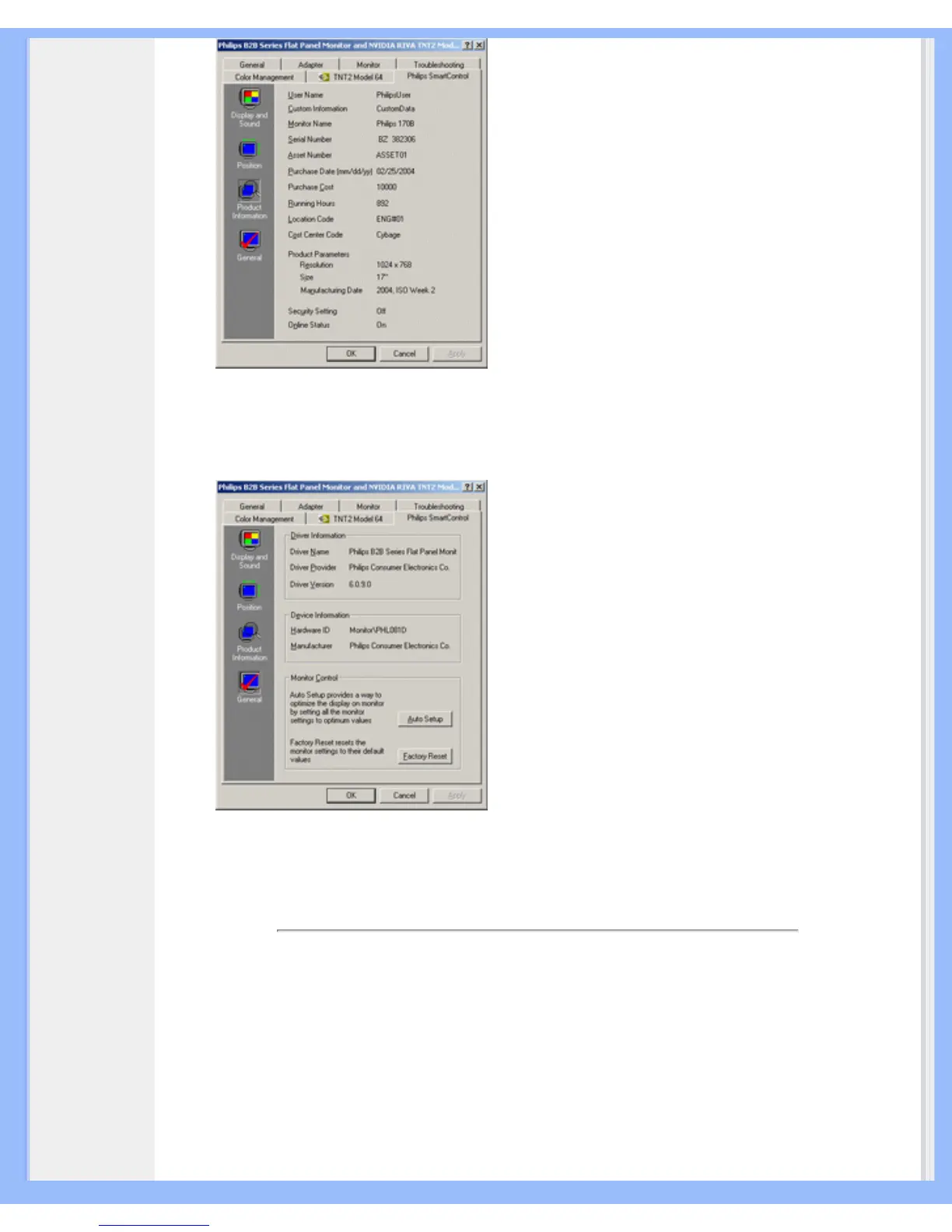
● General
Click on General for general information including driver information, device information, and
monitor control.
Within monitor control, users can click on Auto Setup to achieve optimum performance or click on
factory reset to reset the parameters of the monitor. Such choices are disabled when using DVI-D
(digit) input.
Q&A
Q1. What is the difference between SmartManage, SmartControl?
A. SmartManage is a remote management/control software for IT managers to manage monitors
across the network
SmartControl is a control panel extension, which helps users to adjust monitor performances and
settings by a software interface, instead of the hardware buttons at the front bezel of the monitors.
file:///D|/My%20Documents/dfu/A7/english/170s6/product/smart.htm (4 of 5)2005-06-08 9:04:32 AM






 To Next Page