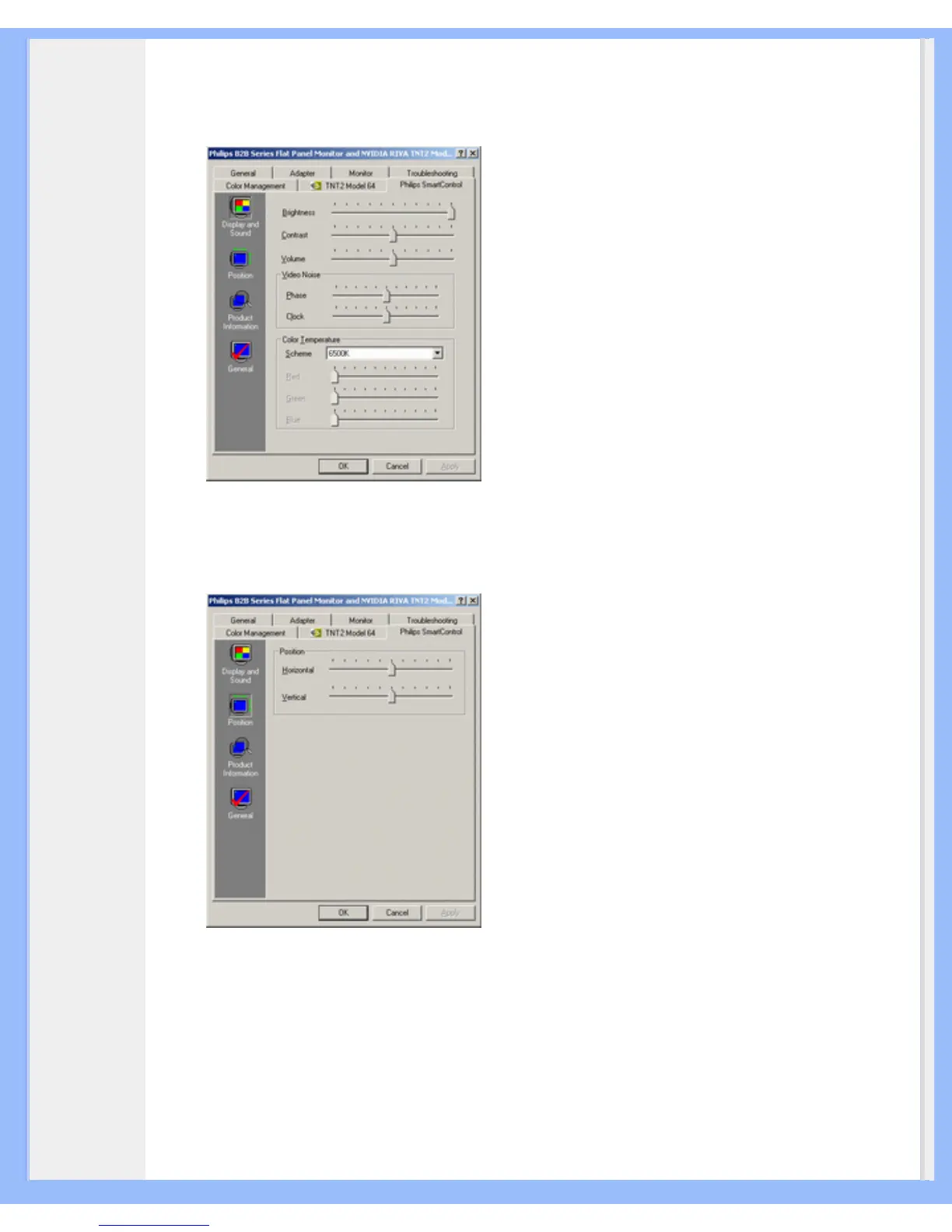
● Display and Sound
By moving the sliding bar toward left or right, users will be able to adjust brightness, contrast,
volume (if applicable), video noise (not applicable when using DVI-D input), and color
temperatures.
● Position
Users can adjust the horizontal and vertical position of the screen by moving the sliding bar
left and right. This function is disabled when using DVI-D (digit) input.
● Product Information
Click Product Information in the left pane to view the product information stored in the
monitor's memory.
file:///D|/My%20Documents/dfu/X6_model/english/170x6/osd/osddesc.htm (5 of 7)2005-06-27 1:27:13 PM





 To Next Page