29
Record with your recorder
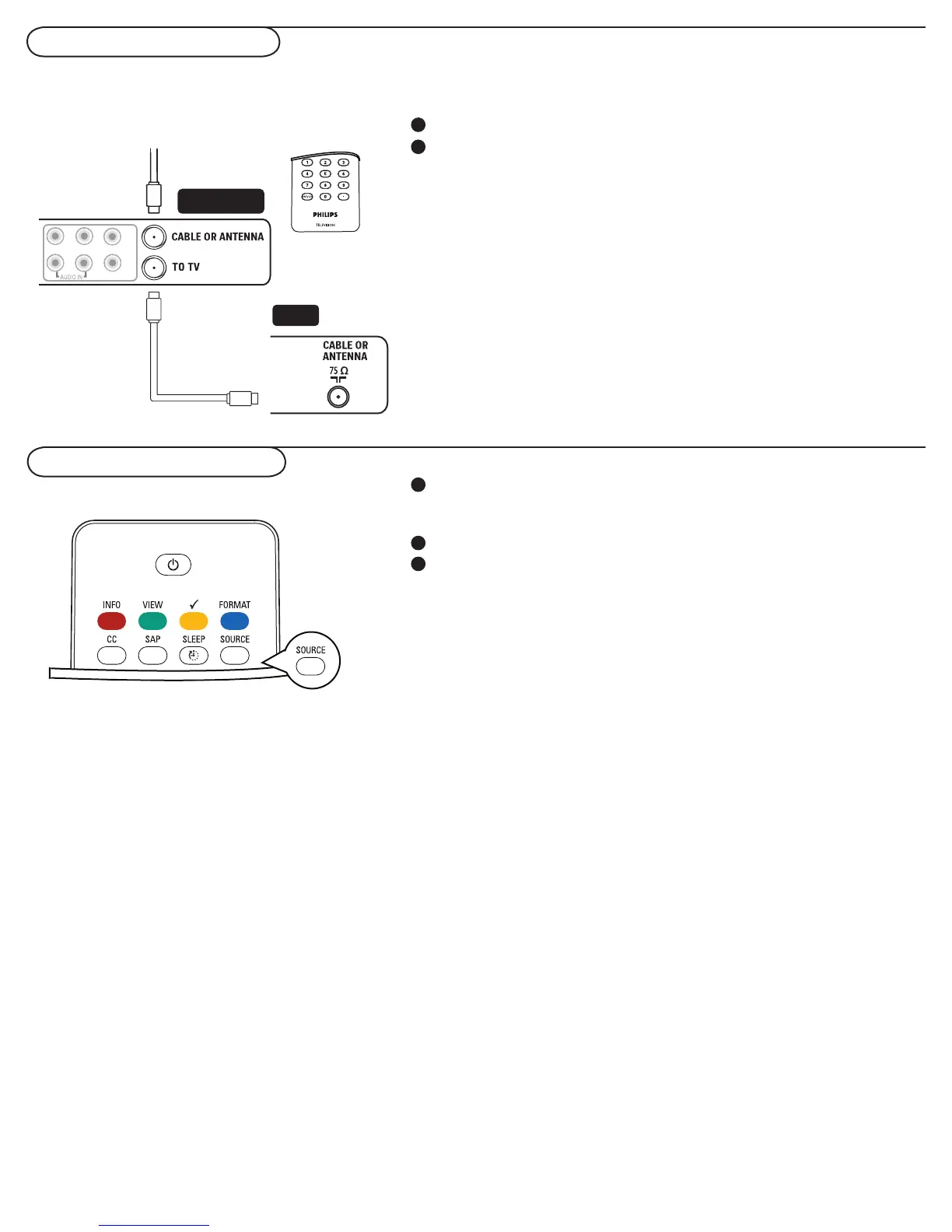
To select connected devices
Record a TV program
You can record a TV program using your recorders tuner
without affecting your TV.
Select the channel number on your recorder.
Set your recorder to record.
See the handbook for your recorder.
Note: Switching channel numbers on your TV does not disturb
recording !
Press the SOURCE button repeatedly or select Source in the
Settings menu (see p. 14) to select , TV, AV1, AV2, HDMI, Side
AV , or PC, according to where you connected your devices.
Press the cursor up/down.
Press OK.
1
2
1
2
3
TV
Recorder
Y
PbPr
VIDEO
RL
PICTURE
SOUND









 To Next Page