77_ePersonal Preference area of the menu has
various SOUND features to customize and com-
pliment your viewing and listening pleasure.
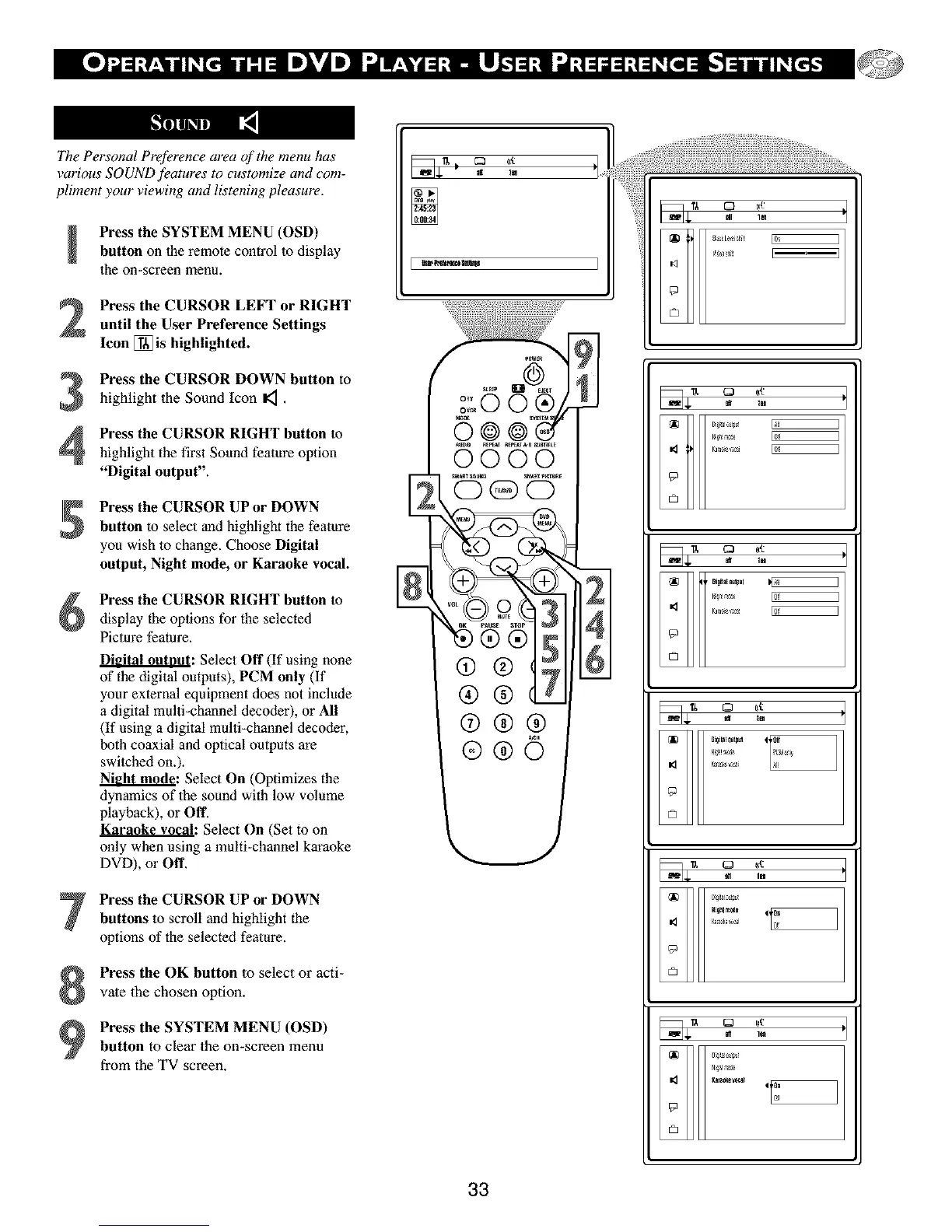
Press the SYSTEM MENU (OSD)
button on the remote control to display
the on-screen menu.
Press the CURSOR LEFT or RIGHT
until the User Preference Settings
Icon [] is highlighted.
Press the CURSOR DOWN button to
highlight the Sound Icon I_ .
Press the CURSOR RIGHT button to
highlight the first Sound feature option
"Digital output".
Press the CURSOR UP or DOWN
button to select and highlight the feafure
yon wish to change. Choose Digital
output, Night mode, or Karaoke vocal.
Press the CURSOR RIGHT button to
display the options for the selected
Picture feature.
Digital outnut: Select Off (If using none
of the digital outputs), PCM only (If
your external equipment does not include
a digital multi-channel decoder), or All
(If using a digital multi-channel decoder,
both coaxial and optical outputs are
switched on.).
N_: Select On (Optimizes the
dynamics of the sound with low volume
playback), or Off.
Karaoke vocal: Select On (Set to on
only when using a multi-channel karaoke
DVD), or Off.
Press the CURSOR UP or DOWN
buttons to scroll and highlight the
options of the selected feature.
Press the OK button to select or acti-
vate the chosen option.
Press the SYSTEM MENU (OSD)
button to clear the on-screen menu
from the TV screen.
33
q_
Dig_tn_k
q_
©
{p
©



 To Next Page