l_ tier inserti1_g a DVD or Video CD and
l_[closing the tray, playback will start auto-
matically and the Status Window will show the
type of disc loaded and the disc's playing time.
You may be asked to select an item from a
menu on the disc itself. Use the CURSOR but-
tons to navigate the disc menu and press the
OK button to activate your selection.
!
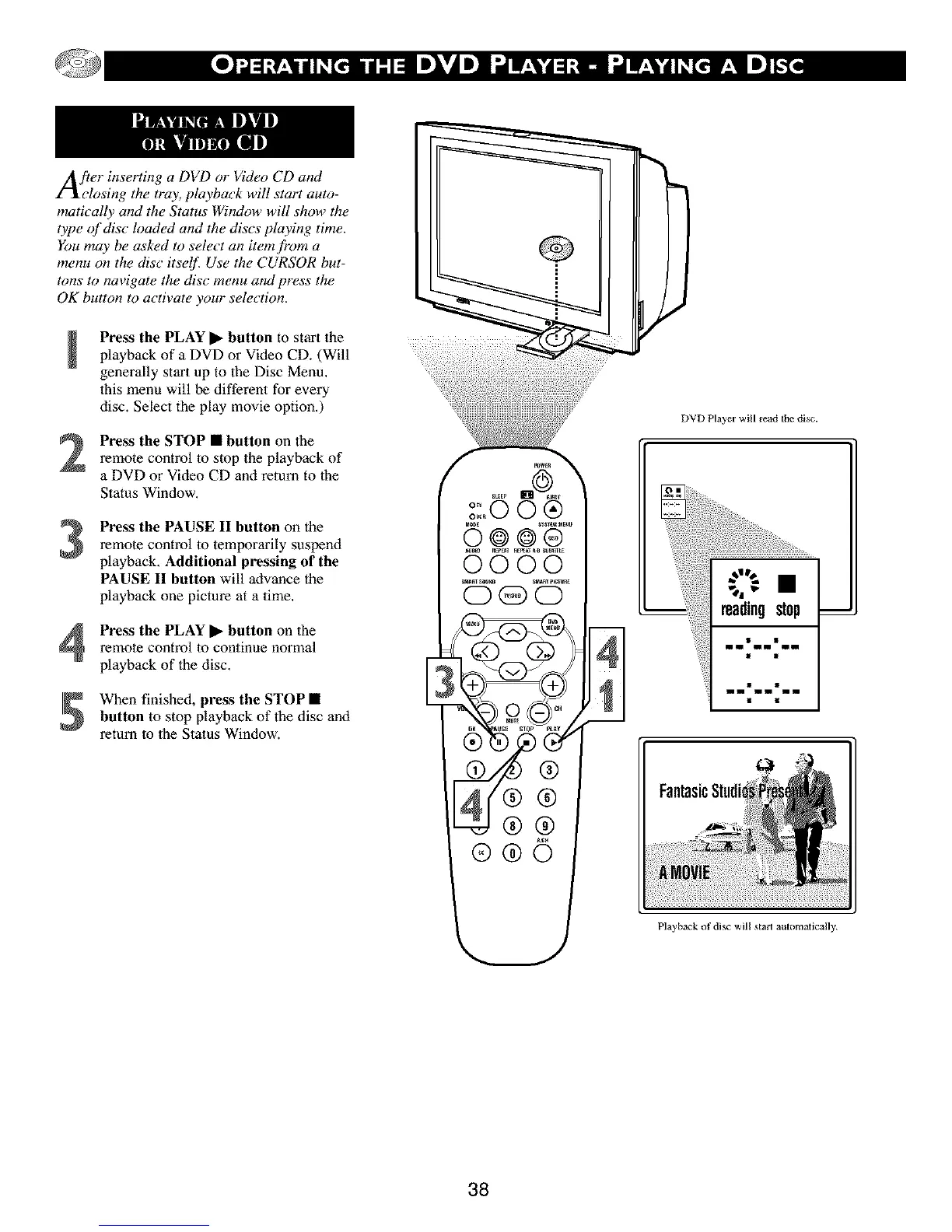
Press the PLAY • button to start the .............
playback of a DVD or Video CD. (Will
generally start up to the Disc Menu.
lhis menu will be different for every
disc. Select the play movie option.)
2
3
Press the STOP • button on the
remote control to stop the playback of
a DVD or Video CD and return to lhe
Status Window.
Press the PAUSE II button on the
remote control to temporarily suspend
playback. Additional pressing of the
PAUSE II button will advance the
playback one picture at a time.
Press the PLAY • button on the
remote control to continue normal
playback of the disc.
When finished, press the STOP •
button to stop playback of the disc and
return to the Status Window.
E
®®O
DVD Player will read tile disc.
inln inln inln
in in • in in • in in
FantasicStudi_
Playback of disc will staff automatically.
38



 To Next Page