Some Video CDs contain information that allow you to control the playback of the disc" through a special playback menu.
Load a Video CD with Playback control and press the PLAY button to start the disc.
Go through the menu with the buttons indicated on the TV screen until your chosen passage starts to play. If a PBC menu
consists of a list of title, you can select a title directly.
Enter your choice with the NUMBERED buttons (0-9),
Press RETURN to go back to the previous menu,
PBC can be set to OFF within the Personal Preference menu.
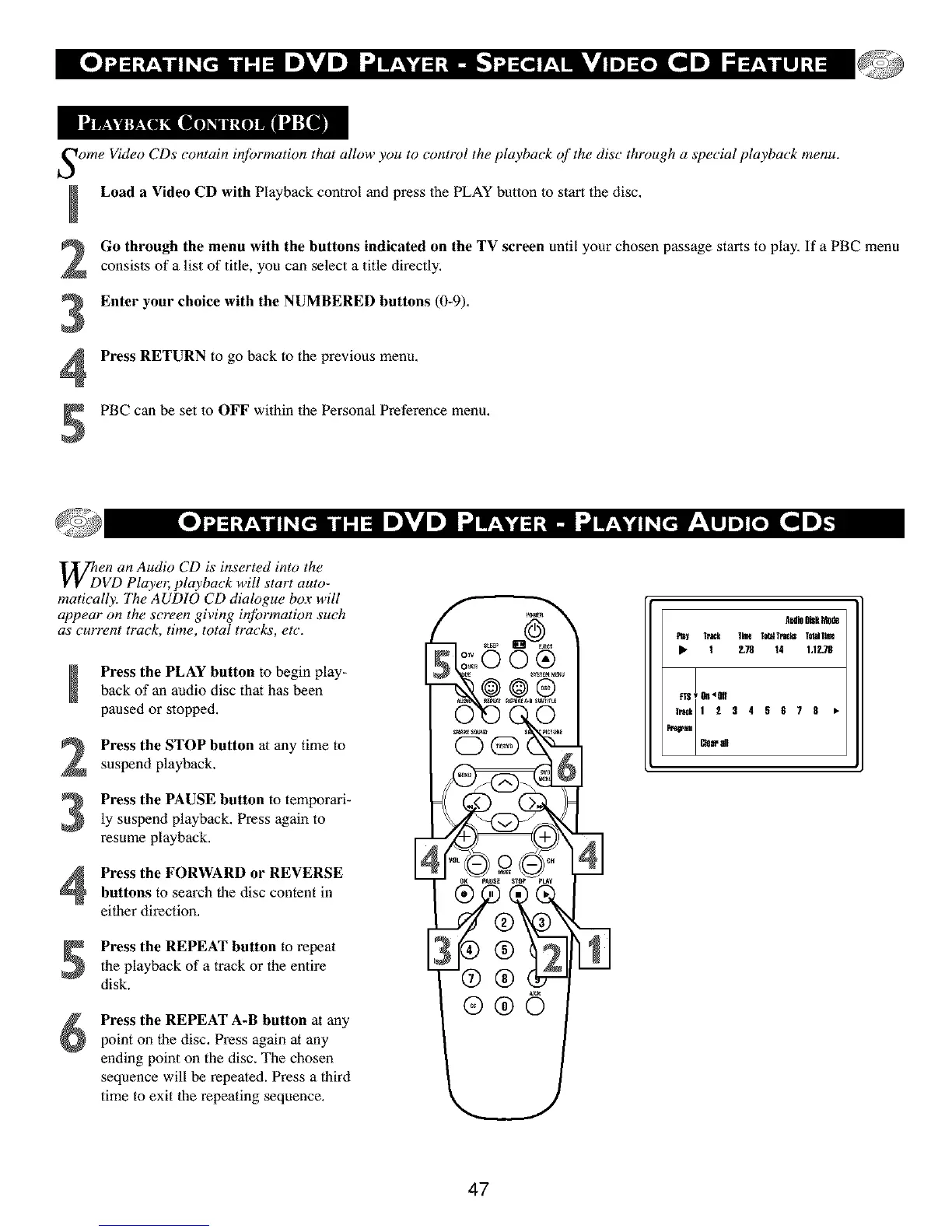
WhDen an Audio CD is inserted into the
VD Playel;,,,playback will start auto-
matically. The AUDIO CD dialogue box will
appear on the screen giving #_brmation such
as current track, time, total tracks, etc.
Press the PLAY button to begin play-back of an audio disc that has been
paused or stopped.
2
3
Press the STOP button at any time to
suspend playback.
Press the PAUSE button to temporari-
ly suspend playback. Press again to
resume playback.
Press the FORWARD or REVERSE
buttons to search the disc content in
eifller direction.
Press the REPEAT button to repeatthe playback of a track or the entire
disk.
Press the REPEAT A-B button at any
point on the disc. Press again at any
ending point on the disc. The chosen
sequence will be repeated. Press a third
time to exit the repeating sequence.
Aud_DiSkMode
P_y TraCk lhne T_aHracksTohdT_n
• 1 238 14 1.12.78
47



 To Next Page