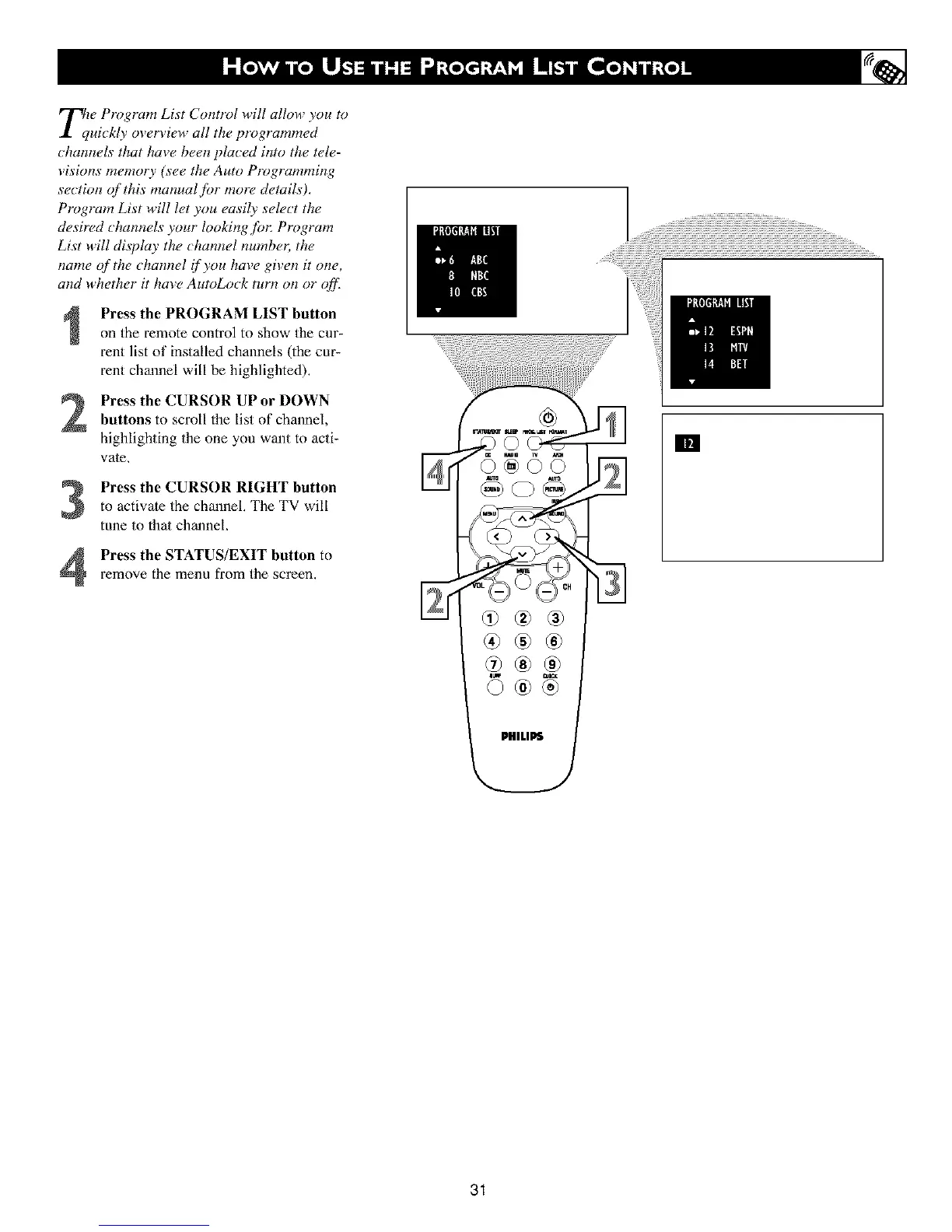
Tll w Program List Control will allow you to
uickly overview all the programmed
_hannels that have been plu_ ed into the tele-
visions memorly (see the Auto Programming
section of this manual for more details),
Program List will let you easily select the
desired channels your looking,for: Program
List will display the _hannel number; the
name of the channel if you have given it one,
and whether it hme AutoLo_k turn on or qffl
Press the PROGRAM LIST buttonon the remote control to show the cnr_
rent list of installed channels (the cur-
rent channel will be highlighted),
Press the CURSOR UP or DOWNbuttons to scroll the list of channel,
highlighting the one you want to acti-
vate,
Press the CURSOR RIGHT button
to activate the channel, The TV will
tune to that channel,
Press the STATUS/EXIT button toremove the menu from the screen.
®®®
31












 To Next Page