13
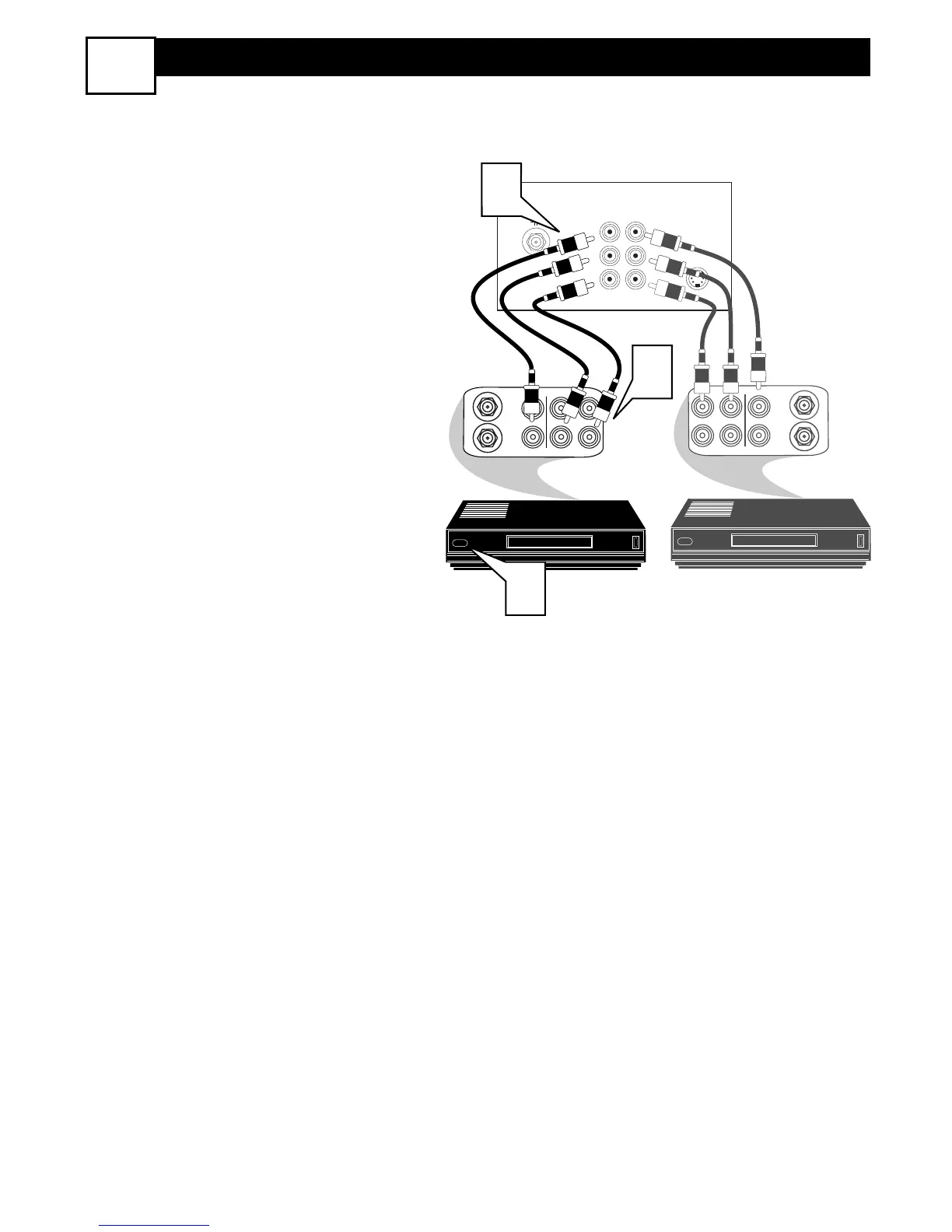
MONITOR OUTPUT CONNECTIONS
9
SECOND VCR CONNECTION:
NOTE: Refer to panel number 5 for the
proper hookup of the first VCR. Follow
the instructions on how to tune to the AV
1 channel to view a pre-recorded tape.
The following steps allow you to con-
nect a second VCR to record the pro-
gram while your watching it.
1
Connect one end of the yellow
Video Cable to the Monitor Out
VIDEO plug. Connect the other end
to the VIDEO IN plug on the second
VCR.
2
Connect one end of the red and
white Audio cable from the Monitor
Out AUDIO L and R plugs on the
TV to the AUDIO IN plugs on the
VCR.
3
Turn the Second VCR ON, insert
a black VHS tape and it’s ready to
record what’s being viewed on the
TV screen.







 To Next Page