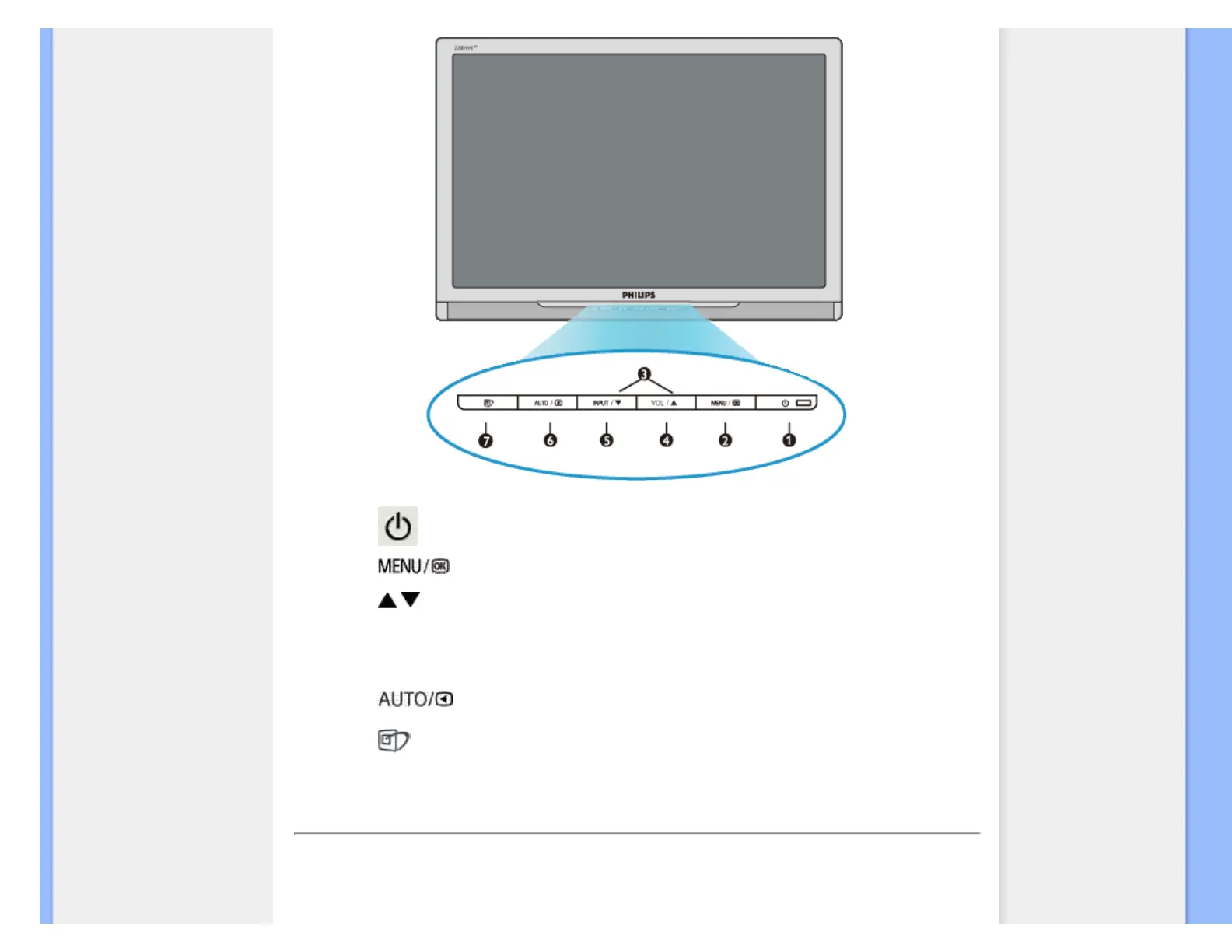
1 To switch monitor's power On and Off
2
To access OSD menu
3
To adjust the OSD menu
4
VOL
To adjust volume of the display
5
Input
To change the signal input source.
6
Automatically adjust the horizontal position, vertical position, phase and
clock settings / Return to previous OSD level.
7
SmartImage. There are five modes to be selected: Office Work, Image
Viewing, Entertainment, Economy, and Off.
RETURN TO TOP OF THE PAGE
Rear View
file:///C|/Documents and Settings/Lance.PTSGI/桌面/Effie/ENGLISH/220BW8_plus/install/install.htm 第 4 頁 / 共 6 2008/2/4 下午 02:38:43



 To Next Page