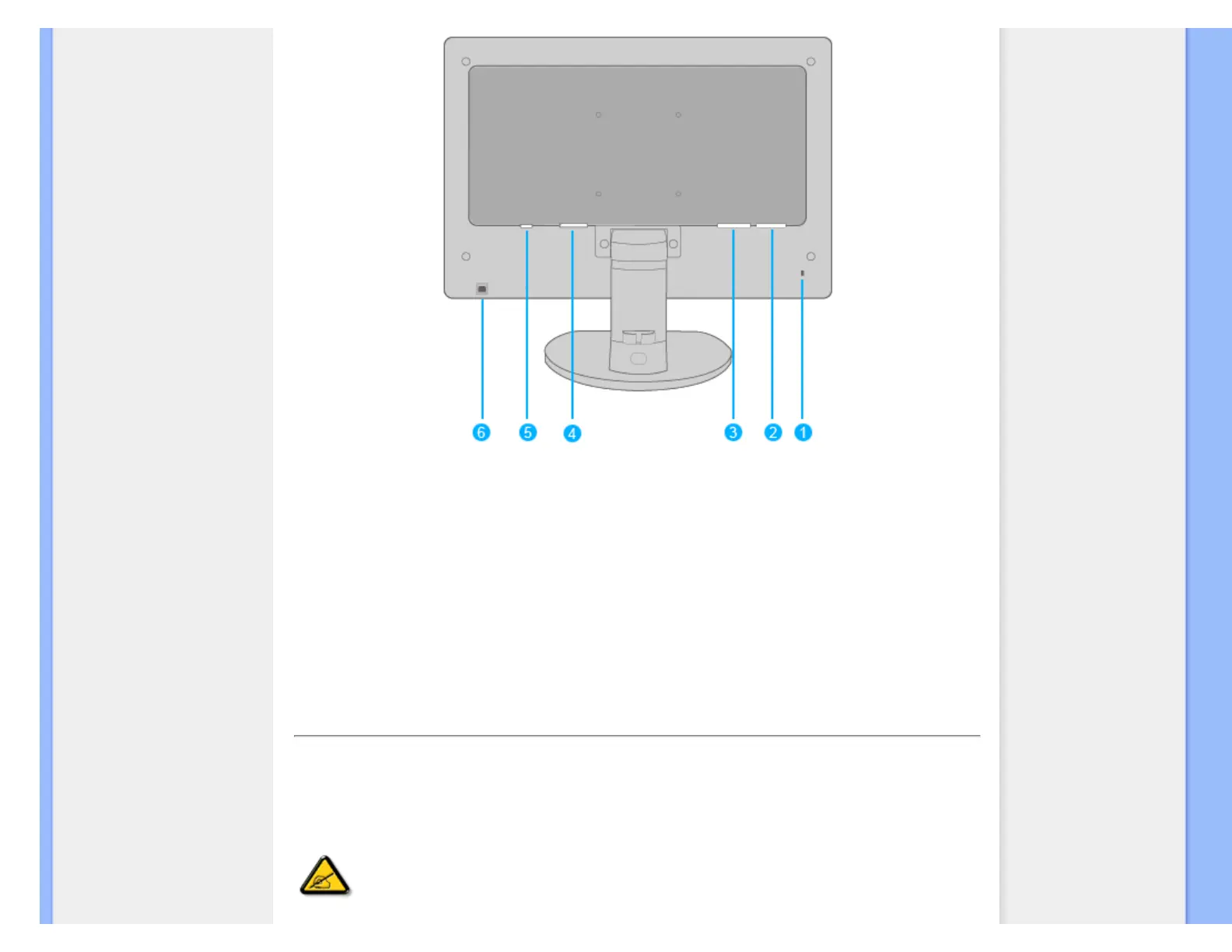
1 Kensington anti-thief lock
2 VGA input
3 DVI-D input
4 AC power input
5 Audio input
6 USB upstream port
RETURN TO TOP OF THE PAGE
Optimizing Performance
● For best performance, ensure that your display settings are set at 1680x1050, 60Hz.
Note: You can check the current display settings by pressing the 'OK' button
once. The current display mode is shown in OSD main controls called
RESOLUTION.
file:///C|/Documents and Settings/Lance.PTSGI/桌面/Effie/ENGLISH/220BW8_plus/install/install.htm 第 5 頁 / 共 6 2008/2/4 下午 02:38:43



 To Next Page