poor cable recep-
the picture can sometimes
appear slightly "speckled" (or has signal
noise shown in the picture). The DNR
(Dynamic' Noise Reduction) control can
hell) eliminate this type q/'inter[_rence
and improve the quality of the picture.
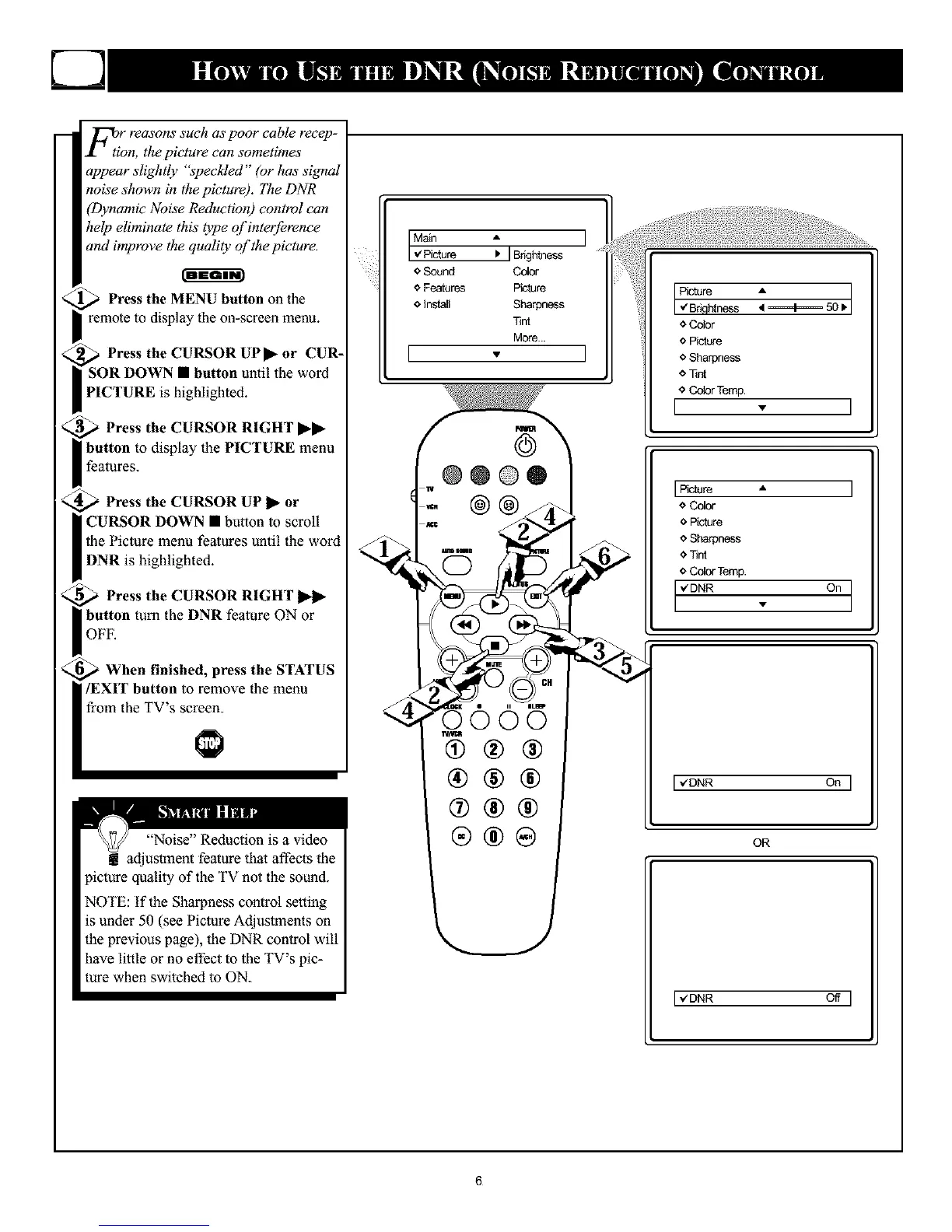
Press the MENU button on the
remote to display the on-screen menu.
Press the CURSOR UPS- or CUR-
l button until the word
PICTURE is highlighted.
Press the CURSOR RIGHT _-_-
button to display the PICTURE menu
features.
Press the CURSOR UP _- or
CURSOR DOWN • button to scroll
the Picture menu fealures until the word
DNR is highlighted.
Press the CURSOR RIGHT
button turn the DNR feature ON or
OFF.
When finished, press the STATUS
/EXIT button to remove the menu
from the TV's screen.
"Noise" Reduction is a video
adjustment feature lhal affects lhe
picture quality of the TV not the sound.
NOTE: If the Sharpness control setting
is under 50 (see Piclure AdjusUnents on
the previous page), lhe DNR conlrol will
have little or no effect to the TV's pic-
ture when switched to ON.
I Main A
v Picture I_ I
Brightness
o Sound Color
o Features Picture
o Install Sharpness
Tint
More...
I
o Color
o Picture
I oSharpness
o Tint
0 Color Temp.
[ . ]
'
o Color
o Picture
o Sharpness
<,Tint
<_Color Temp.
. on]
[ v'DNR On ]
OR
[ _ZDNR Off ]
6










 To Next Page