EasyManua.ls Logo

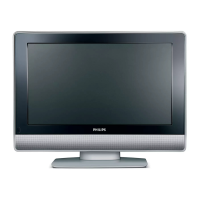
Philips 26PFL7332S/60 - User Manual

Philips 26PFL7332S/60
40 pages
Print Icon
To Next Page IconTo Next Page
Loading...
www.philips.com/support
EN USER MANUAL
26PFL3312S
26PFL5322S
26PFL7332S
32PFL3312S
32PFL5322S
32PFL5332S
37PFL3312S
37PFL5322S
42PFL3312S
42PFL5322S

Table of Contents

Other manuals for Philips 26PFL7332S/60

Questions and Answers

  • P
    Patricia FreemanAug 15, 2025
    How to fix a Philips LCD TV with no display on screen?
    • J
      James AllisonAug 16, 2025
      If your Philips LCD TV screen is blank, make sure the power cord is properly connected to both the TV and the mains socket. If it's correctly inserted but there's still no power, disconnect the power cord, wait 60 seconds, re-insert it, switch on the TV, and then press the power key on the remote control.
  • N
    Nancy PadillaAug 18, 2025
    Why is there no sound on my Philips 26PFL7332S/60?
    • N
      Nicole BatesAug 18, 2025
      If there's no sound on your Philips LCD TV, first check that the volume isn't set to the minimum. Next, ensure that mute mode is off by pressing the mute key. Lastly, verify that the TV is correctly connected to any peripheral equipment.
  • N
    Nicole DavisAug 21, 2025
    Why is my Philips 26PFL7332S/60 LCD TV picture flickering in HD mode?
    • J
      james31Aug 22, 2025
      If you are experiencing intermittent or flickering picture in HD mode on your Philips LCD TV, noise may be displayed if the digital equipment fails. Digital equipment can include a DVD player or set-top box. Use a standard-compliant (high-quality) HDMI to DVI cable.
  • T
    Thomas ThompsonAug 25, 2025
    Why is there no sound on certain channels on my Philips 26PFL7332S/60 LCD TV?
    • K
      Kathy ContrerasAug 25, 2025
      If your Philips LCD TV has no sound on certain channels, ensure that you have chosen the right TV system.
  • J
    James BeckAug 27, 2025
    What to do if Philips 26PFL7332S/60 has no sound or picture but the red light is on?
    • D
      Dustin EllisAug 27, 2025
      If your Philips LCD TV has no sound or picture but the red light on the front panel is on, press the power key on the remote control.
  • B
    Brittany MontgomeryAug 30, 2025
    Why is my Philips 26PFL7332S/60 remote not working?
    • S
      Stephen BowmanAug 31, 2025
      If your Philips LCD TV isn't responding to the remote, try moving closer to the receiver at the front of the TV screen. Also, check the battery direction (+/-) in the remote control. If it still doesn't work, replace the batteries.
  • A
    Albert JohnsonSep 2, 2025
    How to fix poor reception (snow) on Philips 26PFL7332S/60 LCD TV?
    • P
      Paul HerreraSep 2, 2025
      If your Philips LCD TV shows poor reception (snow), verify that the aerial is connected to both the TV and the wall aerial socket. Check the signal strength.
  • M
    mitchellowensSep 5, 2025
    Why is the S-Video colour faint on my Philips 26PFL7332S/60 LCD TV?
    • K
      Kathy SchultzSep 5, 2025
      If you observe faint S-Video colour on your Philips LCD TV, check whether the SVHS cable is properly connected. Also, try changing channels up and down using the P + and P – keys on the remote control.
  • R
    rjuarezSep 8, 2025
    Why are PC modes not working on my Philips 26PFL7332S/60?
    • K
      Kristen RoachSep 8, 2025
      If PC modes aren't working on your Philips LCD TV, check whether the source is correctly selected by pressing the button to enter the source list and selecting the correct source. Also, check whether you have configured the computer to a compatible display resolution and check the graphic card setting of the PC.
  • S
    Scott SmithSep 12, 2025
    How to remove black bars in PC mode on Philips 26PFL7332S/60 LCD TV?
    • L
      Latoya MooreSep 12, 2025
      If you see a black bar on the top and bottom of the screen in PC mode on your Philips LCD TV, change the PC refresh rate to 60 Hz.

Summary

UK Specific Information

Mains Connection Safety

Instructions on connecting the TV to the mains, checking voltage, and plug suitability.

Safety Precautions and Guidelines

Lifting and Mounting Safety

Safety advice for lifting TVs over 25kg and wall mounting by qualified technicians.

Placement and Environmental Hazards

Guidance on TV placement, ventilation, avoiding flames, water, and heat sources.

Electrical Safety Warnings

Warnings about power cords, mains sockets, and avoiding overloading.

TV Controls and Connection Ports

Rear Connection Ports

Identification and function of the rear TV connection ports.

Remote Control Functions

Remote Control Functions (Continued)

Quick Installation Procedure

Automatic Tuning System (ATS)

Automatic channel tuning process and how it works.

Automatic Channel Storage (Auto Store)

Country and Language Setup

Steps to select country and language for automatic channel tuning.

Initiating Auto Store Search

How to initiate the automatic channel search and storage process.

Manual Channel Storage (Manual Store)

Manual Channel Installation

Steps to store programmes one by one using manual tuning.

TV Features Explained

Timer Functionality

Setting the TV to switch channels or turn on/off at a specific time.

Parental Lock and Control

Locking Specific Programs

How to lock specific channels to prevent children from watching them.

Changing Parental Access Code

Procedure to change the parental lock access code.

Child Lock Feature

Activating Child Lock

How to activate child lock, which locks TV side/top controls.

Picture and Sound Settings Adjustment

Picture Adjustment Options

Adjusting brightness, colour, contrast, sharpness, colour temperature, Contrast+, and NR.

Sound Adjustment Options

Adjusting equalizer, balance, AVL, and Incr. Surround sound settings.

Smart Picture and Sound Modes

Using the TV as a PC Monitor

Connecting PC to TV

Instructions for connecting a PC to the TV via HDMI and audio cables.

PC Mode Settings Adjustment

How to adjust picture and sound settings when using the TV as a monitor.

Using the TV in HD Mode

Connecting HD Equipment

Instructions for connecting HD sources via HDMI or Component Video.

HD Mode Settings Control

Adjusting picture and sound settings for HD content.

Using the TV in HD Mode (Continued)

Connecting a PC to the TV

Connecting PC via DVI

Steps to connect a PC using a DVI to HDMI cable.

Supported PC Resolutions

List of supported PC resolutions for LCD TVs.

Troubleshooting: Display and Audio

Screen Display and Reception Problems

Solutions for no screen display, poor reception, and no picture.

Audio and Menu Language Issues

Troubleshooting for no sound, sound on specific channels, and language menu errors.

Troubleshooting: Remote and Signal

Remote Control and Screen Anomalies

Solutions for remote control unresponsiveness and screen pixel anomalies.

HD, PC, and Video Signal Issues

Troubleshooting HD flickering, PC modes, S-Video, and black bars.

Philips 26PFL7332S/60 Specifications

General IconGeneral
BrandPhilips
Model26PFL7332S/60
CategoryLCD TV
LanguageEnglish

Related product manuals