10
2. Setting up the monitor
Note
If your Ethernet connection seems slow,
please enter OSD menu and select
USB3.2 which supports the LAN speed
to 1G.
5
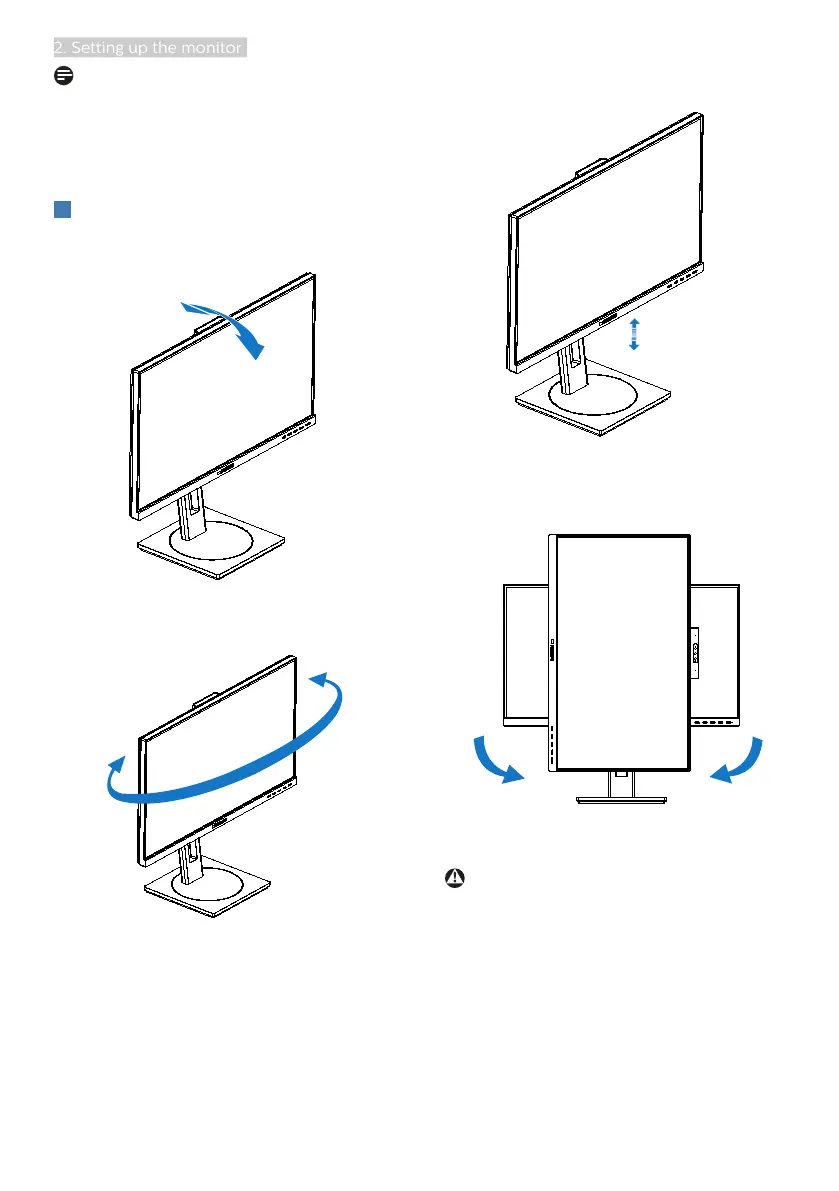
Physical Function
Tilt
30°
-5°
Swivel
-180°
+180°
Height adjustment
150mm
Pivot
90°-90°
0°0°
Warning
• To avoid potential screen damage,
such as panel peeling, ensure that
the monitor does not tilt downward
by more than -5 degrees.
• Do not press the screen while
adjusting the angle of the monitor.
Grasp only the bezel.


 To Next Page