W_pether you're watching a movie or a
orting event, your TV has automatic"
vich, o control settings matched f!)r your t ur-
rent program source or _opmmt. The
AutoPit ture TM f!,ature quickly resets your
TV's _id_o _ontrols f!)r a number' o[ diff_r_nt
types of programs and _iewing conditions you
may hme in your home. Eath AutoPicture TM
setting is preset at the factory to automatital-
l_, adjust the TV's Brightness, Color; Picture,
Shau)ness, Tint, Color 7?,mperature, DNR attd
Contrast+ levels.
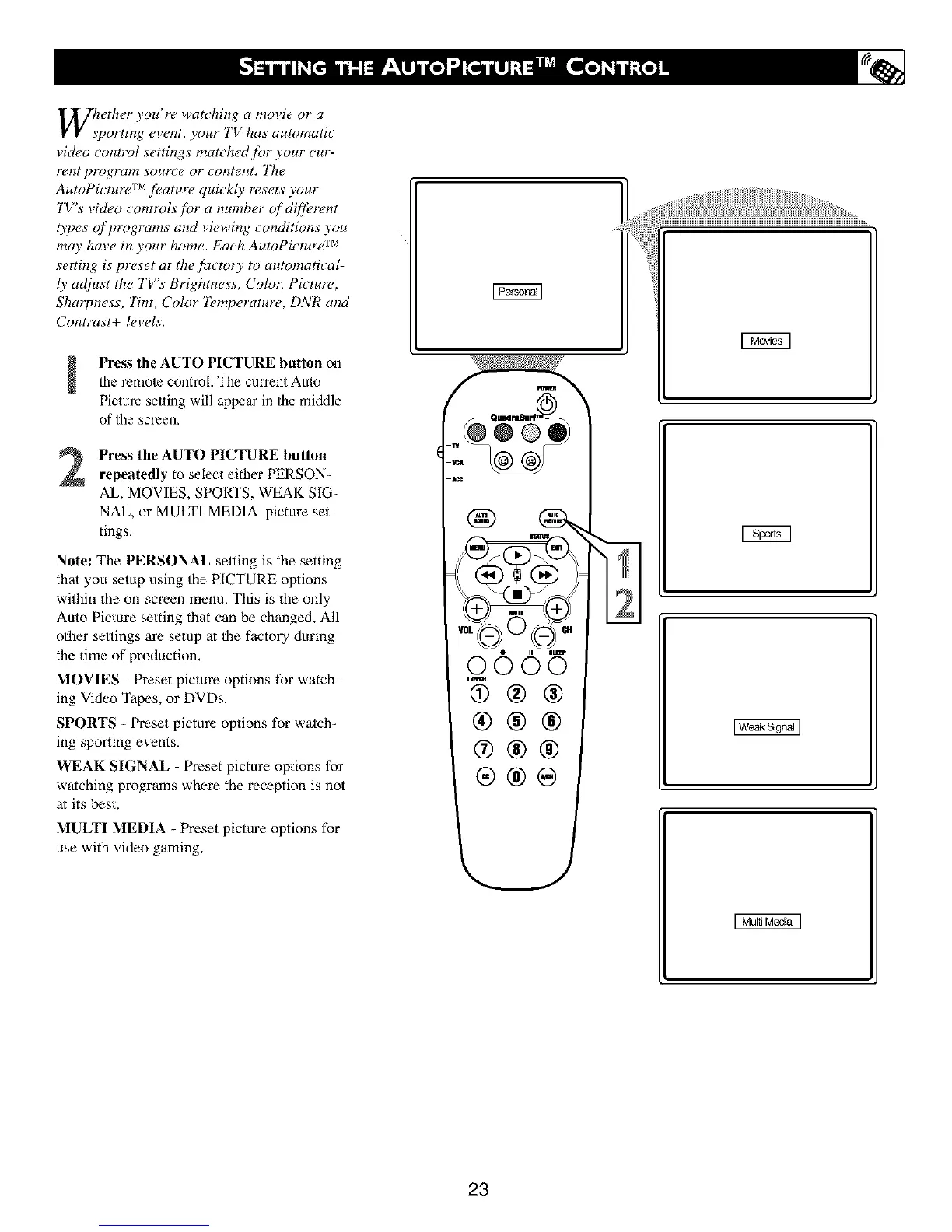
Press the AUTO PICTURE button onthe remote controL.The current Auto
Picturesetting will appear in the middle
of the screen,
Press the AUTO PICTURE button
repeatedly to select either PERSON-
AL, MOVIES, SPORTS, WEAK SIG-
NAL, or MULTI MEDIA picture set-
tings.
Note: The PERSONAL setting is the setting
thai you setup using the PICTURE options
within the on-screen menu, This is the only
Auto Picture setting that can be changed. All
other settings are setup at the factory during
the time of production,
MOVIES - Preset picture options for watch-
ing Video Tapes, or DVDs,
SPORTS - Preset picture options for watch-
ing sporting events,
WEAK SIGNAL - Preset picture options for
watching programs where the reception is not
at its kst.
MULTI MEDIA - Preset picture options for
use with video gaming.
0006
@®®
®®®
®®®
®®@
,j
I Weak Signal ]
23





 To Next Page