E_u can set your TV to turn itself
n or of_ You can set the TV to [I-
turn itse_On or Off once or at
I
the same time everyday. Follow
the step_ below to set the Start and
Stop Time.
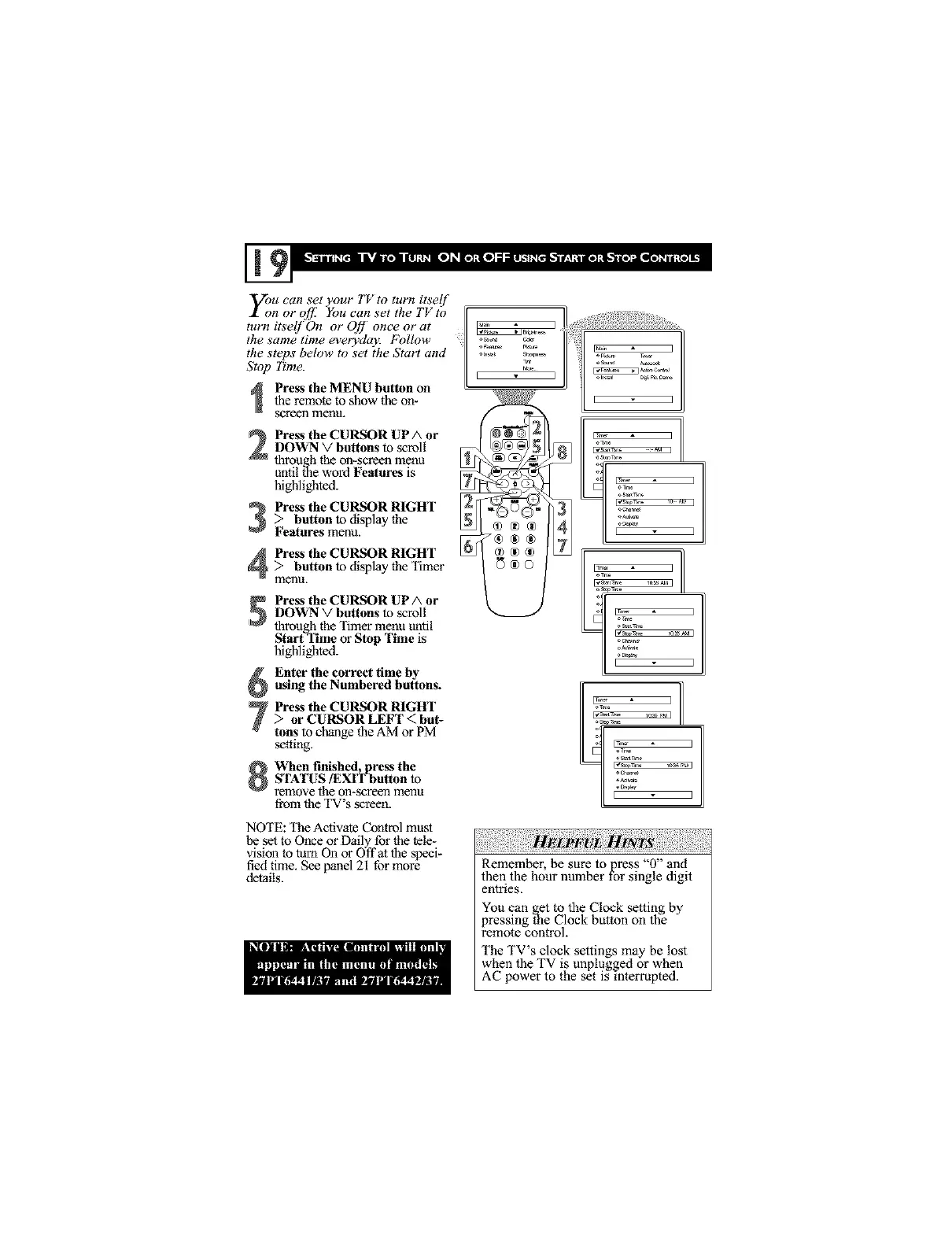
Press the MENU button on
the remote to show the on-
screen menu.
Press the CU_R UP A or
DOWN V buttons to scroll
through the on-screen menu
until the word Features is
highlighted.
3 Press the CU_R RIGHT _
> button to display the
Features menu.
Press the CU_R RIGHT
> button to display the Timer
menl.i,
Press the CU_R UP A or
DOWN V buttons to scroll
through the Timer menu until
Starl Time or Stop Time is
highlighted.
Enter the correct time by
using the Numbered buttons.
Press the CU_IR RIGHT
> or CURSOR LEFT < but-
tons to change the AM or PM
setting,
When finished, press the
S'I_TUS/EXIT button to
remove the on-screen menu
from the TV's screen.
NOTE: The Activate Control must
be set to Once or Daily for the tele-
vision to turn On o1"Offat the specb
fled time. See panel 21 for more
details.
!
]
Remember, he sure to press "0" and
then the hour number for single digit
entlaes.
You can get to the Clock setting by
pressing the Clock button on the
remote control.
The TV s clock settings may be lost
when the TV is unplugged or when
AC power to the set is interrupted.



 To Next Page