MOVIE RATINGS
he parental control feature can block programs based on the Movie Industry ratings. Once you have entered your
password, the Parental Control features are displayed on the screen.
T
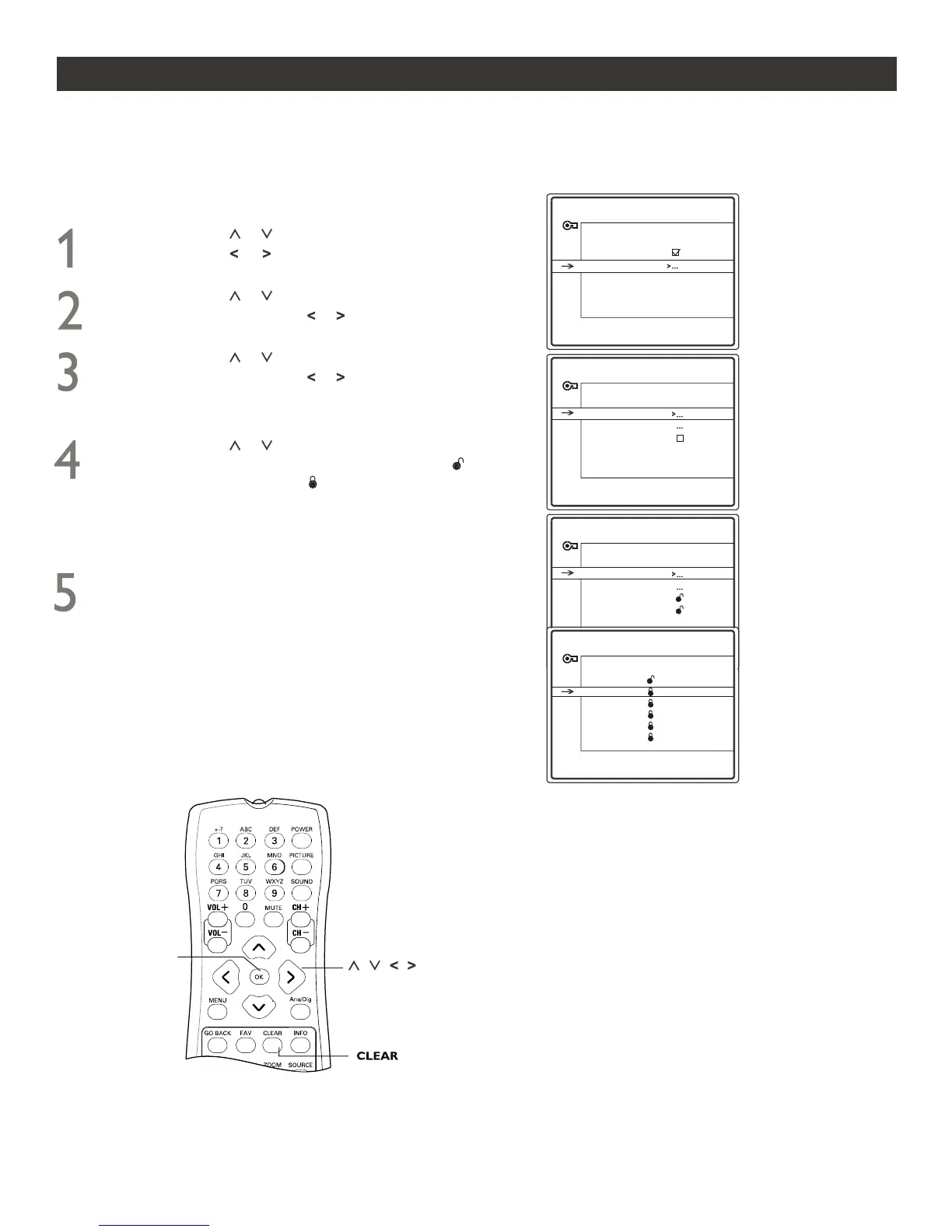
Press CURSOR or to highlight any of the Movie
Ratings options. When highlighted, press OK to set
(which will allow viewing) or (which will allow
blocking).
Press CURSOR or until you see USA V-chip
highlighted. Press CURSOR or to display the
USA V-CHIP menu.
Press CURSOR or until you see Movie Ratings
highlighted. Press CURSOR or to display the
MOVIE RATING LIMIT menu. It includes the six options:
G, PG, PG-13, R, NC-17 and X.
NOTE: If Parental Control is activated while a TV program
with the rating locked in the MOVIE RATING LIMIT menu
is received for the current channel, a message will appear to
tell you to press OK to enter the password to temporarily
deactivate Parental Control.
18
When finished, press CLEAR button to clear the
menu from the TV screen.
NOTE: Locking a lower rating automatically locks all
the higher ratings.
Press CURSOR or until you see Settings highlighted.
Press CURSOR or to display the PARENTAL
CONTROL SETTINGS menu.
OK
PARENTAL CONTROL SETTINGS
Go Back
USA V-Chip
Block CH
ChildLock
USA V-CHIP
Go Back
Movie Ratings
TV Ratings
Unrated
No Rating
PARENTAL CONTROL
Go Back
Lock
Settings
Change Passwd.
Par. Controls are active!
MOVIE RATING LIMIT
Go Back
G
PG
PG-13
R
NC-17
X
Press OK to view/block movies
with this rating.
NOTE: the following menu illustrations are given for Analog mode only.
Follow these steps for Digital Mode and Analog Mode.





 To Next Page