Need help?
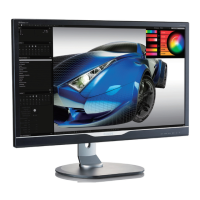
Do you have a question about the Philips 284E5 and is the answer not in the manual?
Essential safety guidelines, warnings, and maintenance advice for monitor usage.
Explains icons and conventions used in the manual for better understanding.
Guidelines on environmentally responsible disposal of the product and packaging.
Steps and components for setting up the monitor, including base assembly.
Guide to monitor controls, buttons, and basic operation.
Instructions for detaching the monitor base for VESA mounting compatibility.
Explains the MHL function for connecting mobile devices and charging.
Software feature for optimizing display settings based on content type for better viewing.
Technology that optimizes contrast ratio and backlight for visual clarity and power saving.
Software for adjusting monitor settings like brightness, contrast, color, and resolution.
Details maximum and recommended display resolutions and refresh rates for optimal performance.
Details product safety, environmental standards, and energy efficiency compliance.
Specific regulatory compliance and notices for various regions and countries.
Philips' policy on pixel defects, acceptable levels, and warranty conditions for TFT panels.
Contact details for warranty coverage and customer support across different regions.
Solutions for common monitor issues like no picture, distorted images, and flickering.
Frequently asked questions regarding the SmartControl Lite software installation and functionality.
Answers to common questions about monitor setup, resolution, refresh rate, and drivers.
Frequently asked questions about using the MHL function for mobile device connectivity.
 General
| Screen Size | 28 inches |
|---|---|
| Panel Type | IPS |
| Aspect Ratio | 16:9 |
| Response Time | 5 ms |
| Brightness | 300 cd/m² |
| Contrast Ratio | 1000:1 |
| Refresh Rate | 60 Hz |
| VESA Mount | 100 x 100 mm |
| Resolution | 1920 x 1080 |
| Connectivity | HDMI |
| Viewing Angle | 178° (H) / 178° (V) |
| Color Support | 16.7 Million |
| Ports | 1 x HDMI, 1 x DVI, 1 x VGA |
| Power Consumption | 30 W (typical) |

 To Next Page