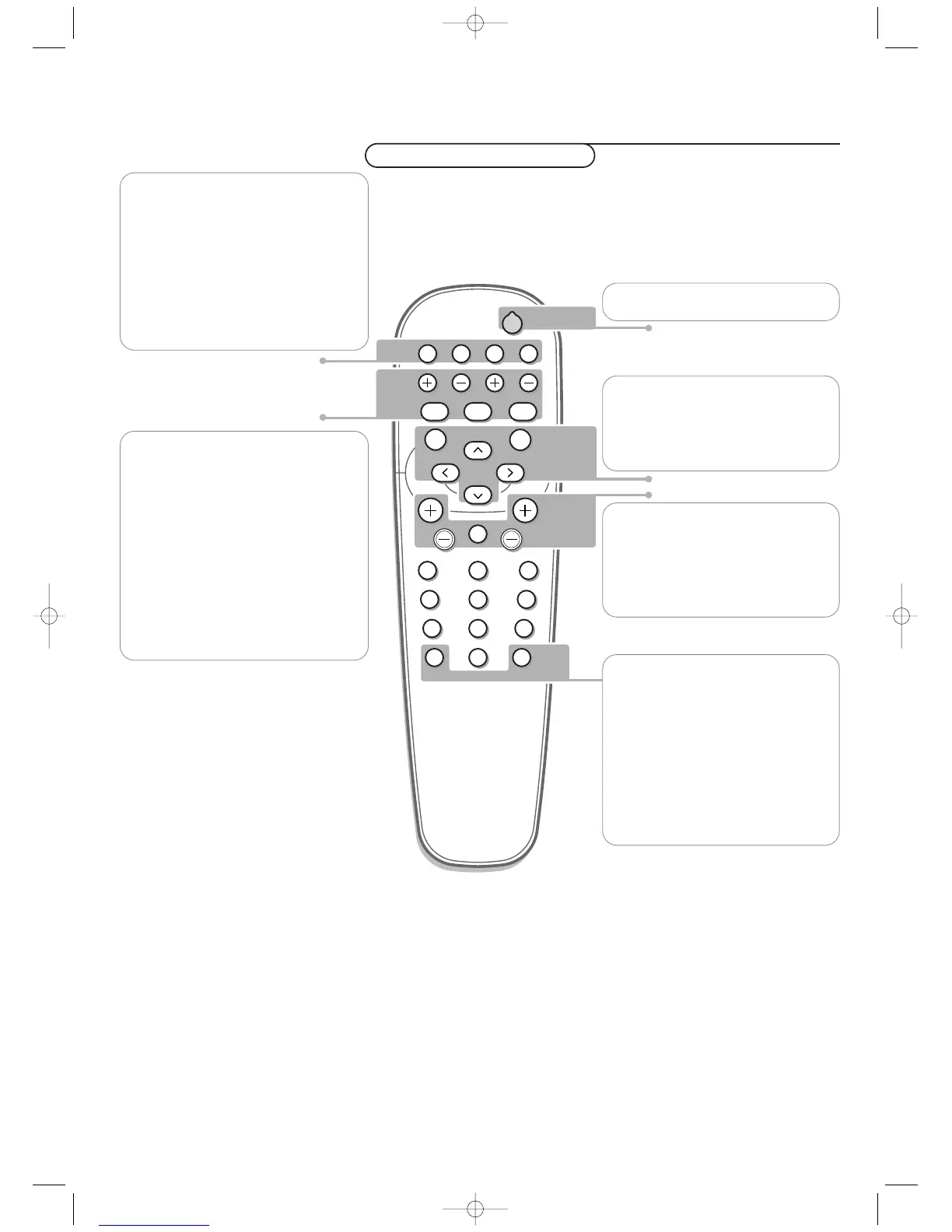
VGA
press repeatedly to select your computer
connected to the
VGA 1 or 2 connector or
to the
DVI-D connector.
AV1, AV2, AV3
press to select the peripherals connected
to the connector indicated on the monitor.
Note: in case the monitor is operating in
combination with an electronic receiver box, the
AV inputs on the monitor will be disabled and
the VGA2 connector becomes an output.
V press - or + to adjust the volume
¬ Mute button
Mute the sound or restore it
CH/PR Program selection
To browse through the sources selected.
B to switch to standby or on again
MENU to switch the menu on/off
cursor buttons to select your choice and
to alter a selected adjustment.
OK to activate your choice
AV MUTE to mute the picture and the
sound or restore it (if the monitor is
used in monitor mode).
When activated a green indicator starts
blinking in front of the monitor.
q Picture format
See Picture 2 menu, p. 5.
Press the q button to switch between
the different picture formats.
BRIGHTNESS +/-
to adjust the brightness level of the picture
CONTRAST +/-
to adjust the contrast level of the picture
ZOOM ON/OFF
to activate/de-activate the zoom function.
See p. 5.
ZOOM IN/OUT to adjust the zoom factor
and to change the magnification of the
picture when zoom is activated. See p. 5.
Use of the remote control
On screen information
When the monitor is used in the monitor mode, information about the active
source (
AV1, AV2, AV3, VGA1, VGA2 or DVI-D), and the supported video,VGA or
HD-format of the selected source is displayed on the screen together with the
selected picture format and icons informing about selected sound mode and AV or
audio mute.







 To Next Page