8
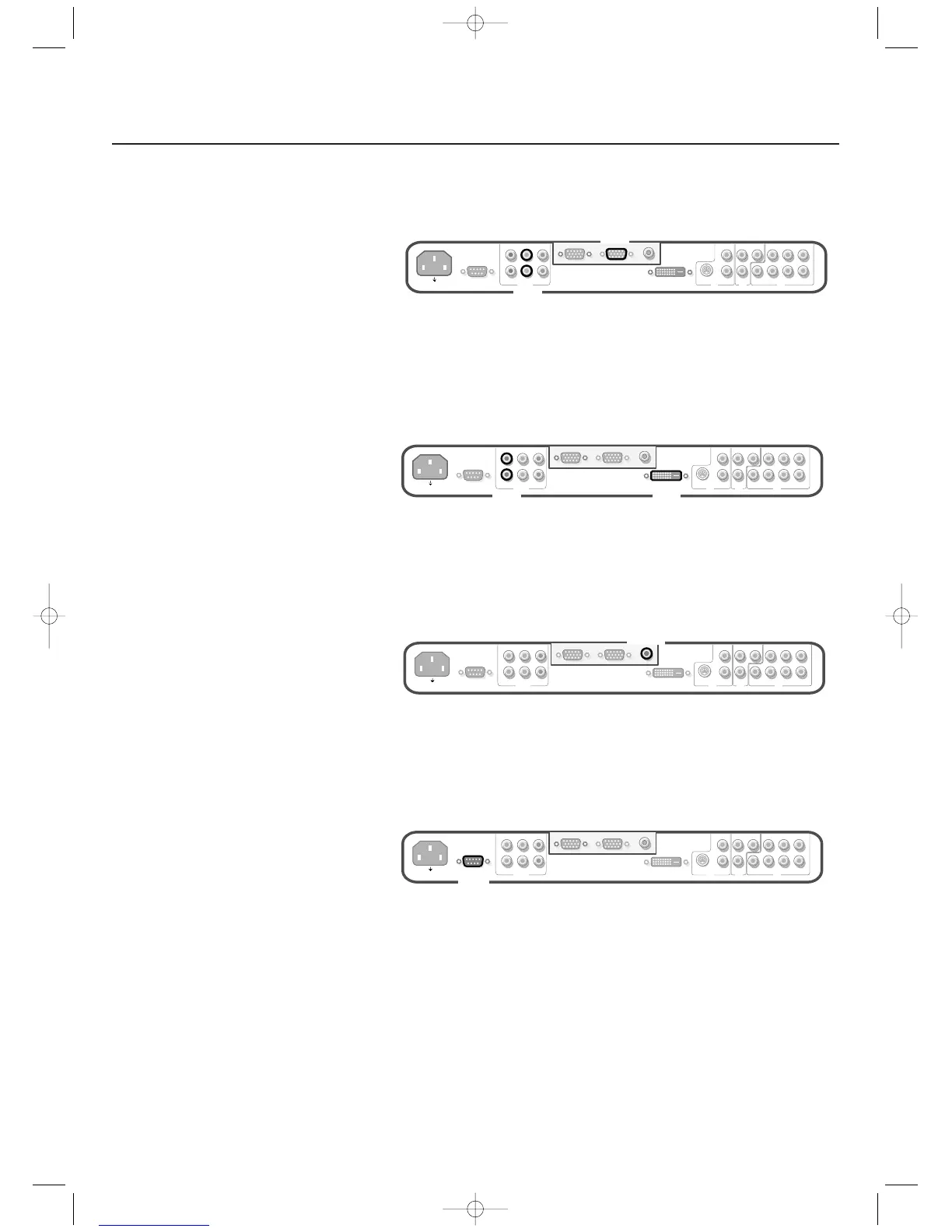
High Definition equipment with VGA connector
& Connect the VGA output of your equipment to the VGA2 connector.
é Connect the audio cables to the equipment’s AUDIO L and R sockets and to
the
VGA2 AUDIO L and R sockets on the monitor.
Note: you should select
HD IN for VGA2 in the Setup menu. (See p. 6.)
Digital DVI output of your PC (DVI-D) or DVD player
& Connect the Digital DVI output of your PC or DVD-player to the DVI-D
connector.
é Connect the audio cables to the DVI-D AUDIO L and R sockets on the
monitor.
RC out connector
This connector allows you to daisy chain remote control signals to other
equipment (e.g.AV receiver, IR repeater) which have an electrical RC in.
Note: it is not possible to daisy chain a second monitor.
Serial I/O port RS232
The RS232 connector is only to be used with the monitor as stand alone.
This connector allows you to control the monitor via your PC (as a
replacement of the remote control).
Note:This connector can also be used for dealer service tools.







 To Next Page