On-Screen Display (OSD) menu20
English
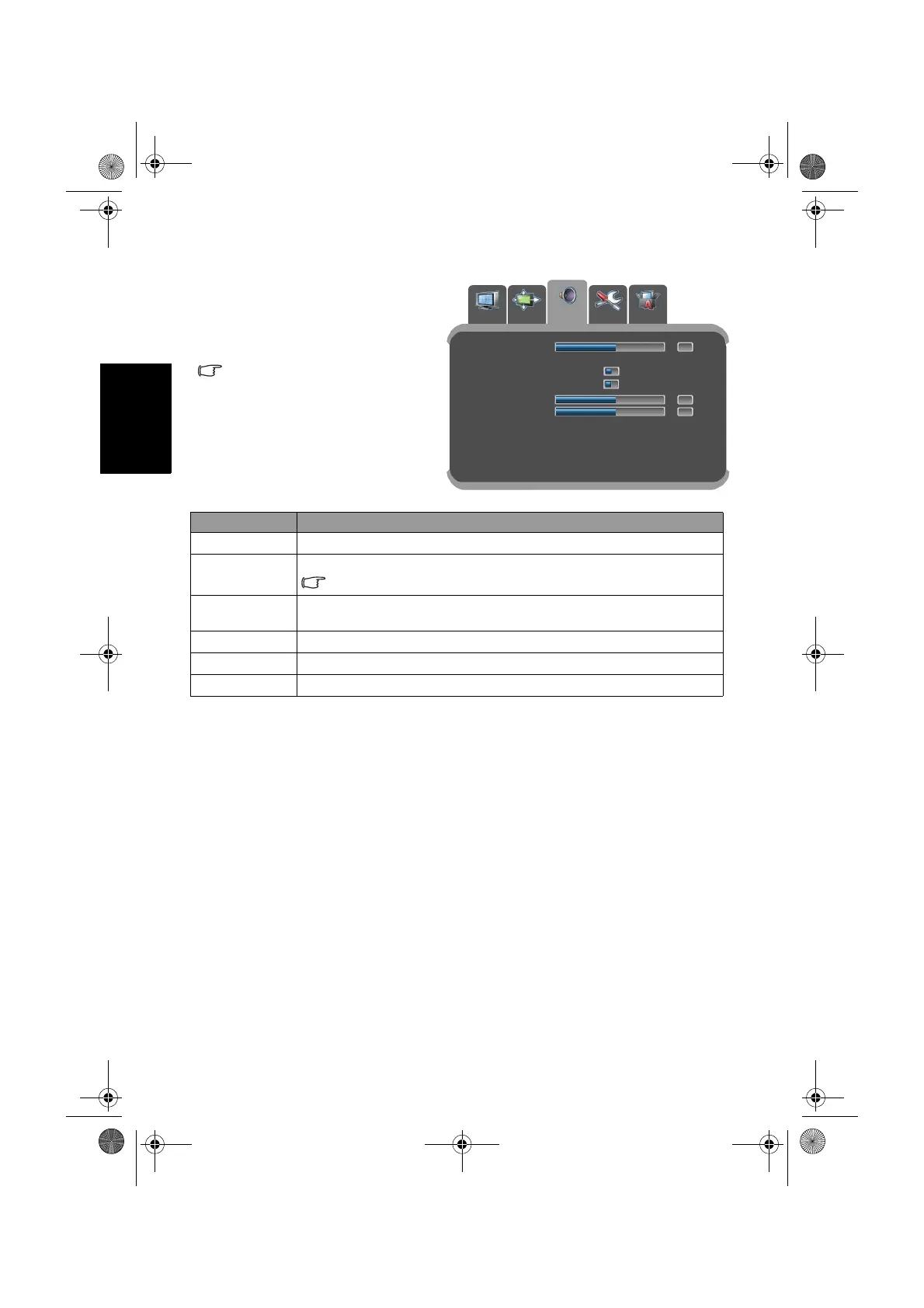
AUDIO menu
The available menu items are
dependent on the input source
being selected.
The illustration is for reference
only.
Item Function
Balance
Adjusts left or right speaker volume level.
Sound Type
Selects input audio type.
Available options are dependent upon the received signal.
Volume Leveling
If set to Enable, the display automatically adjusts the sound level to
be constant amongst different channels.
Virtual Surround
Activates or deactivates the virtual surround sound effect.
Treble
Adjusts treble tones.
Bass
Adjusts bass tones.
Balance
Sound Type Stereo...
Volume Leveling Disable Enable
Virtual Surround Disable Enable
Treble
Bass
Left/Right: Select main page.
OK/Down: Enter sub menu.
PICTURE
PICTURE AD. AUDIO
PREFERENCE
TV SETTING
0
0
0
32PF1700T_96_Tuner-RC-EN.book Page 20 Thursday, April 26, 2007 5:35 PM


 To Next Page
 Loading...