EasyManua.ls Logo

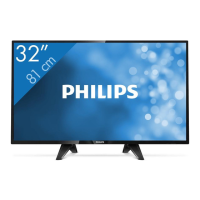
Philips 32PF5331/10 - User Manual

Philips 32PF5331/10
23 pages
Print Icon
To Next Page IconTo Next Page
Loading...

Other manuals for Philips 32PF5331/10

Questions and Answers

  • K
    Kelly HouseAug 18, 2025
    What to do if my Philips 32PF5331/10 has no picture?
    • J
      Jennifer ForbesAug 18, 2025
      If your Philips TV shows no picture, ensure the euroconnector cables or aerial sockets are properly connected. Also, verify that you've selected the correct source by pressing the source button and choosing the appropriate input.
  • C
    Carlos GregoryAug 21, 2025
    Why is there no sound on my Philips 32PF5331/10?
    • E
      ellislisaAug 21, 2025
      If your Philips TV has no sound, first try increasing the volume and ensure that the mute mode is off by pressing the mute button. Also, make sure no headphones are connected. Aim the remote control directly at the sensor on the front of the TV.
  • M
    Matthew GatesAug 23, 2025
    How to fix a Philips TV with no display on the screen?
    • A
      Adam Morris MDAug 23, 2025
      If your Philips TV screen is blank, check that the power cord is correctly connected to both the TV and the mains socket. If there's still no power, disconnect the plug, wait 60 seconds, reconnect it, and then switch the TV on again. You can also try pressing the power button on the remote control.
  • Y
    yandersonAug 26, 2025
    Why is my Philips 32PF5331/10 TV remote not working?
    • D
      dwilliamsAug 26, 2025
      If your Philips TV is not responding to the remote control, check the placement of the batteries inside the remote. If they are correctly placed, try replacing them with new batteries.
  • S
    Sarah RiveraAug 28, 2025
    How to stop sound interference on Philips 32PF5331/10?
    • S
      Sandra HarrisonAug 28, 2025
      If your Philips TV has sound interference, try switching off any nearby electrical appliances like hairdryers or vacuum cleaners that might be causing the interference.
  • B
    Breanna CameronAug 30, 2025
    What to do if my Philips 32PF5331/10 has no sound or picture but the red light is on?
    • S
      Sarah JohnsonAug 30, 2025
      If your Philips TV is in standby mode, indicated by a red light on the front panel but no sound or picture, press the power button on the remote control to turn it on.
  • R
    Ryan RomanSep 2, 2025
    Why is my Philips TV picture flickering in HD mode?
    • W
      William JordanSep 2, 2025
      If you're seeing an intermittent or flickering picture on your Philips TV in HD mode, it might be due to HDCP authentication failure. Check the user manual for your connected digital equipment (DVD player or set-top box). You can also try using a standard HDMI to DVI cable.
  • N
    nicolereeseSep 4, 2025
    How to change the language on my Philips TV?
    • M
      Madison GarciaSep 4, 2025
      If you cannot understand the language displayed on your Philips TV screen, press the menu button to exit the current menu. Then, press the menu button again to enter the main menu. Use the navigation keys to select the fourth item and then select the correct language.
  • D
    Dominique VargasSep 7, 2025
    How do I access the install menu on Philips 32PF5331/10?
    • A
      Amanda JonesSep 7, 2025
      If you're unable to access the Install menu on your Philips TV, press the AV key and select TV mode. After that, you should be able to access the Install menu using the Menu key.
  • W
    Wendy BartlettSep 10, 2025
    How to improve poor reception on Philips 32PF5331/10 TV?
    • R
      russelllauraSep 10, 2025
      If your Philips TV has poor reception resulting in a snowy picture and noise, check the antenna connection at the rear of the TV. You can also try manually adjusting your picture. Ensure you have selected the correct TV system.

Summary

Introduction to the Television

Recycling and Disposal Information

Disposal of Old Products

Instructions for correctly disposing of old electronic products to protect the environment and human health.

Safety Information

Ventilation and Placement Safety

Ensuring proper ventilation and safe placement to prevent overheating and hazards.

Electrical and Fire Safety

Guidelines for safe electrical connections, power cord handling, and fire prevention.

Environmental and Water Safety

Protecting the TV from moisture, heat, flames, lightning, and water spills.

Installation Safety

Ensuring safe installation, especially for wall-mounting, by qualified personnel.

Preparation and Initial Setup

TV Set Positioning

Guidelines for placing the TV set on a stable surface with adequate ventilation.

Connecting the TV

Instructions for connecting the aerial and mains plug to the TV set.

Using the Remote Control

How to prepare and use the remote control for TV operation.

Switching the TV On

Steps to power on the TV set from standby mode or initial setup.

Television Controls and Connections

TV Set Controls Overview

Details on POWER, VOLUME, MENU, and PROGRAM/CHANNEL buttons on the TV set itself.

Rear Panel Connectivity

Description of rear panel ports including Aerial, DVI, Component, HDMI, and Scart inputs/outputs.

Side Panel Connectivity

Explanation of side panel ports for connecting cameras, camcorders, and headphones.

Remote Control Functions

Basic Remote Operation Keys

Controls for TV standby, volume adjustment, program selection, and mute function.

Menu Navigation and Selection

Keys for accessing menus, navigating options, and confirming selections on screen.

Picture and Sound Feature Keys

Buttons for adjusting picture/sound settings and accessing features like PIP and Screen Format.

Special Mode and Input Keys

Keys for selecting input modes (DVD, AUX, AV) and accessing Teletext functions.

Remote Control for External Devices

Quick Installation Guide

Automatic Channel Tuning (PlugnPlay)

Steps for automatic channel search and storage using the Plug'n'Play feature.

Channel Management Features

Manual Program Sorting

Instructions for manually sorting TV channels and re-numbering them.

Automatic Channel Tuning (Auto Store)

Procedure for automatic searching and storing of available TV channels.

Manual Channel Storage

Channel Naming Function

Picture and Sound Settings

Picture Settings Explained

Explanation of picture settings like Brightness, Colour, Contrast, Sharpness, and Colour Temp.

Sound Settings Explained

Explanation of sound settings like Equalizer, Balance, Delta Volume, AVL, and Dolby Virtual.

Advanced Picture Features

Timer Functions

Picture-in-Picture (PIP)

PIP Access via Menu System

How to access and configure Picture-in-Picture using the TV's menu system.

PIP Access via Remote Control

Displaying and cycling through PIP screen sizes using the remote control.

Screen Format Options

Standard Aspect Ratios

Explains 4:3, 14:9, and 16:9 picture formats and their display characteristics.

Zoom and Subtitle Modes

Details on Subtitle Zoom and Superzoom modes for displaying 4:3 pictures.

Widescreen Display

How to display 16:9 images correctly or enlarge 4:3 horizontally.

Smart Picture and Sound Modes

Active Control Feature

Teletext System Guide

Teletext Access and Page Selection

Turning teletext on/off and selecting pages using number keys or color keys.

Teletext Navigation and Features

Navigating teletext, sub-pages, hidden info, and setting favourite pages.

Using TV as a PC Monitor

PC Connection and Source Selection

Steps to connect a PC via HDMI and select it as a source for display.

PIP Feature in PC Mode

Using Picture-in-Picture to watch TV while operating in PC mode.

PC Mode Settings

Adjusting picture and audio settings when using the TV as a PC monitor.

High Definition (HD) Mode

HD Connection and Source

Connecting HD equipment via HDMI and selecting it as a source for viewing.

HD Mode Features and Settings

Details on HD features like Timer, PIP, Horizontal Shift, and Mode Selection.

Troubleshooting Common Issues

Problem Diagnosis and Solutions

Guide to identifying and resolving common TV problems such as no picture, no sound, or poor reception.

Technical Glossary

Product Specifications

Technical Specifications and Dimensions

Key specifications including screen size, audio output, power, and dimensions for different models.

Country Selection Reference Table

Table listing country abbreviations for channel tuning and selection.

TV Frequency Information

UK Specific Information

TV Placement and Ventilation

Guidelines for optimal TV positioning and ensuring adequate ventilation for operation.

Reception and Interference Advice

Information on improving TV reception and addressing signal interference issues.

Mains and Aerial Connection

Instructions for safe mains power connection and aerial cable attachment.

Stand Fitting Instructions

Guidance on correctly attaching the TV stand for stability.

Philips 32PF5331/10 Specifications

General IconGeneral
Screen Size32 inches
Display diagonal81 cm
Resolution1366 x 768 pixels
Display TechnologyLCD
Response time8 ms
Contrast ratio (typical)800:1
Display brightness500 cd/m²
Comb filter3D
Audio systemNicam Stereo
Number of speakers2
Plug and PlayYes
SCART ports quantity2
HDMI ports quantity1
Component video (YPbPr/YCbCr) in1
PC in (D-Sub)Yes
Weight (with stand)15 kg
Power consumption (standby)0.5 W
USB PortsNo
Aspect Ratio16:9
Screen format adjustments16:9
Viewing angle, horizontal176 degrees
Viewing angle, vertical176 degrees
Tuner typeAnalog
Width (with stand)800 mm
Width (without stand)800 mm
Depth (without stand)9.5 cm
Refresh Rate50 Hz
Weight12 kg

Related product manuals