9
English
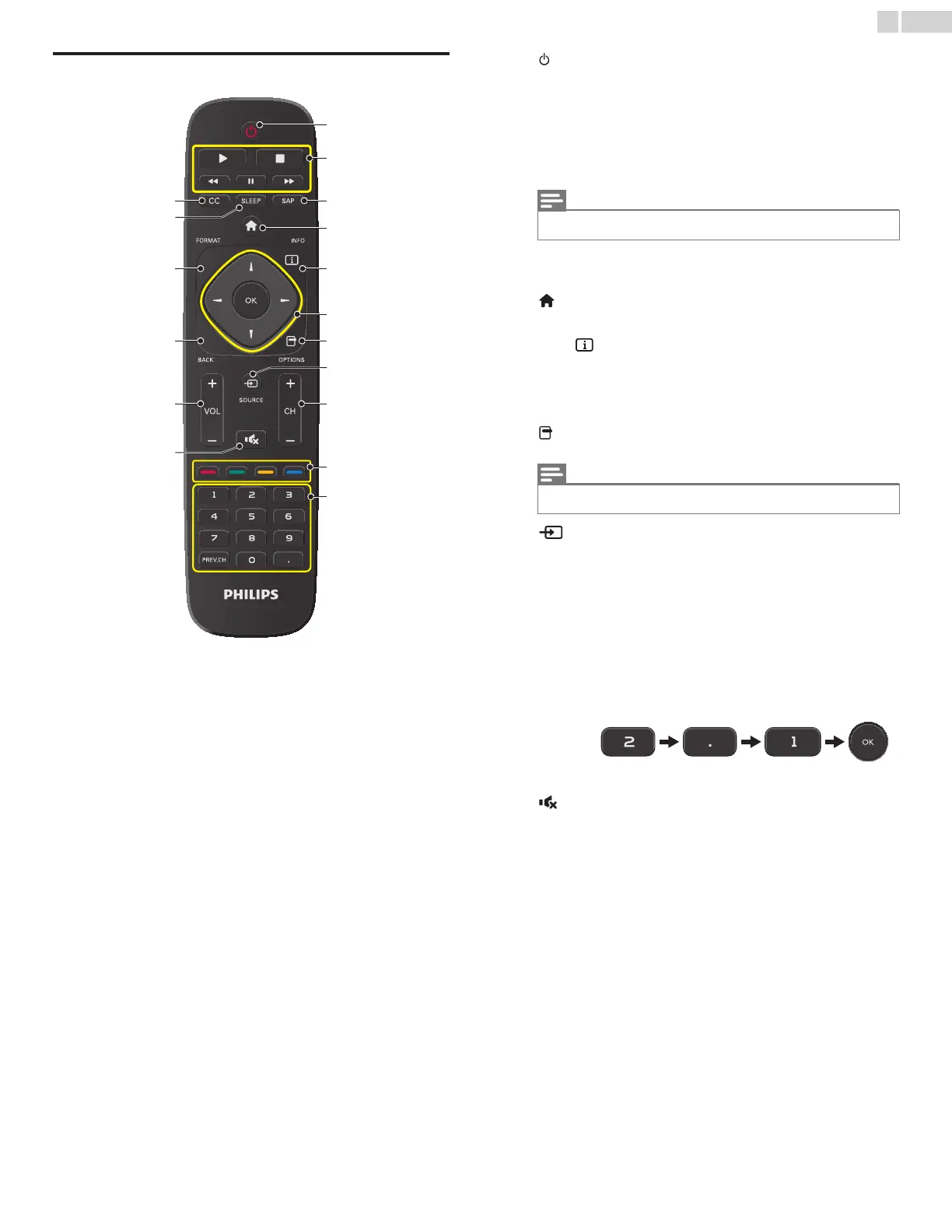
Remote control
a (POWER)
Turns the TV On from Standby or Off to Standby.
b EasyLink(HDMI CEC) buttons
Æ Begins or Restarts the Disc playback.
Δ Pauses the Disc playback.
C Stops the Disc playback.
E / D Searches Backward or Forward through the disc.
c SAP
Selects Audio mode (MONO/STEREO/SAP) / Audio language.
d (MENU)
Displays the main menu.
e INFO
Displays Information about the current program.
f ɼɾɿɽ (NAVIGATION buttons) / OK
Moves the cursor, Selects the On-screen Menu items.
g OPTIONS
Opens EasyLink options menu.
h SOURCE
Selects Connected devices.
i CH + / ñ
Selects a Channel.
j COLOR buttons
Use these Buttons according to the directions On-screen.
k 0 ñ 9 (NUMBER buttons)
Used to enter a Channel / Program number.
• (DOT) Use with 0-9 to select digital channels. For example, to
enter 2.1, press
PREV.CH Returns to the previously viewed Channel.
l (MUTE)
Turns the Sound On and Off.
m VOL + / ñ
Adjusts the Volume.
n BACK
Returns to the previous Menu operation.
o FORMAT
Adjusts the Picture size on the TV screen.
p SLEEP
Sets Sleep Timer.
q CC
Displays the audio portion of programming as text superimposed
over the video.
• You must set On in the Master EasyLink (➟ p.29) to operate the above
functions.
• You must set On in the Master EasyLink (➟ p.29) to operate the above
functions.










 To Next Page