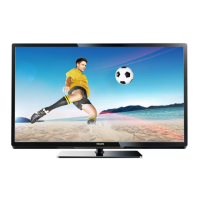
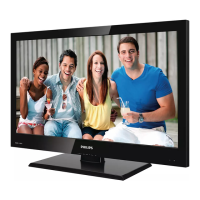
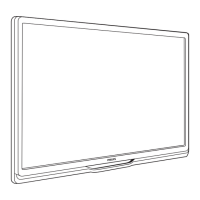
This document is a Quick Start Guide for Philips 4500 series LED and LCD televisions, specifically models 32PFL4508T/12, 40PFL4508T/12, 46PFL4508T/12, 40PFL4508H/12, 32PFL4508H/12, and 40PFL4528T/12. It provides essential information for setting up and using the television, including safety instructions, package contents, assembly, connections, and initial setup.
Function Description
The Philips 4500 series televisions are LED and LCD displays designed for home entertainment. They offer a range of connectivity options for various external devices, including DVD/Blu-ray players, gaming consoles, and network connections for Smart TV functionalities. The guide emphasizes ease of setup and provides visual instructions for common tasks.
Important Technical Specifications
Display Sizes (Diagonal):
- 81 cm / 32"
- 102 cm / 40"
- 117 cm / 46"
- 140 cm / 55"
Wall Mount Specifications (Vesa Standard):
- For 81 cm / 32" and 102 cm / 40" models:
- H (Horizontal spacing): 200 mm
- V (Vertical spacing): 200 mm
- Screw size: M6
- Screw depth: 19 mm
- For 117 cm / 46" and 140 cm / 55" models:
- H (Horizontal spacing): 400 mm
- V (Vertical spacing): 400 mm
- Screw size: M6
- Screw depth: 19 mm
Connectivity:
- HDMI: Multiple HDMI ports, including at least one with Audio Return Channel (ARC) functionality.
- USB: At least two USB ports (USB 1 and USB 2) for connecting external storage devices (HDD) or other USB peripherals.
- Antenna/Cable: 75 Ω coaxial input for TV antenna.
- Satellite: SAT input for satellite dish connection (specific to xxPFL45x8K/12 models).
- SCART: SCART (RGB/CVBS) input for older devices.
- Component Video (CVBS/Y Pb Pr): Inputs for connecting devices using component video cables.
- Audio Inputs:
- Audio In (DVI) for DVI-to-HDMI connections.
- L/R audio inputs for component video and CVBS.
- Audio Outputs:
- Digital Audio Out (coaxial) for connecting to external audio systems.
- Headphone jack.
- Network: Ethernet port for wired network connection to access Smart TV features.
- Wi-Fi: Wireless network connectivity for Smart TV features (indicated by a Wi-Fi symbol next to the "NETWORK" section).
Usage Features
Initial Setup:
- Safety Information: Users are instructed to read all accompanying safety information before using the product.
- Unpacking: The guide provides a visual list of items included in the box, such as the TV, power cords (EU and UK types), remote control, Quick Start Guide, and screws for stand assembly.
- Stand Assembly: Detailed visual steps are provided for attaching the TV stand, including securing the stand base to the TV with M4x10mm screws (4x) and M5 screws (4x), and then placing the TV upright.
- Connections:
- Power: Connect the power cord to the AC IN socket.
- Antenna/Satellite: Connect the 75 Ω TV antenna or satellite dish to the respective inputs.
- External Devices: Instructions for connecting various devices:
- HDMI (ARC): For Blu-ray/DVD players, supporting audio return.
- HDMI (Digital Audio Out): For Blu-ray/DVD players with separate digital audio output.
- SCART: For older DVD players or other devices.
- Component Video (CVBS/Y Pb Pr): For DVD players or gaming consoles.
- USB: For connecting USB storage devices (HDD) or other peripherals.
- DVI (via HDMI adapter): For connecting a computer using a DVI-to-HDMI cable and separate audio input.
- Recorder (OUT IN ANTENNA): For connecting a DVD recorder or similar device.
- Network (Smart TV): Connect the TV to the internet via a wired Ethernet connection or wirelessly (Wi-Fi) for Smart TV functionalities.
- Cable Management: Instructions for organizing cables using the provided cable ties or clips on the TV stand to maintain a tidy setup.
- Remote Control: Instructions for inserting batteries into the remote control (2x AAA batteries).
- Language Selection: The initial power-on sequence guides the user to select their preferred language and follow on-screen instructions for further setup.
Smart TV Features:
The television supports Smart TV functionalities, requiring an internet connection (wired or wireless). The guide indicates that further information and support for Smart TV features are available on www.philips.com/support.
Wall Mounting:
For wall mounting, users are advised to purchase a suitable bracket that meets the specified Vesa standards for their TV size. The guide provides detailed measurements (H, V, screw size, and depth) for compatible wall mounts.
Maintenance Features
User Manual and Support:
The Quick Start Guide directs users to www.philips.com/welcome to register their product and get support. It also mentions that a printable user manual and product updates are available on www.philips.com/support. This indicates that comprehensive maintenance and troubleshooting information, as well as software updates, can be accessed online.
Cleaning:
While not explicitly detailed in the provided pages, the presence of "Чистящие средства" (cleaning products) in the accompanying image of related accessories suggests that Philips offers or recommends specific cleaning solutions for maintaining the TV screen and surfaces. Users are generally advised to follow manufacturer guidelines for cleaning electronic displays to avoid damage.
Battery Replacement:
The guide includes clear instructions for replacing the batteries in the remote control, ensuring continued functionality of the primary input device.
Cable Management:
The inclusion of cable management instructions helps users keep cables organized, which can prevent accidental disconnections, reduce wear and tear on cables, and improve the overall aesthetic of the setup.

 Need help?



 To Next Page
 General