EasyManua.ls Logo

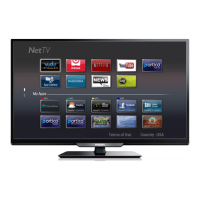
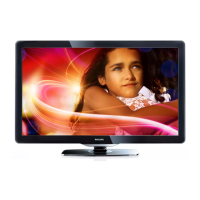
Philips 32PFL4902/F8 - User Manual

Philips 32PFL4902/F8
55 pages
Print Icon
To Next Page IconTo Next Page
Loading...
Register your product and get support at
www.philips.com/support
EN
User manual
ES
Manual del usuario
EN For further assistance, call the customer support service in your country.
To obtain assistance, contact Philips customer care center;
México D.F. and
á
rea metropolitana; 58 87 97 36
Interior de la republica; 01 800 839 19 89
Colombia; 01 800 952 0640
Costa Rica; 0800 052 1564
Guatemala; 1 800 835 0351
ES Para obtener más información, llame al centro de atención a clientes de
su país.
Para obtener asistencia, póngase en contacto con el CENTRO DE
INFORMACION AL CLIENTE,
México D.F. y
á
rea metropolitana;58 87 97 36
Interior de la republica; 01 800 839 19 89
Colombia; 01 800 952 0640
Costa Rica; 0800 052 1564
Guatemala; 1 800 835 0351
32PFL4902
Televisions
4000 series

Questions and Answers

  • M
    mmartinezSep 8, 2025
    What to do if I cannot pull out the key from Philips Door locks?
    • E
      esmithSep 8, 2025
      If you cannot pull the key out from the Keyhole of your Philips Door locks, disassemble the lock, then rotate to pull out the key and re-install the lock. Do not insert the key when you are installing.
  • J
    Jacqueline MercerAug 25, 2025
    Why can I see picture but no sound is heard on my Philips Monitor?
    • A
      Amanda TaylorAug 25, 2025
      If you can see a picture but hear no sound on your Philips Monitor, check the following: 1. Ensure both video and sound input cables are correctly connected. 2. Make sure the volume isn't turned all the way down; press the volume buttons to increase it. 3. Verify that Mute is off using the Mute button. 4. If using external speakers, ensure they are connected and the volume is at a suitable level.
  • S
    Steven JonesAug 25, 2025
    How to fix a Philips Coffee Maker that does not turn on?
    • J
      John BakerAug 26, 2025
      If your Philips Coffee Maker doesn't turn on, ensure it's properly connected to the electric network and that the power button is switched to the “I” position.
  • M
    Mr. John MorganSep 18, 2025
    Why is the Bluetooth audio quality poor on my Philips Speaker System?
    • X
      xmitchellSep 18, 2025
      If the audio quality from a connected Bluetooth device to your Philips Speaker System is poor, it could be due to poor Bluetooth reception. Try moving the device closer to the soundbar or removing any obstacles between the device and the soundbar.
  • J
    johnsonjessicaSep 8, 2025
    Why does my Philips Door locks rotates only if the Key is inserted?
    • M
      Melissa PerrySep 8, 2025
      If the Philips Door locks rotates only when the Key is inserted, ensure the Latch Bolt is installed correctly.
  • K
    Kevin LoveSep 12, 2025
    Why some picture elements do not light up on Philips Monitor?
    • M
      Mary BurnsSep 12, 2025
      This display is manufactured using an extremely high level of precision technology: however, sometimes some pixels of the display may not display. This is not a malfunction.
  • K
    Keith JonesSep 3, 2025
    What to do if there is no sound from my Philips Speaker System soundbar?
    • S
      Shawna Mcintosh DVMSep 3, 2025
      If there is no sound from your Philips soundbar speaker, try the following: * Connect the audio cable from your soundbar to your TV or other devices. * Select the correct audio input on the remote control. * Ensure that the soundbar is not muted. * Reset the product to its factory settings (see 'Factory reset').
  • B
    Brenda HernandezSep 3, 2025
    What to do if the buttons on my Philips Speaker System don't work?
    • L
      landersonSep 3, 2025
      If the buttons on the main unit of your Philips Speaker System do not work, disconnect it from the power supply for a few minutes, and then connect it again.
  • C
    Cynthia PhelpsSep 23, 2025
    Why do I see after-images on my Philips Digital Signage?
    • M
      Maria GeorgeSep 23, 2025
      After-images can occur if a still picture is displayed for an extended period. To prevent this, avoid displaying a still image for an extended period of time, as this can cause a permanent after-image to remain on the display.
  • L
    Lance MillerAug 29, 2025
    Why is there no picture on my Philips Monitor?
    • N
      npittsAug 29, 2025
      There are several reasons why your Philips Monitor might not be displaying a picture: 1. The power cord might be disconnected; plug it in. 2. The main power switch on the back of the display might not be switched on; ensure it is on. 3. The selected input might have no connection; connect a signal to the display. 4. The display might be in standby mode.

Philips 32PFL4902/F8 Specifications

General IconGeneral
Screen Size32 inches
Display TechnologyLED
Refresh Rate60 Hz
Aspect Ratio16:9
HDMI Ports2
USB Ports1
Smart TVYes
Built-in Wi-FiYes

Related product manuals