EN 12
2 Use your TV
Controls
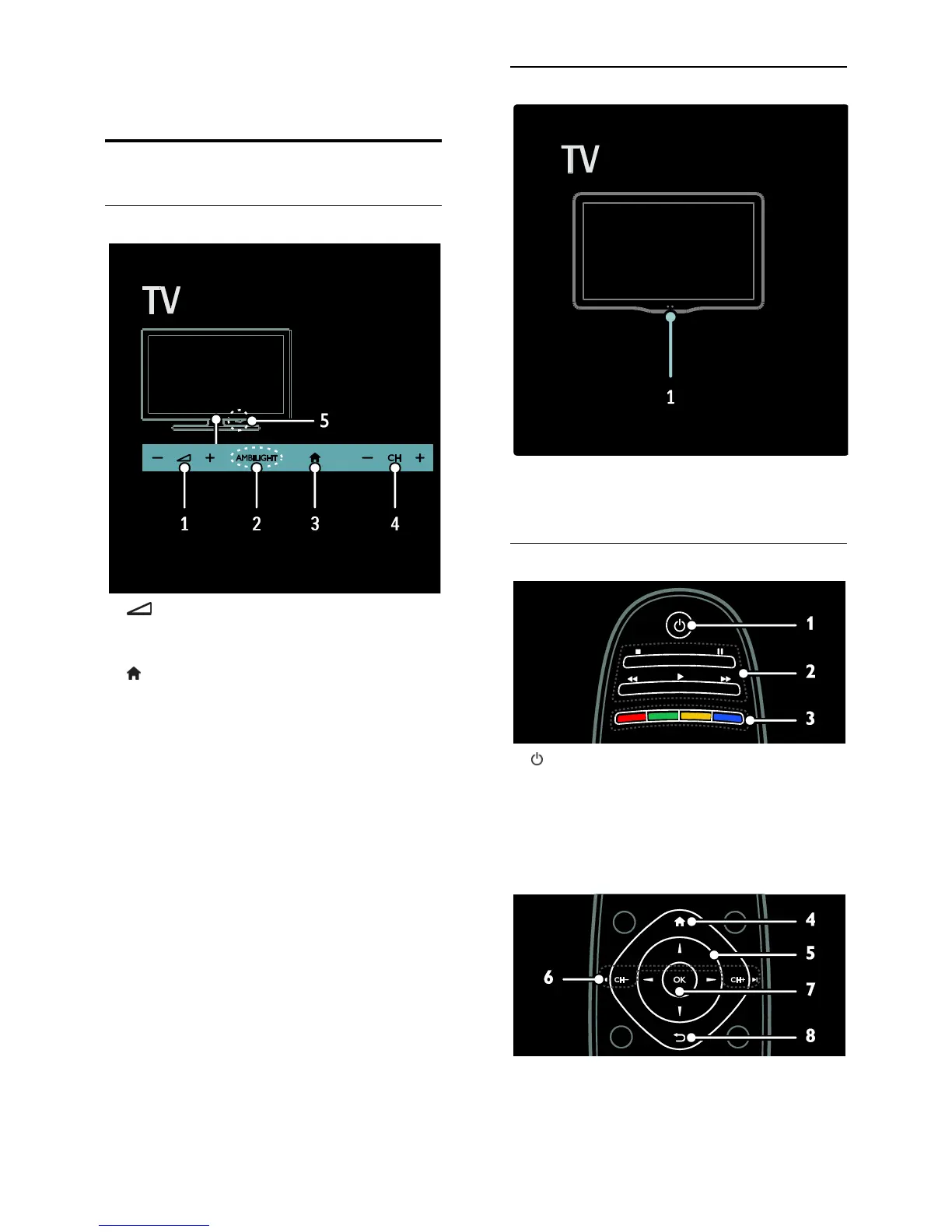
TV controls
1. +/-: Increase or decrease volume.
2. AMBILIGHT: Switch Ambilight on or off.
Ambilight is available on certain models only.
3. (Home): Access the Home menu. Press
again to launch an activity in the Home
menu. Confirm an entry or selection.
4. CH +/-: Switch to the next or previous
channel.
5.Power: Switch the TV on or off.
Indicators
1. Ambient sensor / remote control sensor
Ambient sensor is available on certain
models only.
Remote control
1. (Standby): Switch the TV on or to
standby.
2. Play buttons: Control video or music play.
3. Colour buttons: Select tasks or options.
The buttons function according to the
services offered by the service provider.






 To Next Page