4
Setting Up
4.1
Read Safety
Read the safety instructions first before you use the
TV.
To read the instructions, in Help > User manual,
press the colour key Keywords and look
up Safety and Care.
4.2
TV Placement
Tips on Placement
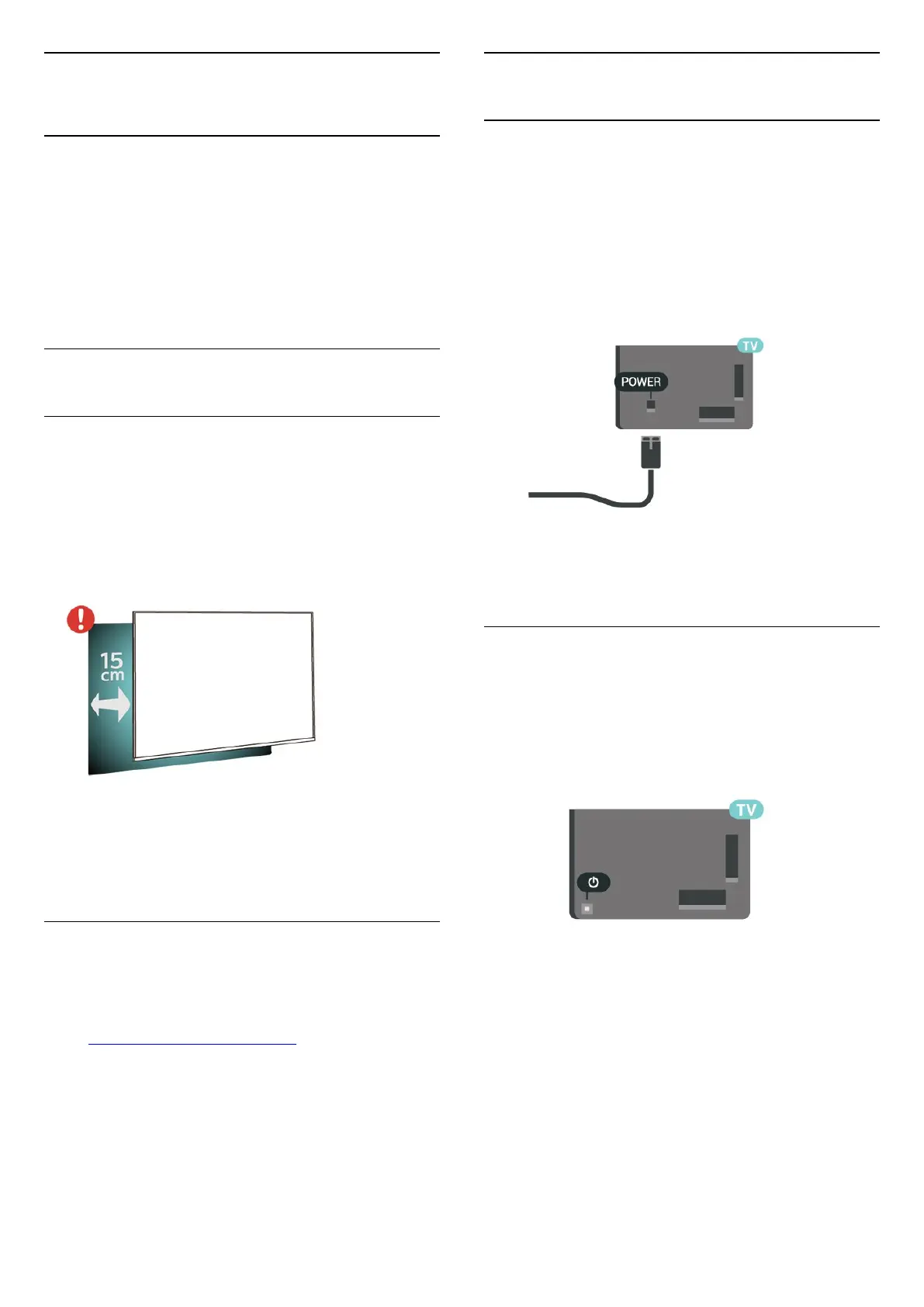
• Position the TV where light does not shine directly
on the screen.
• Position the TV up to 15 cm away from the wall.
• The ideal distance to watch TV is 3 times its diagonal
screen size. When seated, your eyes should be level
with the centre of the screen.
Note:
Please keep the TV away from dust-producing
sources such as stoves. It is suggested to clean the
dust regularly to avoid getting dust into the TV.
TV Stand
You can find the instructions for mounting the TV
stand in the Quick Start Guide that came with the TV.
In case you lost this guide, you can download it
from www.philips.com/TVsupport.
Use the model number of the TV to look for
the Quick Start Guide to download.
4.3
Turn on TV
Connect Power Cable
• Insert the power cable into the POWER connector
on the back of the TV.
• Make sure the power cable is securely inserted in
the connector.
• Make sure that the power plug, in the wall socket, is
accessible at all times.
• When you unplug the power cable, always pull the
plug, never pull the cable.
Although this TV has a very low standby power
consumption, unplug the power cable to save energy
if you do not use the TV for a long period of time.
On or Standby
Before you switch on the TV, make sure you plugged
in the mains power in the POWER connector on the
back of the TV.
Switch On
• Press the small joystick key on the back of the TV.
Switch to standby
To switch the TV to standby, press on the remote
control. You can also press the small joystick key on
the back of the TV.
In standby mode, the TV is still connected to the
mains power but consumes very little energy.
To switch off the TV completely, disconnect the
power plug.
When disconnecting the power plug, always pull the
power plug, never the cord. Ensure that you have full
access to the power plug, power cord and outlet
socket at all times.
7




 To Next Page