EasyManua.ls Logo

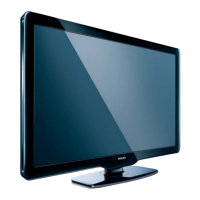
Philips 42PFL3605H/12 - User Manual

Philips 42PFL3605H/12
49 pages
Print Icon
To Next Page IconTo Next Page
Loading...
EN User Manual
Register your product and get support at
www.philips.com/welcome
32PFL3205H/12
32PFL3405H/12
32PFL3605H/12
42PFL3405H/12
42PFL3605H/12
47PFL3605H/12
Question and Answer IconNeed help?

Do you have a question about the Philips 42PFL3605H/12 and is the answer not in the manual?

Summary

3 Your TV

Remote control

Explanation of the functions of the remote control buttons.

4 Use your TV

Switch your TV on; off or to standby

Instructions for powering the TV on, off, and to standby mode.

Switch channels

How to change TV channels using the remote or channel grid.

Adjust TV volume

How to control the TV’s audio volume and mute sound.

5 Use more of your TV

Change picture and sound settings

How to adjust picture and sound parameters for optimal viewing.

Use the Electronic Programme Guide

Navigating the on-screen guide for digital TV programs.

Use TV locks

Preventing children from watching specific programs or channels by locking controls.

View photos and play music from a USB storage device

Accessing media files (photos, music) stored on a USB device.

6 Install channels

Automatically install channels

Steps to automatically search and store available TV channels.

Manually install channels

Detailed steps for manually searching and storing analogue TV channels.

Test digital reception

Checking and improving digital TV signal quality and strength.

7 Connect devices

Supported TV mounts

9 Troubleshooting

General TV issues

Solutions for common problems like TV not switching on or remote control issues.

TV channel issues

Troubleshooting steps for missing channels or incorrect channel lists.

Picture issues

Diagnosing and resolving problems related to TV picture quality or display.

Sound issues

Troubleshooting problems with TV sound, including no sound or poor quality.

HDMI connection issues

Resolving problems when connecting devices via HDMI, including HDCP and audio issues.

Computer connection issues

Addressing issues with unstable computer display or picture format.

Contact us

Summary

3 Your TV

Remote control

Explanation of the functions of the remote control buttons.

4 Use your TV

Switch your TV on; off or to standby

Instructions for powering the TV on, off, and to standby mode.

Switch channels

How to change TV channels using the remote or channel grid.

Adjust TV volume

How to control the TV’s audio volume and mute sound.

5 Use more of your TV

Change picture and sound settings

How to adjust picture and sound parameters for optimal viewing.

Use the Electronic Programme Guide

Navigating the on-screen guide for digital TV programs.

Use TV locks

Preventing children from watching specific programs or channels by locking controls.

View photos and play music from a USB storage device

Accessing media files (photos, music) stored on a USB device.

6 Install channels

Automatically install channels

Steps to automatically search and store available TV channels.

Manually install channels

Detailed steps for manually searching and storing analogue TV channels.

Test digital reception

Checking and improving digital TV signal quality and strength.

7 Connect devices

Supported TV mounts

9 Troubleshooting

General TV issues

Solutions for common problems like TV not switching on or remote control issues.

TV channel issues

Troubleshooting steps for missing channels or incorrect channel lists.

Picture issues

Diagnosing and resolving problems related to TV picture quality or display.

Sound issues

Troubleshooting problems with TV sound, including no sound or poor quality.

HDMI connection issues

Resolving problems when connecting devices via HDMI, including HDCP and audio issues.

Computer connection issues

Addressing issues with unstable computer display or picture format.

Contact us

Philips 42PFL3605H/12 Specifications

General IconGeneral
Screen Size42 inches
Resolution1920 x 1080 pixels
Display TechnologyLCD
Backlight TypeLED
HDMI Ports3
USB Ports1
Smart TVNo
Screen Format16:9
Response Time5 ms
Component Video (YPbPr/YCbCr) in1
SCART Ports Quantity1
USB 2.0 Ports Quantity1
Audio (L/R) in1
Digital Audio Optical Out1
RMS Rated Power20 W
Refresh Rate50 Hz
Energy ClassA
Audio Output2x10W

Related product manuals