4.9
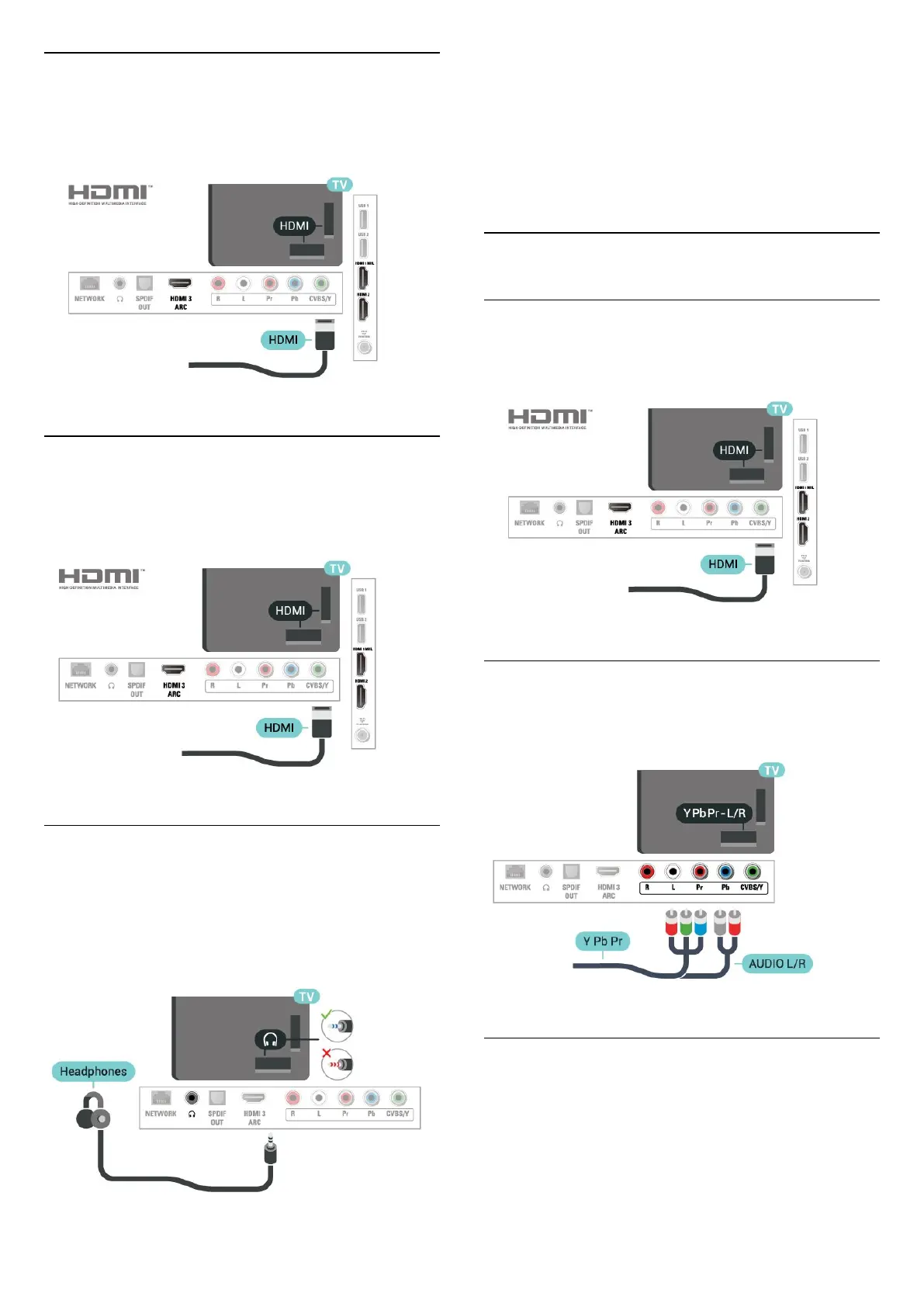
Blu-ray Disc Player
Use a High speed HDMI cable to connect the Blu-
ray Disc player to the TV.
4.10
DVD Player
Use an HDMI cable to connect the DVD player to the
TV.
4.11
Headphones
You can connect a set of headphones to
the
connection on the back of the TV. The
connection is a mini-jack 3.5mm. You can adjust the
volume of the headphones separately.
To adjust the volume…
1 - Press
, select Sound > Headphones
volume and press OK.
2 - Press the arrows
(up) or
(down) to adjust
the value.
3 - Press
(left) repeatedly if necessary, to close
the menu.
4.12
Game Console
HDMI
For best quality, connect the game console with a
high-speed HDMI cable to the TV.
Y Pb Pr - Component
Connect the game console with a component video
cable (Y Pb Pr) and an audio L/R cable to the TV.
CVBS - Audio L R
CVBS - Composite Video is a high quality
connection. Next to the CVBS signal, add the Audio
Left and Right signals for sound.
• Y shares the same jack with CVBS.
• Component and Composite share audio jacks.
13



 To Next Page