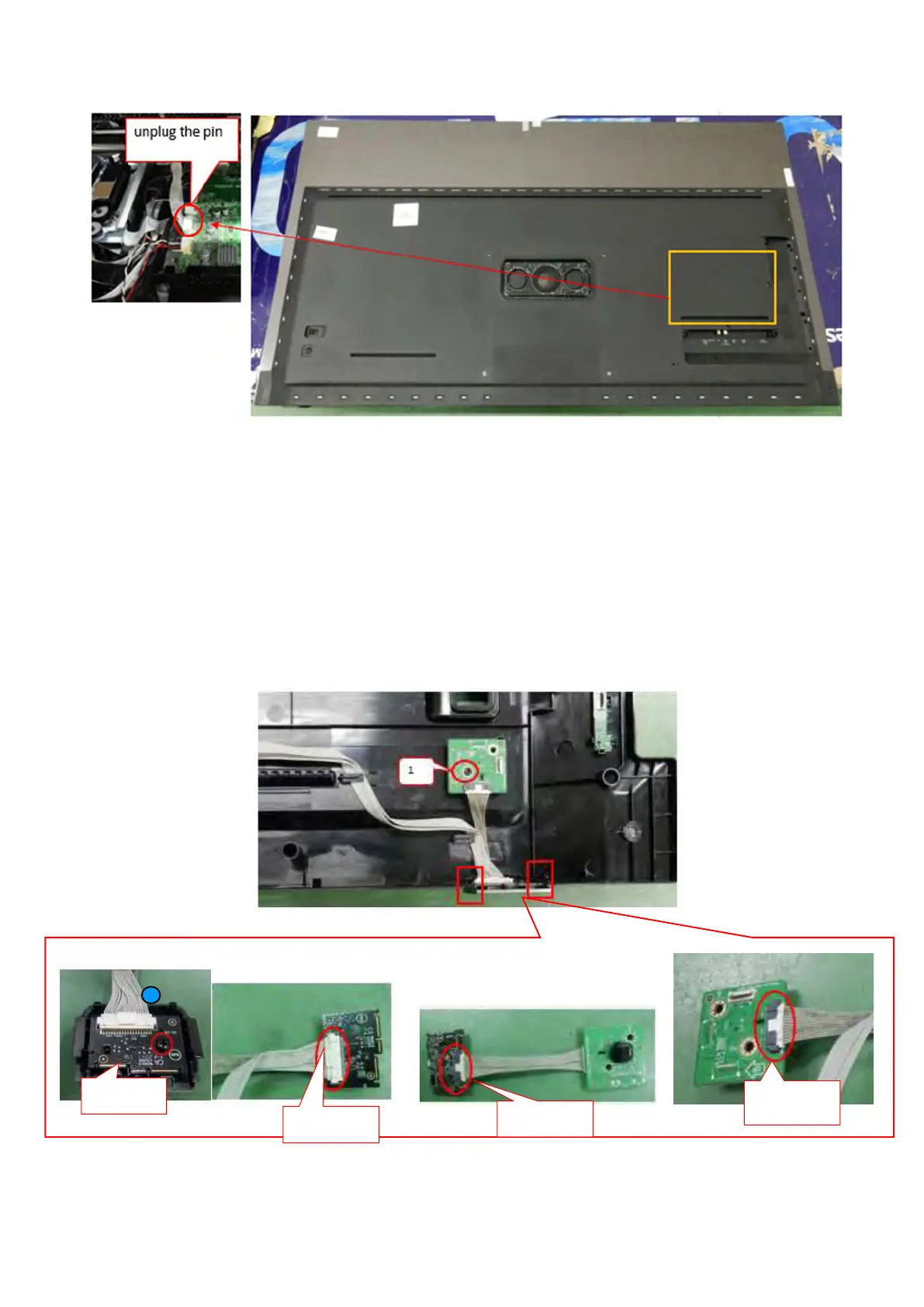
(55"/65" OLED8x6/706 rear cover removal-2)
3.2.4 IR Board Control Unit and Key board
1. Remove the fixation screws from the keyboard control panel [1] and take it out from the Back cover.
2. Take off the IR board from the hook which marker in red box below.
3. Remove the fixation screws from the IR board [2] and take it out from the IR lens.
4. Release the connector from the key Board and IR board.
Caution: be careful, the Keyboard is catch on the Back cover, please be careful to avoid damage the fragile connectors!
When defective, replace the whole unit.
2
Remove the screw
Release the connector
Release the connector
Release the connector





 To Next Page