EasyManua.ls Logo

Philips 50PUH6400-88 - User Manual

Philips 50PUH6400-88
145 pages
Print Icon
To Next Page IconTo Next Page
Loading...
Published by CQZ/SC 1540 Quality Printed in the Netherlands Subject to modification EN 3122 785 19886
2015-Sep-30
2015
©
TP Vision Netherlands B.V.
All rights reserved. Specifications are subject to change without notice. Trademarks are the
property of Koninklijke Philips Electronics N.V. or their respective owners.
TP Vision Netherlands B.V. reserves the right to change products at any time without being obliged to adjust
earlier supplies accordingly.
PHILIPS and the PHILIPS’ Shield Emblem are used under license from Koninklijke Philips Electronics N.V.
Colour Television Chassis
QM15.2E
LA
Contents Page Contents Page
1. Revision List 2
2. Technical Specs, Diversity, and Connections 2
3. Precautions, Notes, and Abbreviation List 7
4. Mechanical Instructions 11
Cable dressing (32" 5500 series) 11
Cable dressing (32" 6500 series) 12
Cable dressing (39" 5500 series) 12
Cable dressing (40" 5500 series) 13
Cable dressing (40" 6400 series) 13
Cable dressing (40" 6510&6540 series) 14
Cable dressing (40" 6550&6560&6580 series) 14
Cable dressing (48" 5500 series) 15
Cable dressing (50" 6400 series) 15
Cable dressing (50" 6510&6540 series) 16
Cable dressing (50" 6550&6560&6580 series) 16
Cable dressing (55" 5500&6400 series) 17
Cable dressing (55" 6510&6540 series) 17
Cable dressing (55" 6550&6560&6580 series) 18
Cable dressing (65" 6520 series) 18
5. Service Modes, Error Codes, and Fault Finding 29
6. Alignments 38
7. Circuit Descriptions 42
8. IC Data Sheets 48
9. Block Diagrams
Block diagram 5500/65x0/6400 series 55
10. Circuit Diagrams and PWB Layouts Drawing PWB
A 715G6934 PSU
56 58-59
A 715G6679 PSU 60 64-65
A 715G6973 PSU 66 70-71
A 715G6677 PSU 72 76-77
A 715G6960 PSU 78 82-83
B 715G7030 SSB 84 99-100
J 715G7074 IR/LED Panel 101 102
E 715G7088 Keyboard control panel 105 106
E 715G7118 Keyboard control panel 107 108
AL 715G7035 Ambilight Board 109 111
AL 715G7036 Amiblight Board 112 113
AL 715G6981 Ambilight Board 114 116
AL 715G7004 Ambilight Board 117 119
AL 715G7006 Ambilight Board 120 122
AL 715G7007 Ambilight Board 123 125
AL 715G7037 Ambilight Board 126 128
AL 715G7038 Amiblight Board 129 130
11. Styling Sheets
5500 series 32" 131
6500 series 32" 132
5500 series 39" 133
5500 series 40" 134
6400 series 40" 135
6510&6540 series 40" 136
6550&6560&6580 series 40" 137
5500 series 48" 138
6400 series 50" 139
6510&6540 series 50" 140
6550&6560&6580 series 50" 141
5500&6400 series 55" 142
6510&6540 series 55" 143
6550&6560&6580 series 55" 144
6520 series 65" 145

Table of Contents

Question and Answer IconNeed help?

Do you have a question about the Philips 50PUH6400-88 and is the answer not in the manual?

Overview

This document describes the Philips Colour Television Chassis QM15.2E LA, a new chassis launched in Europe in 2015, covering a range of models with the MT5593 processor.

Function Description

The QM15.2E LA chassis supports various functionalities, including NTSC, PAL-M, PAL-N, DVB-T/T2/S2/C, and ISDB-T. It also features multi-media capabilities, CEC, ARC, MHL, USB 3.0, WIFI, and Smart TV functionality. The core of the system is the MT5593F/H/UPIJ System-on-Chip, which integrates a DTV front-end demodulator, a backend decoder, and a TV controller. This allows for high integration and advanced applications, supporting Full-HD MPEG1/2/4/H.264/VC1/RM/AVS/ and H.264/HEVC video decoder standards, as well as JPEG. The MT5593FPIJ also incorporates MediaTek MDDi de-interlace for smooth motion, a 3D comb filter for detailed still pictures, and special color processing technology for natural, deep colors. It also includes a high-resolution and high-quality audio codec, providing Full-HD 120Hz experience.

The chassis includes a main power supply (PSU) and a small signal board (SSB). The PSU provides various output voltages for different components, including +3.5V/8.5V (standby mode), +12V (on-mode), and specific voltages for the audio amplifier and LED driver boards. The SSB integrates the main processor, memory (FLASH, DRAM), and various interfaces such as HDMI, USB, Ethernet, SCART, and tuner. Ambilight panels are available on some models, providing ambient lighting effects.

Important Technical Specifications

Key Components:

  • Scaler: MT5593F/H/UPIJ HSBGA-900
  • Flash Memory: THGBMBG6D1KBAIL 8GB FBGA153
  • DRAM: K4B2G1646Q-BCMA 2Gb FBGA-96, K4B4G1646D-BCMA 4Gb FBGA-96, NT5CB256M16CP-EK 4Gb FBGA-96
  • Tuner (Europe): TDSY-G480D, TDQS-A701F (for K series)
  • Demodulator: Si2168-C50-GMR QFN-48 (for T series), Si2166-B22-GM QFN48 (for K series)
  • Audio Amplifier: TAS5760LDDCAR 20W TSSOP-48

Power Supply Output Voltages:

  • +3.5V/8.5V (standby mode) for 32"
  • +3.5V (standby mode) for 32/39/40"/65"
  • +3.6V/8.5V/12V (standby mode) for 48"
  • +3.65V (standby mode) for 50"/55"
  • +12V (on-mode) for all models
  • +3.5~3.6V (on-mode) for 39/40/48/55"
  • +12V_audio (audio AMP power)
  • +24V (for driver board) for 65"
  • 31.5V (bolt-on voltage) for 39/40"
  • 37.4V (bolt-on voltage) for 48"

Display Diversity:

  • CCFL/EEFL backlight: conventional IPB
  • LED backlight: side-view LED (PSL), side-view LED with scanning (PSLS), direct-view LED (PSL), direct-view LED with 2D-dimming (PSDL)

HDMI Connectors:

  • HDMI 1: HDMI 1.4/HDCP1.3 with digital audio/PC DVI input/ARC
  • HDMI 2: HDMI (TV digital interface support HDCP) with digital audio/PC DVI input/ARC
  • HDMI 3: HDMI 1.4/HDCP1.3 with digital audio/PC DVI input/ARC
  • HDMI 4: HDMI 1.4/HDCP1.3 with digital audio/PC DVI input/ARC, MHL 2.0 function

USB Ports:

  • USB 3.0
  • USB 2.0

Usage Features

The TV supports various service modes for diagnostics and adjustments:

  • Service Default Mode (SDM): Sets linear video/audio to 50%/25% volume, disables service-unfriendly modes, and displays operating hours, software version, and error codes.
  • Service Alignment Mode (SAM): Allows modification of NVM, display/clear error code buffer, and perform alignments (e.g., White Tone).
  • Factory Mode: Provides extended alignments, panel ID/tuner ID information, error buffer clearing, and test pattern display.
  • Customer Service Mode (CSM): Read-only mode for customers to view TV status, error codes, and operation settings.

Software Upgrading: The main software can be upgraded via a USB stick. The process involves downloading the ZIP file from the Philips support website, decompressing it, copying it to a FAT-formatted USB stick, and inserting it into the TV. The TV will automatically detect the update and guide the user through the process.

Maintenance Features

Safety Instructions:

  • Always connect the TV to mains via an isolation transformer (> 800 VA).
  • Replace safety components (marked with ) only with identical parts.
  • After repair, check wire routing, mains lead insulation, strain relief, and electrical DC resistance between mains plug and secondary side.

Warnings:

  • ICs and semiconductors are susceptible to electrostatic discharges (ESD). Use a wristband connected to the set's mass.
  • Be careful when measuring in high voltage sections.
  • Never replace components while the unit is switched "on".
  • Use plastic tools for alignments to prevent short circuits.

Repair Tips:

  • BGA ICs: Refer to the service magazine for proper handling and temperature profiles.
  • Lead-free Soldering: Use lead-free solder tin and adequate tools (solder-tip temperature 360-380°C, heating time ~4 sec). Avoid mixing lead-free and leaded soldering.
  • NVM Editor (SAM mode): Allows direct modification of NVM contents. Always back up existing settings before making changes.
  • No Picture: Check display option code (paragraph 6.4 Option Settings) and HDMI EDID data (via ComPair or factory mode).
  • TV Will Not Start-up from Stand-by: Re-flash the software.
  • Audio Amplifier: Ensure the powerpad of the Class D-IC (U601) is well-pushed to the PWB during replacement to guarantee cooling.
  • Loudspeakers: Set volume to minimum before disconnecting speakers while the TV is ON to prevent damage to the audio amplifier.
  • Error Codes: Errors are indicated by LED blinking (red color) or on-screen in SAM/SDM/CSM. The error buffer stores the last five errors.
  • Assembly/Panel Removal: Detailed instructions are provided for removing the rear cover, keyboard control unit, SSB, PSU, IR board, and LCD panel, with specific warnings for fragile connectors and screws.
  • Set Re-assembly: Re-assemble in reverse order, ensuring all cables are correctly placed and connected, and EMC foams are properly mounted.

Cable Dressing: Detailed diagrams are provided for cable dressing for various screen sizes and series (32", 39", 40", 48", 50", 55", 65") to ensure proper routing and prevent damage.

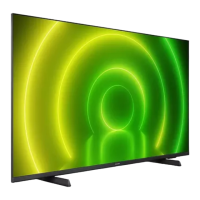
Philips 50PUH6400-88 Specifications

General IconGeneral
BrandPhilips
Model50PUH6400-88
CategoryTV
LanguageEnglish

Related product manuals