7.3
Video Device
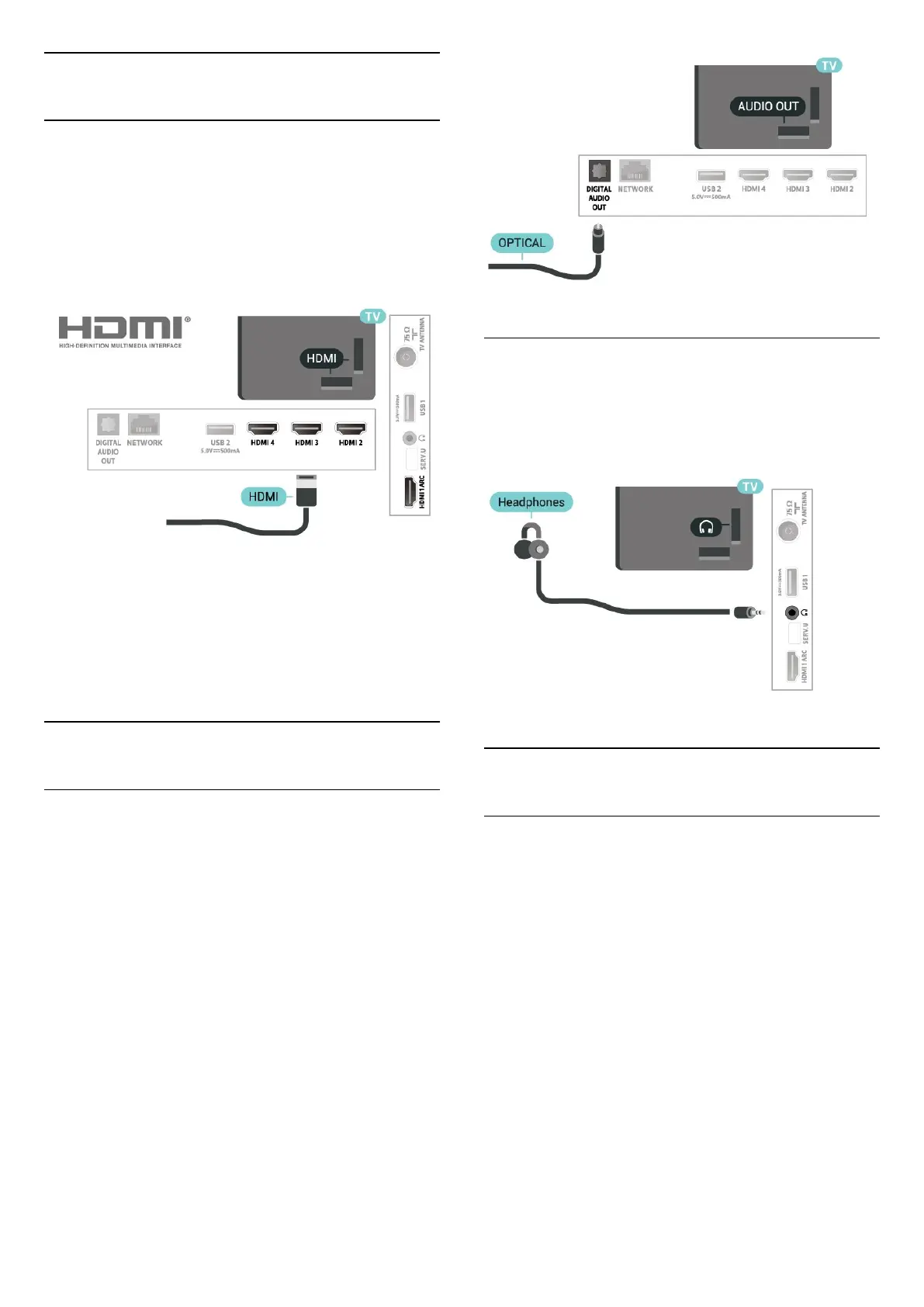
HDMI
Use a High speed HDMI cable to connect with best
picture and sound quality.
For best signal quality transfer, use a High speed
HDMI cable and do not use an HDMI cable longer
than 5 m, and also connect devices supporting HDR
on any one of HDMI connections.
Copy protection
HDMI ports support HDCP (High-bandwidth Digital
Content Protection). HDCP is a copy protection signal
that prevents copying content from a DVD disc or Blu-
ray Disc. Also referred to as DRM (Digital Rights
Management).
7.4
Audio Device
Digital Audio Out - Optical
Audio Out - Optical is a high quality sound
connection.
This optical connection can carry 5.1 audio channels.
If your device, typically a Home Theatre System
(HTS), has no HDMI ARC connection, you can use this
connection with the Audio In - Optical connection on
the HTS. The Audio Out - Optical connection sends
the sound from the TV to the HTS.
Headphones
You can connect a set of headphones to the
headphone connector on the back of the TV. The
connection is a mini-jack 3.5mm. You can adjust the
volume of the headphones separately.
7.5
USB Hard Drive
What You Need
If you connect a USB Hard Drive, you can pause or
record digital TV broadcasts. The TV broadcast must
be a digital broadcast (DVB broadcasts or similar).
Minimum Disk Space
• To Pause
To pause a broadcast, you need a USB 2.0
compatible Hard Drive with a minimum of 4GB disk
space.
• To Record
To pause and record a broadcast, you need a
minimum of 250GB disk space.
19




 To Next Page