
 To Next Page

J
John RodriguezSep 23, 2025
How to fix sound coming from one speaker only on Philips TV?
- SSamantha RobertsonSep 23, 2025
If sound is only coming from one speaker on your Philips TV, verify that the sound balance is set to the center.

How to fix sound coming from one speaker only on Philips TV?
If sound is only coming from one speaker on your Philips TV, verify that the sound balance is set to the center.
What to do if my Philips Smart TV has a slow data connection or buffering?
If you are experiencing slow data connection or buffering on your Philips Smart TV, check the settings between your router and ISP modem or gateway (if applicable). Ensure you connect to a stable wireless connection from your home wireless or wired network. Note that the use of mobile hot spots or public wireless connections is not recommended.
What to do if my Philips Smart TV remote buttons are not functional?
If the buttons on your Philips Smart TV remote are not functional, re-insert or replace the AAA batteries, making sure to align the polarities (+/–) as indicated in the remote's battery area.
What to do if the image is off on my Philips Smart TV but the power is on?
If your Philips Smart TV's power is on but the screen image is off, check if the connection for your source device is properly secured. Also, check if the correct input is selected by pressing (INPUT). Verify that your HDMI mode for the input selected matches the resolution output of your source device.
What to do if Philips 5700 TV cannot be switched on?
If your Philips TV won't turn on, try these steps: First, disconnect the power cable from the power outlet and wait one minute before plugging it back in. Also, make sure the power cable is securely connected to the TV.
Why is the standby light on my Philips TV red and blinking?
If the standby light on your Philips TV is red and blinking, disconnect the power cable from the power outlet. Allow the TV to cool down before reconnecting the power cable. If the light continues to blink, please contact Philips Customer Care Centre.
How to fix poor TV reception from the antenna connection on Philips 5700?
To improve poor TV reception on your Philips TV, ensure the antenna is properly connected. Loudspeakers, unearthed audio devices, neon lights, high buildings, and other large objects can affect reception. Try changing the antenna direction or moving devices away from the TV. If reception is poor on one particular channel, fine-tune that channel.
What to do if I cannot hear the other party on my Philips Smart TV?
If you cannot hear the other party on your Philips Smart TV, check if the volume of the TV is muted or very low. Ensure the USB camera is connected to the TV. Try turning off the TV and disconnecting/reconnecting the USB camera. Then, turn the TV back on and reopen the Duo app.
What to do if my Philips Smart TV has no power?
If your Philips Smart TV has no power, ensure that the AC outlet supplies the proper voltage by plugging another electrical appliance into it to see if it operates normally. If a power failure occurs, unplug the AC power cord for 1 minute to allow the unit to reset itself.
How to reset forgotten TV lock code on Philips TV?
If you've forgotten the code to unlock the TV lock feature on your Philips TV, enter '3448'.
General advice for safe installation and use of the television.
Instructions and considerations for mounting the TV on a wall or ceiling.
Explanation of the purpose of each button on the remote.
How to connect antenna, cable, or satellite set-top boxes.
Using HDMI for superior picture and sound quality.
Using HDMI-ARC for audio output to home theater systems.
How to turn the TV on, off, and put it into standby mode.
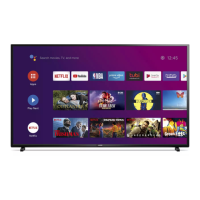
Navigating the main Android TV home screen and its sections.
How to access and install applications from the Google Play Store.
Voice control features and setup for Google Assistant.
Using the TV for high-quality video calls.
Setting up Wi-Fi and Ethernet connections for network access.
Tuning channels and setting up antenna or cable reception.
Configuring parental controls and content restrictions.
Signing in and managing Google accounts for TV features.
Adjusting picture styles, brightness, contrast, and aspect ratio.
Configuring sound modes, equalizer, and speaker balance.
Adjusting settings for visually or hearing impaired users.
Solutions for power-on delays and unresponsive remote buttons.
Diagnosing and resolving issues with picture quality and sound.
Details on what the warranty covers and for how long.
Information on what is not covered by the limited warranty.
 General
| Display Type | LED |
|---|---|
| HDR Support | HDR10, HLG |
| Smart TV | Yes |
| HDMI Ports | 3 |
| USB Ports | 2 |
| Refresh Rate | 60 Hz |
| Audio Output Power | 20W |
| Wi-Fi | Yes |
| Resolution | 4K UHD (3840 x 2160) |
| Screen Size | 50 inches |