
 Need help?
Do you have a question about the Philips 58PUS7555/12 and is the answer not in the manual?
Find TV model/serial number and register for benefits.
Learn how to update TV software using internet or USB.
Configure the TV to automatically update its software.
Read safety instructions before using the TV.
Tips on TV placement, including wall mounting.
Instructions on connecting the power cable and turning on the TV.
Screen Mirroring instructions for mobile devices.
Using the Philips TV Remote App for control and media.
How to watch channels, navigate lists, and understand icons.
Steps for installing channels via antenna, cable, or satellite.
How to create and manage favourite channel lists.
How to open, navigate, and tune to programmes via TV Guide.
Overview of Freeview Play features and requirements.
Step-by-step guide to using Freeview Play.
How to view photos, use slideshows, and access options.
How to play video files and access playback options.
Adjusting picture style and other picture settings.
Advanced picture settings for fine-tuning.
Adjusting colour enhancement and temperature.
Adjusting contrast modes, dynamic contrast, video contrast, and gamma.
Settings for High Dynamic Range content.
Noise and MPEG artefact reduction settings.
Accessing advanced audio settings like auto volume and delta volume.
Settings for Ultra HD signal compatibility.
Initial setup and configuration for Smart TV.
General tips for troubleshooting TV problems.
Troubleshooting issues related to the TV not switching on.
Troubleshooting issues with the remote control.
Troubleshooting issues with channel installation and reception.
Troubleshooting satellite reception and installation issues.
Troubleshooting picture quality problems.
Troubleshooting sound issues like no sound or poor quality.
Troubleshooting HDMI and Ultra HD connection issues.
Troubleshooting issues with USB file playback.
Troubleshooting network connection issues.
Important safety instructions and warnings.
Precautions to prevent electric shock and fire hazards.
Warnings about lifting, mounting, and handling the TV.
Risks associated with TV placement and furniture stability.
Hazards related to battery replacement and disposal.
Precautions to prevent TV overheating.
Safety measures during lightning storms.
Guidelines for cleaning and caring for the TV screen.
 General
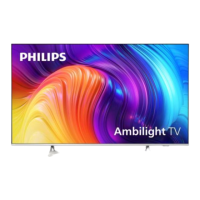
| Display Technology | LED |
|---|---|
| Smart TV | Yes |
| Internet TV | Yes |
| Hybrid Log-Gamma (HLG) | Yes |
| USB recording | Yes |
| Ethernet LAN | Yes |
| USB Ports | 2 |
| VESA mounting | Yes |
| Screen Size | 58 inches |
| Resolution | 3840 x 2160 pixels |
| Screen shape | Flat |
| Processor | Quad-core |
| HDR | Yes |
| Wi-Fi | Yes |


 To Next Page
