EasyManua.ls Logo

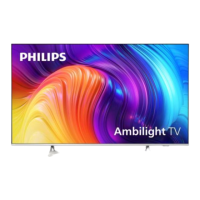
Philips 58PUS7855/12 - User Manual

Philips 58PUS7855/12
95 pages
Print Icon
To Next Page IconTo Next Page
Loading...
Published by Doris /SC 2037 Quality Subject to modification 3122 785 21071
2020-Sep-11
2020 © TP Vision Netherlands B.V.
All rights reserved. Specifications are subject to change without notice. Trademarks are the
property of Koninklijke Philips Electronics N.V. or their respective owners.
TP Vision Netherlands B.V. reserves the right to change products at any time without being obliged to adjust
earlier supplies accordingly.
PHILIPS and the PHILIPS’ Shield Emblem are used under license from Koninklijke Philips Electronics N.V.
Chassis name Platform Model name
TPM20.6E LA MTK5806
43PUS7805/60 55PUS7855/12
43PUS7805/62 58PUS7805/12
43PUS7805/12 58PUS7855/12
43PUS7855/12 58PUS8105/12
43PUS8105/12 65PUS7805/12
50PUS7805/12 65PUS7805/62
50PUS7805/62 65PUS7855/12
50PUS7855/12 70PUS7805/12
50PUS8105/12 70PUS7855/12
55PUS7805/12 70PUS8105/12
55PUS7805/62 75PUS7805/12
55PUS7805/62 75PUS7855/12
LA
TPM20.6E
Question and Answer IconNeed help?

Do you have a question about the Philips 58PUS7855/12 and is the answer not in the manual?

Summary

2. Safety, Notes, and Abbreviations

Safety Instructions and Warnings

Crucial safety rules and warnings for service operations.

Service Notes and Component Information

General notes, schematic conventions, spare parts, and BGA IC handling.

Lead-free Soldering and BOM Identification

Guidelines for lead-free soldering and identifying Bill of Materials.

Repair Procedures and Service Precautions

Board-level repair strategy and general service precautions.

3. Mechanical Instructions and Cable Dressing

4. Service Modes Overview

4.1 Service Modes Introduction

Overview of available service modes: SAM, Factory, and CSM.

4.2 Service Alignment Mode (SAM)

Purpose, activation, navigation, and storage of SAM settings.

4.3 Factory Mode Activation and Overview

Purpose, activation, interface overview, and exit procedure for Factory Mode.

4.4 Customer Service Mode (CSM)

Purpose, activation, CSM overview, and navigation for CSM.

5. Software, Error Codes, and Panel Codes

5.2 Error Code Introduction and Management

Understanding error codes, reading/clearing error buffers, and code overview.

Trouble Shooting Guides

Picture-Related Troubleshooting Flowchart

Diagnostic flow for identifying and resolving picture issues.

Audio;Sound-Related Troubleshooting Flowchart

Diagnostic flow for identifying and resolving audio problems.

System-Related Troubleshooting Flowchart

Diagnostic flow for system issues and intermittent problems.

Trouble Issue Definitions

Clarification of system-related issues and intermittent problem diagnosis.

8. IC Data Sheets

9. Circuit Diagrams

9.5 B 715 GB170 SSB Circuitry

Covers SSB power, system power, peripheral, DDR4, audio, HDMI, tuner, etc.

9.7 715 GA031 Ambilight Panel Circuits (43 Series)

TLC5971 IC and 8-LED driver circuit for 43" panels.

9.8 715 GA032 Ambilight Panel Circuits (50;65;75 Series)

TLC5971 IC and 9-LED driver circuit for 50"/65"/75" panels.

9.10 715 GA034 Ambilight Panel Circuits (50;55;70;75 Series)

TLC5971 IC and 10-LED driver circuit for 50"/55"/70"/75" panels.

11. Dismantling for Specific Handling Parts

Summary

2. Safety, Notes, and Abbreviations

Safety Instructions and Warnings

Crucial safety rules and warnings for service operations.

Service Notes and Component Information

General notes, schematic conventions, spare parts, and BGA IC handling.

Lead-free Soldering and BOM Identification

Guidelines for lead-free soldering and identifying Bill of Materials.

Repair Procedures and Service Precautions

Board-level repair strategy and general service precautions.

3. Mechanical Instructions and Cable Dressing

4. Service Modes Overview

4.1 Service Modes Introduction

Overview of available service modes: SAM, Factory, and CSM.

4.2 Service Alignment Mode (SAM)

Purpose, activation, navigation, and storage of SAM settings.

4.3 Factory Mode Activation and Overview

Purpose, activation, interface overview, and exit procedure for Factory Mode.

4.4 Customer Service Mode (CSM)

Purpose, activation, CSM overview, and navigation for CSM.

5. Software, Error Codes, and Panel Codes

5.2 Error Code Introduction and Management

Understanding error codes, reading/clearing error buffers, and code overview.

Trouble Shooting Guides

Picture-Related Troubleshooting Flowchart

Diagnostic flow for identifying and resolving picture issues.

Audio;Sound-Related Troubleshooting Flowchart

Diagnostic flow for identifying and resolving audio problems.

System-Related Troubleshooting Flowchart

Diagnostic flow for system issues and intermittent problems.

Trouble Issue Definitions

Clarification of system-related issues and intermittent problem diagnosis.

8. IC Data Sheets

9. Circuit Diagrams

9.5 B 715 GB170 SSB Circuitry

Covers SSB power, system power, peripheral, DDR4, audio, HDMI, tuner, etc.

9.7 715 GA031 Ambilight Panel Circuits (43 Series)

TLC5971 IC and 8-LED driver circuit for 43" panels.

9.8 715 GA032 Ambilight Panel Circuits (50;65;75 Series)

TLC5971 IC and 9-LED driver circuit for 50"/65"/75" panels.

9.10 715 GA034 Ambilight Panel Circuits (50;55;70;75 Series)

TLC5971 IC and 10-LED driver circuit for 50"/55"/70"/75" panels.

11. Dismantling for Specific Handling Parts

Philips 58PUS7855/12 Specifications

General IconGeneral
Screen Size58 inches
Display TechnologyLED
Smart TVYes
Operating SystemAndroid TV
Audio Output20 W
AmbilightYes
Storage16 GB
HDMI Ports4
USB Ports2
BluetoothYes
Weight20.5 kg
Resolution3840 x 2160 (4K Ultra HD)
HDRDolby Vision, HLG
ConnectivityWi-Fi, Ethernet
ProcessorQuad Core

Related product manuals