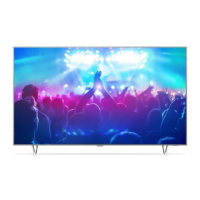
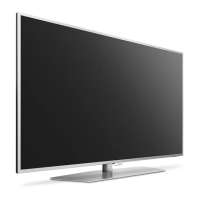
This document describes a Philips 6551 series TV, available in 43, 49, and 55-inch models (43PUS6551, 49PUS6551, 55PUS6551). It functions as a Smart TV with Android TV capabilities, offering a range of features for entertainment, connectivity, and personalized viewing.
Function Description
The Philips 6551 series TV is designed for home entertainment, allowing users to watch TV channels, stream content from the internet, play games, and connect various external devices. It integrates a new browser engine for improved performance and a new look for Smart TV apps and internet browsing. The TV can be operated via a remote control with voice search capabilities and a keyboard, or through a connected Android smartphone/tablet using the Android TV Remote Control app.
Important Technical Specifications
Display:
- Resolution: 3840 x 2160p (Ultra HD)
- Visible Screen Size:
- 43PUS6551: 108 cm / 43 inch
- 49PUS6551: 123 cm / 49 inch
- 55PUS6551: 139 cm / 55 inch
- Display Input Resolution (Video formats):
- 480i, 480p, 576i, 576p, 720p, 1080i, 1080p (50Hz, 60Hz)
- 1080p (24Hz, 25Hz, 30Hz)
- 2160p (24Hz, 25Hz, 30Hz, 50Hz, 60Hz)
- Display Input Resolution (Computer formats):
- 640 x 480p, 800 x 600p, 1024 x 768p, 1280 x 768p, 1360 x 765p, 1360 x 768p, 1280 x 1024p, 1920 x 1080p (60Hz)
- 3840 x 2160p (24Hz, 25Hz, 30Hz, 50Hz, 60Hz)
Audio:
- Output power (RMS): 20W
- Sound Enhancements: WOOX, HD Stereo, Dolby Digital Plus®, DTS Premium Sound™
- Audio Out Format: Multichannel or Stereo
Connectivity:
- HDMI:
- HDMI 1 in - HDCP 2.2
- HDMI 2 in - HDCP 2.2
- HDMI 3 in - ARC
- HDMI 4 in - MHL - ARC
- All HDMI connections support HDMI ARC (Audio Return Channel).
- HDMI 4 supports MHL 2.0 (Mobile High-Definition Link).
- USB:
- USB 1 - USB 2.0
- USB 2 - USB 2.0
- USB 3 - USB 3.0 (blue)
- Other Inputs/Outputs:
- Audio out - Optical Toslink
- Network LAN - RJ45
- Antenna (75 ohm)
- Satellite tuner
- 1x Common Interface slot: CI+/CAM
- Headphones - Stereo mini-jack 3.5mm
- Audio In (DVI to HDMI) – Stereo mini-jack 3.5mm
- SCART: Audio L/R, CVBS in, RGB
- YPbPr : Y Pb Pr, Audio L/R
- Wireless: Wi-Fi 802.11a/b/g/n/ac (built-in), BT2.1 with EDR & BT4.0 with BLE
- Supported USB file systems: FAT 16, FAT 32, NTFS
- Supported media server software (DMS): DLNA V1.5 certified media server software, Philips TV Remote app (iOS and Android).
Power & Environmental:
- Mains power: AC 220-240V +/-10%
- Ambient temperature: 5°C to 35°C
- Energy Efficiency Class: B (for 43PUS6551, 49PUS6551), A (for 55PUS6551)
- On Mode Power Consumption (W): 77W (43PUS6551), 99W (49PUS6551), 105W (55PUS6551)
- Annual Energy Consumption (kWh): 112kWh (43PUS6551), 144kWh (49PUS6551), 153kWh (55PUS6551)
- Standby Power Consumption (W): 0.30W
- Power saving features: Eco mode, Picture mute (for radio), Auto switch-off timer, Eco settings menu.
Software:
- Operating System: Android Nougat 7
- Playback formats:
- Containers: 3GP, AVCHD, AVI, MPEG-PS, MPEG-TS, MPEG-4, Matroska (MKV), Quicktime (MOV, M4V, M4A), Windows Media (ASF/WMV/WMA)
- Video Codecs: MPEG-1, MPEG-2, MPEG-4 Part 2, MPEG-4 Part 10 AVC (H264), H.265 (HEVC), VC-1, WMV9
- Audio Codecs: AAC, HE-AAC (v1/v2), AMR-NB, Dolby Digital, Dolby Digital Plus, DTS Premium Sound™™, MPEG-1/2/2.5 Layer I/II/III (includes MP3), WMA (v2 to v9.2), WMA Pro (v9/v10)
- Subtitles: SAMI, SubRip (SRT), SubViewer (SUB), MicroDVD (TXT), mplayer2 (TXT), TMPlayer (TXT)
- Character encodings: UTF-8, Central Europe and Eastern Europe (Windows-1250), Cyrillic (Windows-1251), Greek (Windows-1253), Turkish (Windows-1254), Western Europe (Windows-1252)
- Image Codecs: JPEG, PNG, BMP
- Limitations: Max supported total bit rate for media file is 30Mbps, max supported video bit rate is 20Mbps. MPEG-4 AVC (H.264) up to High Profile @ L5.1. H.265 (HEVC) up to Main / Main 10 Profile up to Level 5.1. VC-1 up to Advanced Profile @ L3.
Usage Features
Initial Setup:
- Safety: Read safety instructions before use.
- Placement: Position the TV away from direct light, 15 cm from the wall, and at an ideal viewing distance (3 times diagonal screen size).
- Power: Connect the power cable securely. Unplug for long periods of non-use.
- Antenna/Satellite: Connect antenna or satellite dish for DVB-T/C/S signals.
- Wall Mounting: VESA-compliant wall mounts are supported (specific VESA MIS-F codes provided for each model).
Remote Control & Navigation:
- Key Overview: Includes OK, navigation, Back, Colour keys, Options, Home, Top Picks, TV Guide, Sources, Settings, Exit, Search, List, TV Menu, Netflix, Volume, Channel, Subtitle, Playback and Record keys.
- Voice Search: Use the Android TV Remote Control app on a smartphone/tablet for voice search.
- Keyboard: Remote control has a Qwerty/Azerty or Qwerty/Cyrillic keyboard for text input.
- IR Sensor: Point the remote control at the TV's IR sensor.
Channels & TV Guide:
- Installation: Satellite and Antenna/Cable installation options, including Unicable setup.
- Channel List Copy: Copy channel lists to/from a USB flash drive.
- Channel Management: View, filter, search, lock, rename, and create favorite channel lists.
- Parental Rating: Set age ratings for programmes and lock channels with a PIN code.
- Channel Options: Access preferences like Mono/Stereo, Video Selection, Dual I-II, Map Channel, Change Logo, HbbTV settings, and Channel Info.
- TV Guide: View current and scheduled programmes (up to 8 days), set reminders, and search by genre.
Connecting Devices:
- HDMI: Connect Blu-ray/DVD players, game consoles, computers. Supports HDMI ARC for audio return and MHL for mobile device connectivity (HDMI 4).
- DVI to HDMI: Use an adapter for DVI-only devices.
- Y Pb Pr (Component): For high-quality video and audio connections.
- Scart: For CVBS and RGB video signals.
- Audio Out - Optical: For 5.1 audio channels to a Home Theatre System (HTS).
- CAM with Smart Card (CI+): For watching premium HD programmes.
- Receiver – Set-Top Box: Connect digital receivers via antenna and HDMI/SCART.
- Home Theatre System (HTS): Connect via HDMI ARC or optical audio.
- Smartphones and Tablets: Use Philips TV Remote App (wireless) or HDMI 4 MHL (wired).
- Bluetooth: Connect wireless speakers, subwoofers, headphones, and gamepads.
- Headphones: Connect via 3.5mm mini-jack.
- Game Console: Connect via HDMI for best quality.
- USB Hard Drive: For pausing and recording digital TV broadcasts, and storing apps. Requires formatting.
- USB Flash Drive: For viewing photos, videos, and music.
- Photo Camera/Camcorder: Connect via USB or HDMI/SCart.
- Computer: Use as a PC monitor via HDMI or DVI to HDMI.
Android TV Features:
- Network & Internet: Connect to home network via wired (Ethernet) or wireless (Wi-Fi) connection. Supports WPS.
- Google Account: Sign in to access Google Play features (Movies & TV, Music, Games, apps).
- Philips App Gallery: Access Philips-selected apps.
- Android Settings: Configure language, keyboard, location, and manage apps.
- Home Menu: Central hub for apps, TV channels, movies, websites, connected devices, recommendations, and settings.
- Restricted Profile: Restrict app usage for children with a PIN code.
- Storage: View internal TV memory usage and manage apps.
- Internet Browser: Browse the internet, view favourites, reload pages, zoom, and manage security info.
Picture & Sound Settings:
- Picture Styles: Personal, Vivid, Natural, Standard, Movie, Photo, Game, ISF Day, ISF Night. HDR-specific styles also available.
- Picture Adjustments: Colour, Contrast, Sharpness, Brightness.
- Advanced Picture Settings: Colour Enhancement, Colour Temperature (Normal, Warm, Cool, Custom), ISF Colour Control, RGB Only Mode, Contrast Modes (Standard, Best Power, Best Picture, Off), Dynamic Contrast, Video Contrast, Light Sensor, Gamma, Ultra Resolution, Noise Reduction, MPEG Artefact Reduction.
- Sound Styles: Personal, Original, Movie, Music, Game, News, Original.
- Sound Adjustments: Bass, Treble, Headphone Volume, Subwoofer Volume.
- Advanced Sound Settings: Surround Mode (Stereo, Incredible Surround), TV Placement (On a TV stand, On the Wall), Auto Volume Levelling, Clear Sound, Audio Out Format (Multichannel, Stereo), Audio Out Levelling, Audio Out Delay, Audio Out Offset, Speakers (On, Off, EasyLink Autostart).
Ambilight:
- Ambilight Style: Follow Video (Standard, Natural, Immersive, Vivid, Game, Comfort, Relax), Follow Audio (Lumina, Colora, Retro, Spectrum, Scanner, Rhythm, Party), Follow Colour (Hot Lava, Deep Water, Fresh Nature, ISF Warm White, Cool White), Follow App.
- Ambilight Off: Switch Ambilight off.
- Ambilight Settings: Brightness, Saturation, Wall Colour, ISF Tuning, Ambilight + Hue (configure Hue Bridge and bulbs).
Recording & Pause TV:
- Recording: Record digital TV broadcasts to a formatted USB Hard Drive. Schedule recordings, manage conflicts, and set auto end margin.
- Pause TV: Pause live digital TV broadcasts for up to 90 minutes.
- Replay: Replay recent broadcasts.
Universal Access:
- Switch On: Enable features for deaf, hard of hearing, blind, or partially sighted people.
- Hard of Hearing: Automatically switches to adapted audio and subtitles.
- Audio Description: Narrator's commentary for visually impaired.
- Mixed Volume: Mix normal audio with commentary.
- Audio Effect: Extra audio effects for commentary.
- Speech: Subtitles for spoken words.
Child Lock:
- Parental Rating: Set minimum age for programmes.
- App Lock: Lock 18+ rated apps from Philips App Gallery.
- Restricted Profile: Restrict app usage in Home menu.
- Set Code / Change Code: Set or change the Child Lock PIN code.
Maintenance Features
Software Updates:
- Update from Internet: Automatically or manually update TV software via internet connection.
- Update from USB: Update TV software using a USB flash drive.
- Automatic Software Update: Enable/disable automatic updates.
Troubleshooting:
- Switch On and Remote Control: Solutions for TV not switching on, remote control unresponsiveness, creaking sounds, and standby light blinking.
- Channels: Solutions for no digital channels found, missing channels, and DVB-T2 HEVC channels.
- Picture: Solutions for no/distorted picture, sound but no picture, poor antenna reception, poor picture from device, changing picture settings, commercial banner, picture not fitting screen, incorrect picture position, and unstable computer picture.
- Sound: Solutions for no sound/poor sound quality, HDMI audio issues, HDMI EasyLink not working, no volume icon, and choppy USB playback.
- Wi-Fi & Internet: Solutions for wireless network not found/distorted, internet not working, and DHCP issues.
- Online Help: Access help menu on TV or download user manual from www.philips.com/support.
- Support and Repair: Contact Philips Consumer Care for assistance.
Safety and Care:
- Safety Precautions: Avoid electric shock, fire, overheating, injury to children, and hearing damage.
- Screen Care: Clean the screen with a soft damp cloth, avoid touching Ambilight LEDs, and minimize stationary images.
- Humidity: Avoid direct sunlight, heat, or extreme humidity to prevent condensation.
- Low Temperatures: Allow TV to reach room temperature before connecting after transport in cold conditions.
General Settings:
- USB Hard Drive: Format and manage USB Hard Drive for recordings and apps.
- USB Keyboard Settings: Install and configure USB keyboards.
- Philips Logo Brightness: Adjust or switch off the Philips logo light.
- Home or Shop Location: Set TV location for appropriate settings.
- Shop Setup: Configure demo settings for shop use.
- EasyLink (HDMI CEC): Switch off EasyLink and EasyLink Remote Control.
- HDMI Ultra HD: Set signal quality for Ultra HD devices.
- Factory Settings: Reset TV to original factory settings.
- Reinstall TV: Perform a full TV reinstallation.
- Clock, Region and Language: Set menu language, date, time, and time zone.
- Sleep Timer: Set TV to switch to standby automatically after a preset time.
- Switch Off Timer: Deactivate automatic switch-off timer.

 Need help?


 To Next Page
 General