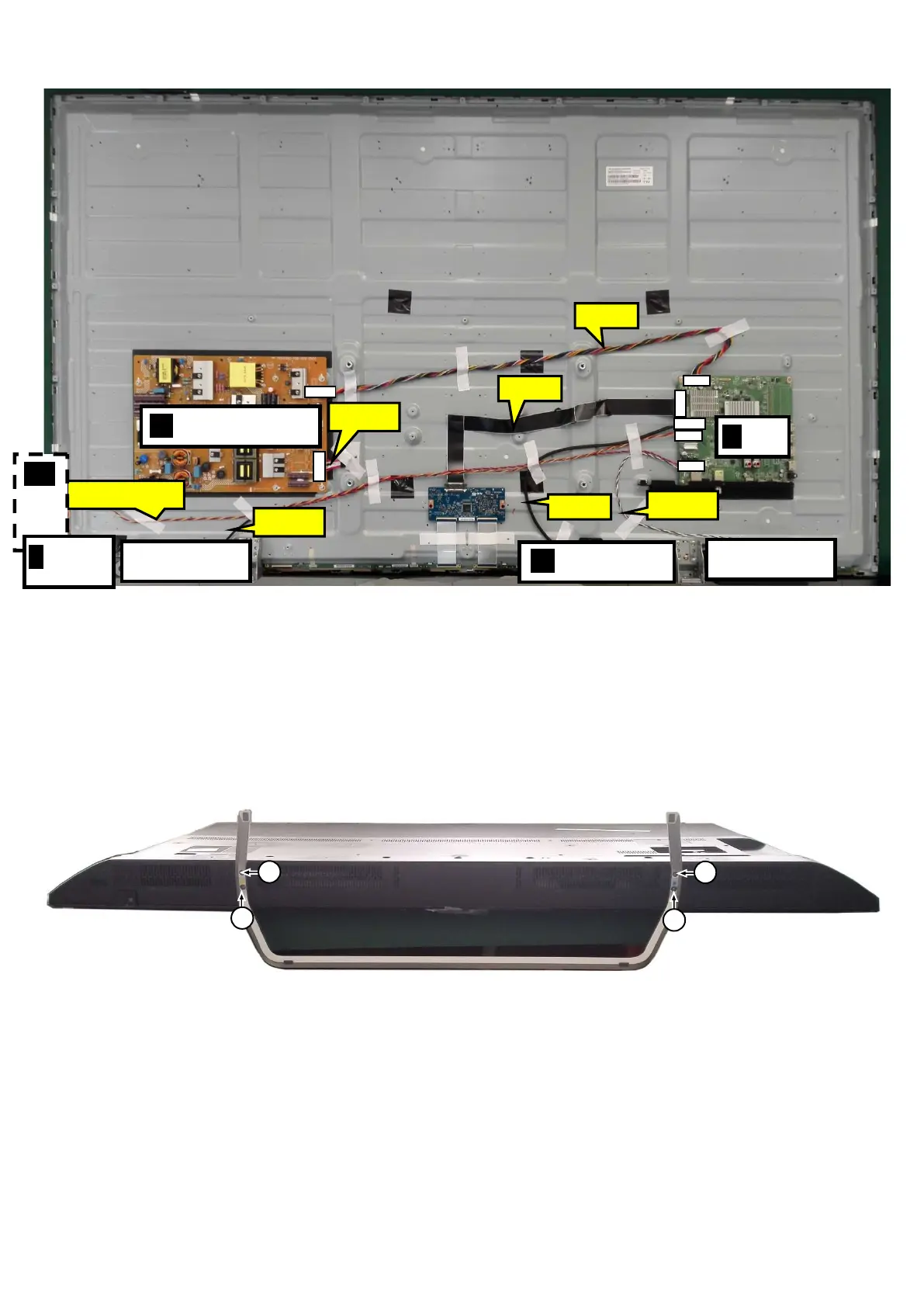
Cable dressing (65" 6162 series)
3.2 Assembly/Panel Removal
3.2.1 Stand removal
1. Remove the fixation screws [1] that secure the stand
2. Take the stand bracket out from the set.
3.2.2 IR board Control Unit
1. Unplug the connector from the SSB.
Caution: be careful, as these are very fragile connectors!
2. Remove all the fixation screws [1] and connector [2] from the IR board control unit.
When defective, replace the whole unit.
1
1
1
1
CN701
A
W
ECN701
ECN4605
ECN418
B
CONTRO
E
BOARD
J
CN4605
CN401
CN601
CN9102



 To Next Page