6
Remote control
6.1
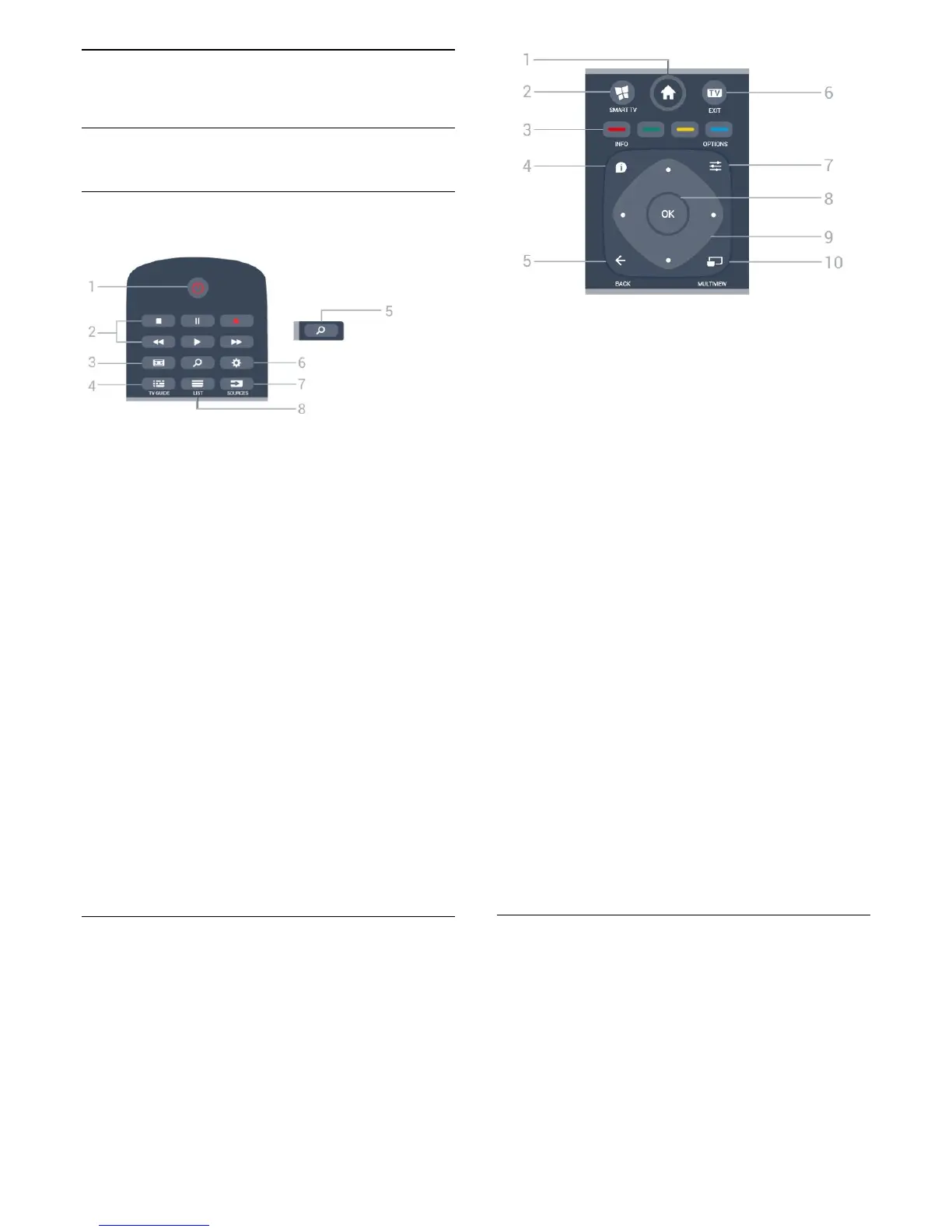
Key overview
Top
1 -
Standby / On
To switch the TV on or back to Standby.
2 - Playback and Record
• Play
, to playback.
• Pause
, to pause playback
• Stop
, to stop playback
• Rewind
, to rewind
• Fast forward
, to go fast forward
• Record
, to start recording
3 -
Picture Format
To open or close the Picture Format menu.
4 -
TV GUIDE
To open or close the TV Guide.
5 -
Search
To open the searches page.
6 -
Settings
To open the Settings menu.
7 - SOURCES
To open the Sources menu.
8 -
LIST
To open or close the channel list.
Middle
1 -
Home
To open the Home menu.
2 -
SMART TV
To open the Smart TV start page.
3 -
Colour keys
Direct selection of options. Blue key
, opens Help.
4 -
INFO
To open or close programme info.
5 -
BACK
To switch back to the previous channel you selected.
To close a menu without changing a setting.
To go back to the previous App/Internet page.
6 - EXIT
To switch back to watch TV.
7 -
OPTIONS
To open or close the Options menu.
8 - OK key
To confirm a selection or setting. To open the channel
list while watching TV.
9 - Arrow / navigation keys
To navigate up, down, left or right.
10 -
MULTIVIEW
To open an extra small screen of TV channel on the
corner of the TV screen. This function enables user to
watch TV channel while TV is on a Smart TV App or
the Internet.
Bottom
22






 To Next Page