EasyManua.ls Logo

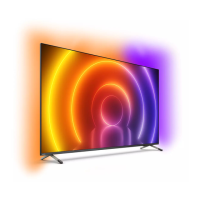
Philips 65PUT6784/75 - User Manual

Philips 65PUT6784/75
69 pages
Print Icon
To Next Page IconTo Next Page
Loading...
Register your product and get support at
www.philips.com/TVsupport
User Manual
65PUT6784
6784 Series

Table of Contents

Other manuals for Philips 65PUT6784/75

Question and Answer IconNeed help?

Do you have a question about the Philips 65PUT6784/75 and is the answer not in the manual?

Summary

Get Support

Identify and Register Your TV

Find your TV's model and serial number for registration and support. Benefits include full support, new product access, and exclusive offers.

TV Help and User Manual

Access TV Help for diagnostics, how-to guides, TV checks, software updates, user manual, and contact info.

On-line Help and User Manual

Consult online support for troubleshooting, FAQs, chat, email support, software updates, and manual downloads.

Consumer Care; Repair

Contact Consumer Care hotline for support and repair. Find phone numbers online or in documentation. Do not attempt self-repair.

Software

Update Software

Update TV software via Internet or USB. Includes steps for finding updates and using USB for local or OAD updates.

Quick Guide

Remote Control

Details on replacing batteries, cleaning the remote, and an overview of top and middle remote control buttons.

Joystick - Local Control

Instructions on using the TV's joystick for basic operations like volume, channel selection, and menu navigation.

Setting Up

Read Safety

Emphasizes reading safety instructions before use. Access them via Help > User manual > Keywords > Safety and Care.

Turn on TV

Instructions on connecting the power cable securely and ensuring the plug is accessible for safe operation.

Connections

Connectivity guide

Connect devices with the highest quality connection. TV recognizes device types, allowing automatic setting adjustments.

Mobile Device

Details on using Wi-Fi Direct/Miracast for screen mirroring from mobile devices. Explains setup, limitations, and usage.

Switch Source

Channels

Install Channel

Detailed steps for installing channels via Antenna Install, Quick Reinstall, and Advanced Reinstall, including channel settings.

TV Guide

Using the TV Guide

Steps to open, tune to programmes, view details, change days, set reminders, and search by genre.

Set a Recording

Instructions on how to set and cancel programme recordings using the TV Guide, and how to view the recording list.

Recording and Pause TV

Recording

Details on what's needed for recording, how to record now, schedule, list recordings, and manual recording setup.

Pause TV

Instructions on how to pause and resume TV programmes, and how to replay current broadcasts.

Videos, Photos and Music

Open TV Setting Menus

Universal Access Settings

Enabling universal access features for hearing impaired, visually impaired, and for dialogue enhancement.

Lock Settings

Setting and changing child lock codes for channels/programmes and setting parental ratings.

Wireless and Networks

Smart TV

Setup Smart TV

Initial configuration for Smart TV, including connection setup and agreeing to terms and conditions.

Ambilight

Specifications

Troubleshooting

Tips

General troubleshooting tips, including using Help, support website, and FAQs for problem solving.

Switch On

Troubleshooting steps if the TV does not switch on, checking power, connections, and connected devices.

Remote Control

Troubleshooting for remote control issues, such as no response or empty batteries.

Channels

Troubleshooting for no digital channels found, missing channels, or deleted channels during updates.

Picture

Troubleshooting for no picture, distorted picture, sound but no picture, poor reception, and settings changing.

Sound

Troubleshooting for no sound, poor sound quality, or sound with loud noise (e.g., DTS issues).

HDMI - UHD

Troubleshooting HDMI connections, HDCP delays, device recognition issues, and sound disruptions.

USB

Troubleshooting for USB devices not showing content, choppy playback, or incompatible file formats.

Wi-Fi and Internet

Troubleshooting Wi-Fi network issues, Internet connectivity, slow connections, and DHCP settings.

Safety and Care

Safety

Important safety instructions covering electric shock, fire risk, injury, damage, stability hazards, and battery safety.

Risk of Electric Shock or Fire

Precautions to prevent electric shock or fire, including avoiding water, heat, and inserting objects into vents.

Risk of Injury or Damage to the TV

Safety guidelines for lifting, carrying, mounting, and handling the TV to prevent injury or damage.

Risk of Swallowing Batteries

Warning about coin-type batteries in the remote control being a swallowing hazard for children.

Risk of Overheating

Instructions to prevent overheating by ensuring proper ventilation around the TV.

Screen Care

Guidance on cleaning the TV screen and frame using a soft damp cloth, avoiding harsh chemicals and stationary images.

Summary

Get Support

Identify and Register Your TV

Find your TV's model and serial number for registration and support. Benefits include full support, new product access, and exclusive offers.

TV Help and User Manual

Access TV Help for diagnostics, how-to guides, TV checks, software updates, user manual, and contact info.

On-line Help and User Manual

Consult online support for troubleshooting, FAQs, chat, email support, software updates, and manual downloads.

Consumer Care; Repair

Contact Consumer Care hotline for support and repair. Find phone numbers online or in documentation. Do not attempt self-repair.

Software

Update Software

Update TV software via Internet or USB. Includes steps for finding updates and using USB for local or OAD updates.

Quick Guide

Remote Control

Details on replacing batteries, cleaning the remote, and an overview of top and middle remote control buttons.

Joystick - Local Control

Instructions on using the TV's joystick for basic operations like volume, channel selection, and menu navigation.

Setting Up

Read Safety

Emphasizes reading safety instructions before use. Access them via Help > User manual > Keywords > Safety and Care.

Turn on TV

Instructions on connecting the power cable securely and ensuring the plug is accessible for safe operation.

Connections

Connectivity guide

Connect devices with the highest quality connection. TV recognizes device types, allowing automatic setting adjustments.

Mobile Device

Details on using Wi-Fi Direct/Miracast for screen mirroring from mobile devices. Explains setup, limitations, and usage.

Switch Source

Channels

Install Channel

Detailed steps for installing channels via Antenna Install, Quick Reinstall, and Advanced Reinstall, including channel settings.

TV Guide

Using the TV Guide

Steps to open, tune to programmes, view details, change days, set reminders, and search by genre.

Set a Recording

Instructions on how to set and cancel programme recordings using the TV Guide, and how to view the recording list.

Recording and Pause TV

Recording

Details on what's needed for recording, how to record now, schedule, list recordings, and manual recording setup.

Pause TV

Instructions on how to pause and resume TV programmes, and how to replay current broadcasts.

Videos, Photos and Music

Open TV Setting Menus

Universal Access Settings

Enabling universal access features for hearing impaired, visually impaired, and for dialogue enhancement.

Lock Settings

Setting and changing child lock codes for channels/programmes and setting parental ratings.

Wireless and Networks

Smart TV

Setup Smart TV

Initial configuration for Smart TV, including connection setup and agreeing to terms and conditions.

Ambilight

Specifications

Troubleshooting

Tips

General troubleshooting tips, including using Help, support website, and FAQs for problem solving.

Switch On

Troubleshooting steps if the TV does not switch on, checking power, connections, and connected devices.

Remote Control

Troubleshooting for remote control issues, such as no response or empty batteries.

Channels

Troubleshooting for no digital channels found, missing channels, or deleted channels during updates.

Picture

Troubleshooting for no picture, distorted picture, sound but no picture, poor reception, and settings changing.

Sound

Troubleshooting for no sound, poor sound quality, or sound with loud noise (e.g., DTS issues).

HDMI - UHD

Troubleshooting HDMI connections, HDCP delays, device recognition issues, and sound disruptions.

USB

Troubleshooting for USB devices not showing content, choppy playback, or incompatible file formats.

Wi-Fi and Internet

Troubleshooting Wi-Fi network issues, Internet connectivity, slow connections, and DHCP settings.

Safety and Care

Safety

Important safety instructions covering electric shock, fire risk, injury, damage, stability hazards, and battery safety.

Risk of Electric Shock or Fire

Precautions to prevent electric shock or fire, including avoiding water, heat, and inserting objects into vents.

Risk of Injury or Damage to the TV

Safety guidelines for lifting, carrying, mounting, and handling the TV to prevent injury or damage.

Risk of Swallowing Batteries

Warning about coin-type batteries in the remote control being a swallowing hazard for children.

Risk of Overheating

Instructions to prevent overheating by ensuring proper ventilation around the TV.

Screen Care

Guidance on cleaning the TV screen and frame using a soft damp cloth, avoiding harsh chemicals and stationary images.

Philips 65PUT6784/75 Specifications

General IconGeneral
Screen Size65 inches
Display diagonal164 cm
Resolution3840 x 2160 pixels
Display resolution4K Ultra HD
HDRYes
Smart TVYes
Operating SystemSAPHI
Internet TVYes
Operating system installedSAPHI
Number of coresQuad-Core
AmbilightYes
RMS rated power20 W
Number of speakers2
HDMI ports quantity3
USB 2.0 ports quantity2
USB Ports2
Wi-FiYes
Ethernet LANYes
VESA mountingYes
Product colourBlack
Display technologyLED
Screen shapeFlat
Ambilight features3-sided
Digital signal format systemDVB-C, DVB-S, DVB-S2, DVB-T, DVB-T2

Related product manuals